
Is your email domain set up for Cyber Essentials?
Enter your business email and we’ll run 8 instant DNS checks — SPF, DKIM, DMARC, MTA‑STS, BIMI, DNSSEC and more — then give you a 0–100 health score with copy-paste fixes. About 4 seconds, no signup.
0–100 score & A–F grade
Copy-paste fixes
No signup, GDPR-safe
A complete UK email security audit in one click
An SPF checker, DKIM checker, DMARC checker, MTA‑STS check, BIMI and DNSSEC test — all in one tool, scored 0–100, with copy-paste DNS fixes for Cyber Essentials Question A6, IASME Cyber Assurance and ISO 27001.
Confirms your SPF record exists, counts the 10 RFC‑7208 lookups and grades the policy strictness (-all / ~all / ?all / +all).
Probes the 14 most common DKIM selectors used by Microsoft 365, Google Workspace, Mailchimp, SendGrid and Mandrill.
Reads your DMARC TXT record, scores p=none / quarantine / reject and verifies you have a working report-to address.
Inbound mail forced over TLS. Stops passive surveillance and TLS downgrade attacks against your domain.
Get reports when TLS delivery fails — useful to spot downgrade attacks while they’re happening.
Your verified brand logo appears in Gmail, Yahoo and Apple Mail inboxes once DMARC is enforcing at p=quarantine or stricter.
All DNS responses for your domain are cryptographically signed, blocking DNS-poisoning and spoofing attacks.
Detects whether you’re on Microsoft 365, Google Workspace, on-prem Exchange, Mimecast or Proofpoint — and confirms MX is healthy.
Free Domain Checker — SPF, DKIM, DMARC & Domain Health (UK 2026)
Independent UK-built domain checker · Updated 10 May 2026 · Reviewed by Andy Pickett · Run free, no signup
Quick answer: Enter any UK business domain or email address and our free domain checker runs 8 instant DNS checks — SPF, DKIM, DMARC, MTA-STS, TLS-RPT, BIMI, DNSSEC and MX provider — then returns a 0–100 domain health score, a letter grade and copy-paste DNS fixes for any gaps. Works as a DMARC checker, DMARC lookup, SPF checker, email domain checker and domain reputation check in one place. UK-built, GDPR-safe, no signup, designed for Cyber Essentials Question A6.
What our domain checker tests (in plain English)
Want the human-side risk too?
Use our free Email Breach Checker to see if your address has been exposed in any of 800+ verified data breaches — no signup, GDPR-safe.
Every check runs against the public DNS for the domain you enter — we never connect to your inbox, mail server or messages. Each result shows the exact record (or the missing one) and the copy-paste fix.
Already passed? — Use our free email breach checker for the human-side risk, then read our 30-day DMARC deployment plan or the SPF, DKIM, DMARC for Microsoft 365 setup guide.
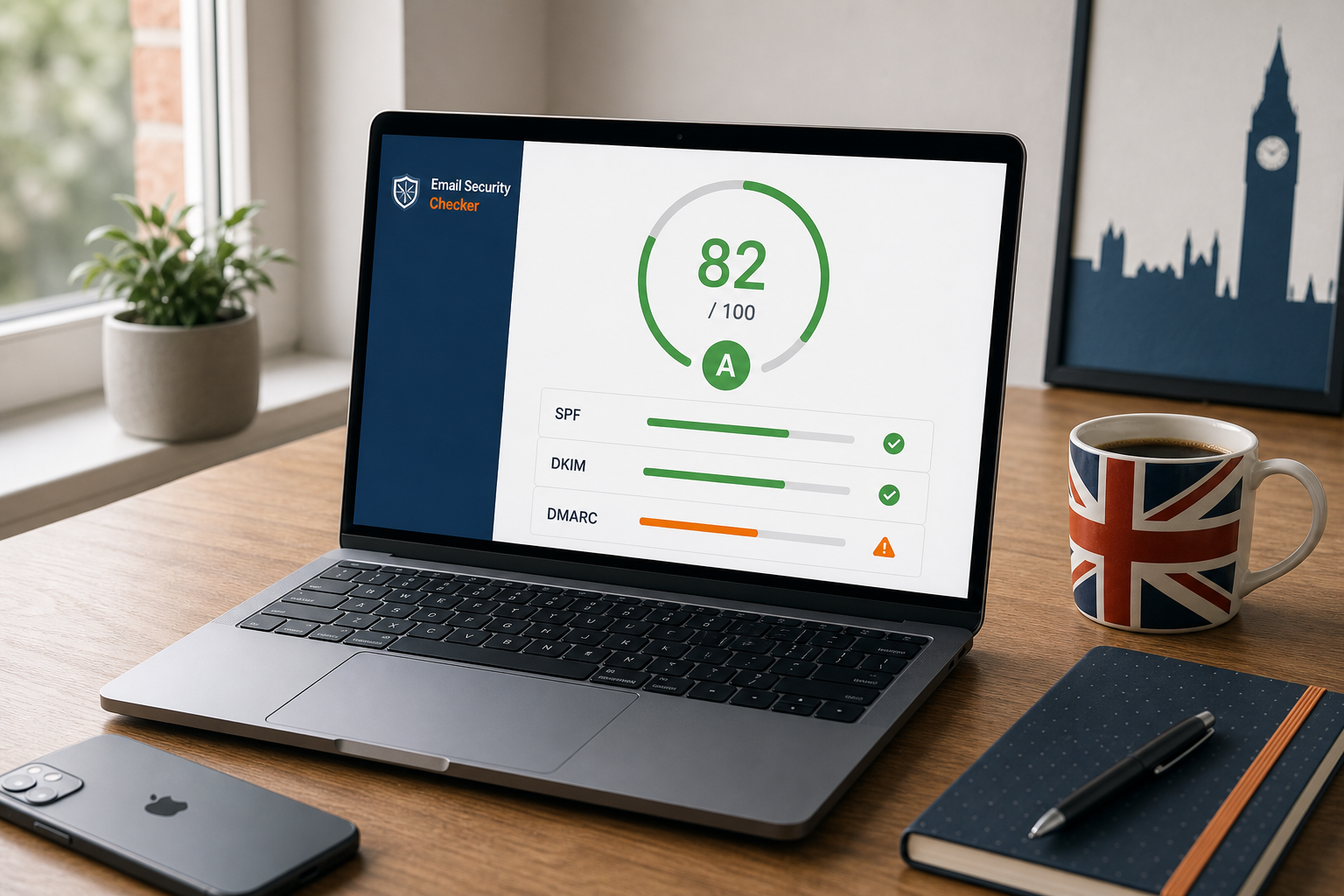
Email is still the entry point for the majority of attacks against UK SMEs. Phishing, business email compromise (BEC) and ransomware almost always begin with a spoofed message — and the controls that stop those messages reaching your customers, suppliers and staff are SPF, DKIM and DMARC. This free email security checker tells you, in about four seconds, whether those controls are actually doing their job on your domain.
The same checks underpin Cyber Essentials Question A6 and the NCSC Requirements for IT Infrastructure v3.3 (assessed through the Danzell question set from April 2026), which is why we built this tool: most of the businesses we certify pass everything except email authentication on first scan, and they only find out once an assessor pushes back. Run the checker first and you skip that round trip. Get a managed Cyber Essentials quote if you’d rather we fix everything for you in one go.
What does the email security checker actually check?
The tool runs eight separate DNS-based checks against the domain part of the email you enter (we never connect to your inbox or read messages). Each check is weighted toward what matters most for Cyber Essentials and real-world phishing defence.
SPF — Sender Policy Framework
SPF is a TXT record on your domain that tells receiving servers exactly which mail servers are allowed to send email as your domain. Without SPF, any attacker can spoof your domain in phishing emails to your customers and suppliers. With SPF, those messages get rejected before they hit anyone’s inbox.
The checker confirms an SPF record exists, then grades the policy strictness:
-all— hard-fail. Strongest. Anyone not on the include list is rejected outright.~all— soft-fail. Good. Messages are accepted but flagged as suspicious.?all— neutral. Almost no protection — tells receivers “do whatever you want”.+all— permissive. Actively dangerous. Allows everyone to send as your domain.
The checker also counts your SPF DNS lookups. RFC 7208 caps SPF at 10 lookups, and once you exceed that limit SPF permanently fails (PermError) for every message — even from your legitimate senders. We see this break Cyber Essentials submissions surprisingly often, usually because a marketing team added a new “send-as-this-domain” SaaS tool that pushed the lookup count over the cliff.
DKIM — DomainKeys Identified Mail
DKIM is the cryptographic signature on every email leaving your domain. The receiver checks the signature against a public key you publish in DNS — if the signature matches, the message hasn’t been tampered with in transit and was genuinely signed by your provider’s mail servers.
DKIM is selector-based: each provider publishes its public key under a custom subdomain such as selector1._domainkey.yourdomain.co.uk or google._domainkey.yourdomain.co.uk. Our checker probes the 14 most common selectors used by Microsoft 365, Google Workspace, Mailchimp, SendGrid, Mandrill and similar providers. If your provider uses a non-standard selector we’ll get a false negative — the report tells you so explicitly, and the most reliable confirmation is to send yourself a test email and check the DKIM-Signature header in the raw message.
DMARC — the policy that ties SPF and DKIM together
DMARC is the policy record that tells receiving servers what to do when a message fails SPF or DKIM checks. Without DMARC, those failed messages still mostly get delivered — the receiver has no instruction to act on the failure, so it errs on the side of letting suspicious mail through.
The checker grades DMARC on three dimensions:
- Existence — is there a TXT record at
_dmarc.yourdomain.co.uk? - Policy —
p=none(monitoring only),p=quarantine(drop to spam folder) orp=reject(block outright)? - Reporting — do you have
ruaandrufreporting addresses set, so you actually see what’s happening to mail claiming to be from your domain?
The end goal is p=reject with pct=100 — that’s the only configuration that prevents your domain being abused in real-world phishing campaigns. Most UK SMEs we audit are stuck at p=none for years because nobody owns it. The fix is to start at p=none, monitor reports for 30 days, then tighten to p=quarantine and finally p=reject once the data is clean.
MTA-STS, TLS-RPT, BIMI and DNSSEC — defence in depth
Beyond SPF / DKIM / DMARC, the checker looks at four supporting controls:
- MTA-STS forces inbound mail servers to use TLS encryption when delivering to your domain — protects against passive surveillance and downgrade attacks.
- TLS-RPT gives you visibility when TLS delivery fails — useful for spotting downgrade attempts in progress.
- BIMI displays your verified brand logo in supporting inboxes (Gmail, Yahoo, Apple Mail) — marketing-positive, not security-critical, only worth setting up after DMARC is enforcing.
- DNSSEC cryptographically signs all your DNS responses — prevents attackers from poisoning DNS responses for your domain.
None of these are mandatory for Cyber Essentials, but they all add measurable defensive value and they appear in the more rigorous IASME Cyber Assurance and ISO 27001 controls if you grow into those.
How to read your score
The checker returns a 0–100 score with a letter grade. Use the bands below to know whether you can stop or whether you have real work to do.
- A+ (90–100) — Excellent. SPF, DKIM and DMARC enforcing, MTA-STS configured, DNSSEC enabled. Nothing material to improve.
- A (80–89) — Strong. The core three are correct; one or two of the optional controls are missing.
- B (70–79) — Good with small gaps. Usually missing MTA-STS or DNSSEC, or DMARC at
p=quarantinerather thanp=reject. - C (60–69) — Acceptable but noticeable gaps. SPF and DKIM are likely fine but DMARC is at
p=none(monitoring only) and not enforcing. - D (40–59) — Weak. Two or more of the core controls are missing or misconfigured. Your domain is materially spoofable in phishing.
- F (0–39) — Critical. SPF, DKIM and DMARC are largely absent. You would not pass a Cyber Essentials Email Security check today and your domain is highly attractive to attackers.
The score is a useful single number, but the per-check cards are where the real value is. Each gap shows the exact DNS record fix — copy, paste into your DNS provider, save. Most fixes take five minutes once you know what to add.
Why email security matters for Cyber Essentials in 2026
The 2025 IASME update made email security a much more visible part of Cyber Essentials than it used to be. Question A6 now explicitly references SPF, DKIM and DMARC as expected controls, and assessors increasingly push back on submissions where DMARC is missing or stuck at p=none. This is one of the most common reasons we see UK SMEs delay their certification.
If you’re targeting a procurement deadline — particularly UK government, MoD or NHS supply-chain contracts — getting email authentication right before you start the IASME questionnaire saves you a remediation round-trip. Our Cyber Essentials checklist covers the full picture; this checker handles the email-specific portion in 60 seconds.
It’s also one of the things that genuinely affects your day-to-day risk, not just your paperwork. The UK government’s 2025 Cyber Security Breaches Survey found that 84% of all reported breaches against UK businesses started with phishing — and properly configured DMARC blocks the spoofing technique behind most of those campaigns at the receiving server, before staff even see the message.
The fixes — in priority order
If your score came back lower than you’d like, fix in this order. Each step has the highest defensive value for the time spent, and earlier fixes don’t depend on later ones.
- Fix MX records first — without working MX you can’t receive email at all, and Cyber Essentials assessors can’t verify anything else about your email posture.
- Add SPF with
~allor-all— single biggest anti-spoofing win. Use~allif you’re not certain every legitimate sender is included; tighten to-allafter 30 days of clean DMARC reports. - Enable DKIM — in Microsoft 365 it’s at Defender → Email & collaboration → Policies → DKIM. In Google Workspace it’s at Apps → Google Workspace → Gmail → Authenticate email. DKIM is required for DMARC alignment to mean anything.
- Add DMARC starting at
p=none— with a realrua=mailto:reporting address. Use a free service like dmarcian or EasyDMARC to read the reports for the first 30 days while you find every legitimate sender. - Tighten DMARC to
p=quarantinethenp=reject— once the reports show no false positives. Most domains can move fromnonetoquarantineinside 30 days and torejectinside 90. - Add MTA-STS and TLS-RPT — defence in depth against TLS downgrade attacks.
- Enable DNSSEC at your registrar — Nominet supports DNSSEC for
.ukdomains and most major registrars do too.
Common email security mistakes UK businesses make
The same five issues account for the majority of fail-grade results we see in the wild:
- Multiple SPF records on the same domain — RFC 7208 only allows one. Multiple records cause SPF to permanently fail (PermError) and lets everyone spoof you. Merge the includes into a single record.
- SPF lookup count over 10 — usually caused by include chains for Mailchimp, HubSpot, SendGrid, Microsoft 365, Salesforce and a help-desk tool all stacked together. Solution: SPF flattening, or a SaaS like EasyDMARC’s “include macro”.
- DMARC stuck at
p=noneindefinitely — monitoring without ever enforcing means attackers’ spoofed messages still get delivered. Set a calendar reminder for 30 days and tighten the policy. - Forgotten third-party senders — the marketing team added Mailchimp three years ago and the SPF was never updated. Result: legitimate marketing emails go to spam. DMARC reports surface this within the first week of monitoring.
- Not actually reading DMARC reports —
rua=addresses pointing to a long-abandoned mailbox, or no DMARC reporting tool. Without reports you can’t safely tighten the policy.
How Connection Technologies handles email security
If you’d rather not set this up yourself, email security configuration is part of every Cyber Essentials certification we run. We deploy SPF, DKIM, DMARC, MTA-STS, TLS-RPT and DNSSEC against your domain, monitor the DMARC reports each week and tighten the policy from p=none through quarantine to reject as soon as the data is clean. It’s all included in the monthly subscription from £103/month.
If you only want the email-security piece without full certification, our Managed Detection & Response service includes domain-level email-security monitoring with continuous DMARC report ingestion. Or for a one-off review, run the checker above and email yourself the report — we’ll follow up within one working day with a free Cyber Essentials gap analysis based on your score.
Frequently asked questions
Is the email security checker really free?
Yes — completely free and no signup is required to run a check. Optionally you can opt-in to receive the full report by email together with a free Cyber Essentials gap assessment, but only if you want it. We don’t add you to a marketing list.
What does the checker actually check?
It runs 8 DNS-based checks against your domain: MX records (with email provider detection), SPF (Sender Policy Framework, including the RFC 7208 lookup-count limit), DMARC (policy strictness and reporting addresses), DKIM (probing the 14 most common selectors), MTA-STS (TLS enforcement), TLS-RPT (TLS reporting), BIMI (brand indicator) and DNSSEC.
How is this different from MXToolbox or dmarcian?
Same underlying DNS lookups, but UK-focused, tied directly to Cyber Essentials questions, and giving you a single 0–100 score with prioritised fixes rather than 12 separate tool pages. If you want raw record dumps, MXToolbox is great. If you want to know “do I actually need to fix this for my CE certification, and what should I fix first?”, use this.
My DKIM showed as missing but I know it’s configured — why?
DKIM is selector-based and we can only probe the 14 most common selectors. If your provider uses a non-standard selector we’ll get a false negative. The most reliable confirmation is to send yourself a test email and check the DKIM-Signature header.
Does the tool see the contents of my email?
No. We only do public DNS queries against the domain part of your email address. We never connect to your inbox, your mail server or your messages.
What’s a good score for a UK business?
Anything 80+ (Grade A) is strong. 70–79 (Grade B) is good with small gaps. Below 70 means you have at least one major control missing or weak. Below 40 (Grade F) means SPF, DKIM and DMARC are all missing — you would not pass a Cyber Essentials Email Security check today.
How often should I re-check my domain?
Once a quarter is sensible, and definitely after any change to your email setup — new provider, new third-party sender, M&A activity. DNS records get edited and broken surprisingly often.
Can Connection Technologies fix the gaps for me?
Yes — email security configuration is part of every Cyber Essentials certification we run, included in the monthly subscription from £103/month. We deploy SPF/DKIM/DMARC, MTA-STS, TLS-RPT and DNSSEC against your domain, monitor DMARC reports and tighten the policy from p=none to p=reject as soon as the data is clean.
Get a quote: Cyber Essentials · Managed Detection & Response · Managed IT Support
Don’t fix it yourself — let our UK team handle it
Connection Technologies provides managed IT support, Cyber Essentials certification and email security configuration for UK SMEs. We can deploy SPF, DKIM, DMARC, MTA‑STS, TLS‑RPT and DNSSEC against your domain in one engineering visit, then keep them tuned month after month.
- UK helpdesk — phone, email, chat
- 24×7 RMM monitoring & auto-patching
- SPF, DKIM, DMARC & DNSSEC managed for you
- Anti-virus, backup & phishing simulation
- Cyber Essentials certification included
- Full Q1–A8 IASME questionnaire handled
- Email security gaps fixed before assessment
- Certificate suitable for MoD & NHS contracts
- Re-cert managed annually, hands-off
- Plus optional Cyber Essentials Plus audit