






Moving offices?
Make your move easier with a phone system that goes where you do. No complex hardware to relocate - just plug in and get working.

Contract ending soon?
Switch to a future-proof solution that saves you money and gives you more features. We’ll handle the entire transition smoothly.

Growing team?
Add new lines instantly with no engineer visits. Scale your communications as your business grows, without the growing pains.








Running a customer service or sales team?
Hypercloud Contact Centre
Call queues and IVR, real-time wallboards, supervisor listen/whisper/barge, advanced reporting, AI transcription with sentiment analysis, CRM integration and an outbound dialler — on the same Hypercloud platform, from £65 per agent per month, with custom features and a tailored platform on the Advanced tier.
Handsets supplied pre-configured with Hypercloud
Yealink’s 2026 T7 and T8 desk phones, DECT cordless and conference units, bought outright or rented alongside the licence from £15/user. Every phone arrives provisioned against your account — plug in and call.
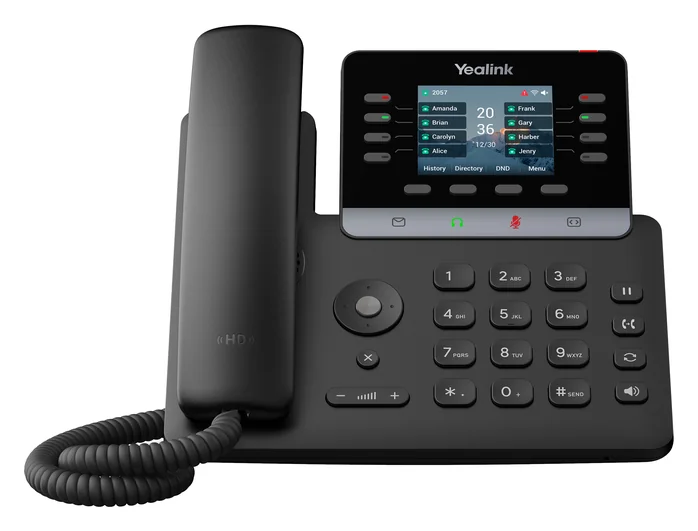
Entry and shared desks. 2.8″ colour screen, 12 accounts, PoE.
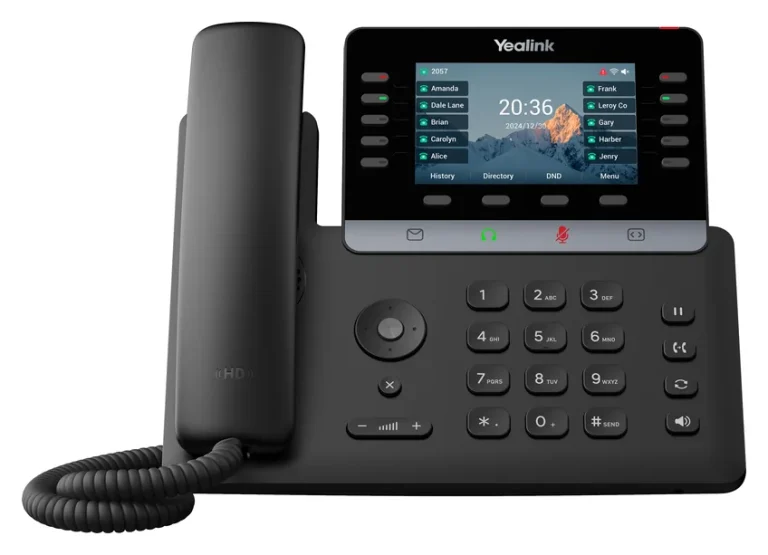
Most office staff. 4.3″ colour screen, Wi-Fi 6 and Bluetooth built in.
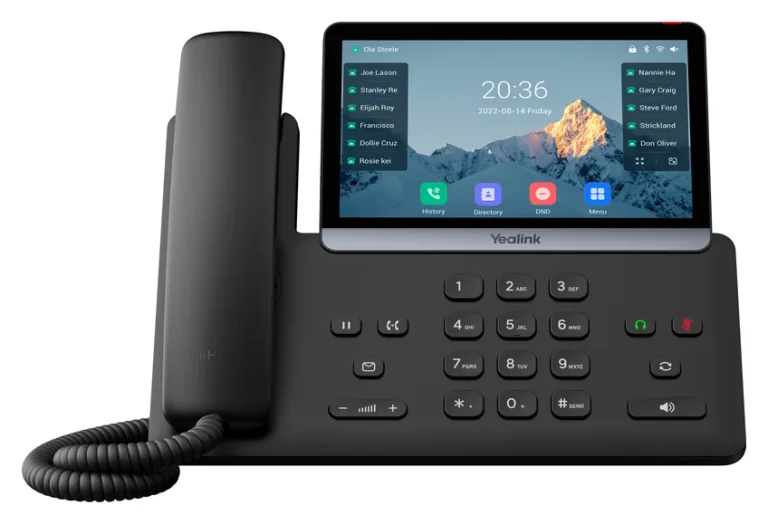
Executives and reception. 7″ touch screen, up to 3 expansion modules.
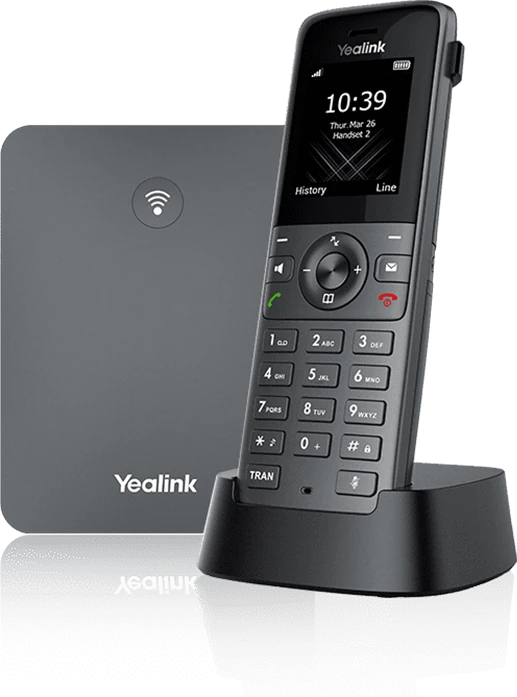
Cordless for warehouses and shop floors. 20 handsets per base.
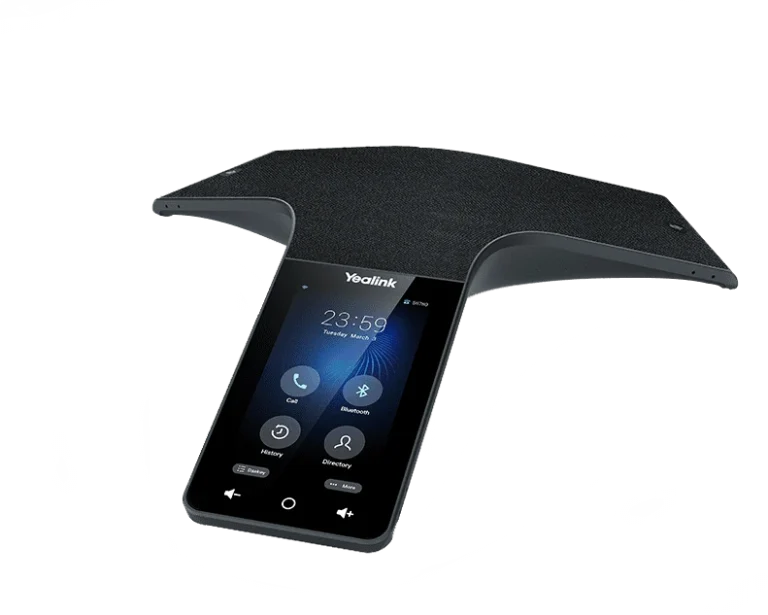
Conference phone for boardrooms of 10–16 people.
Product images: Yealink. Which phone suits which role, what they cost and how PoE, headsets and DECT fit together: read the VoIP handsets & headsets buyer’s guide.
Hosted VoIP: your questions answered
What is VoIP and how does Voice over IP work?
- Lower costs – VoIP calls are significantly cheaper than traditional landline calls, especially for international and long-distance calls
- Flexibility – staff can make and receive calls from any location using softphones, mobile apps, or IP desk phones
- Scalability – adding new users takes minutes, not weeks of waiting for new phone lines to be installed
- Advanced features – call recording, auto attendant, call queues, voicemail-to-email, and video conferencing are included as standard
- Future-proof – with the PSTN switch-off approaching, VoIP is the modern standard for business communications
How does VoIP work and what do I need to get started?
- Step 1: You speak into a VoIP phone, softphone app, or headset
- Step 2: Your voice is converted into digital data using audio codecs
- Step 3: The data packets are sent over your broadband connection to your hosted VoIP provider's servers
- Step 4: The provider routes the call to the recipient – whether they are on VoIP, a mobile, or a traditional landline
- Step 5: The data is converted back into audio at the other end
- Reliable broadband – a stable connection with at least 100kbps per concurrent call (most business broadband easily handles this)
- IP phones or softphones – dedicated VoIP desk phones (such as Yealink handsets) or software apps on your computer/mobile
- A hosted VoIP provider – Connection Technologies configures everything for you, including number porting, user setup, and call routing
How much does a business VoIP phone system cost in the UK?
- Hosted VoIP per user: £8–20 per user per month, depending on the feature package
- IP desk phones: £50–300 per handset (one-off cost). Popular models include Yealink T-series phones
- Softphone apps: usually included free – turn any laptop or mobile into a business phone
- Number porting: typically free or a small one-off charge to transfer your existing numbers
- Call costs: most packages include unlimited UK landline and mobile calls
- ISDN line rental: £25–35 per channel per month + call charges
- Hosted VoIP: £8–20 per user per month with calls included
- Typical saving: 30–60% reduction in monthly telephony costs
Is VoIP reliable enough for business use and what about call quality?
- Bandwidth – each concurrent call requires approximately 100kbps. Most business broadband connections can comfortably handle dozens of simultaneous calls
- Latency – the delay between speaking and being heard. Under 150ms is imperceptible. UK-hosted VoIP providers typically achieve under 30ms
- Jitter – variation in packet arrival times. Quality of Service (QoS) settings on your router prioritise voice traffic to eliminate this
- Packet loss – lost data packets cause audio dropouts. A stable connection with less than 1% packet loss delivers excellent quality
- Use a dedicated internet connection or configure QoS to prioritise voice traffic
- Choose a provider with UK data centres – lower latency and compliance with UK data regulations
- Use wired connections for desk phones where possible (Wi-Fi is fine for softphones)
- Have a backup connection – a 4G/5G failover ensures calls continue even if your primary broadband drops
How does hosted VoIP support remote and hybrid working?
- Softphone apps – staff download an app to their laptop or mobile and instantly have their full business phone system available at home or on the go
- Single business number – whether calling from the office, home, or a mobile app, the caller always sees your business number
- Hot desking – staff can log into any IP phone in any office and it becomes their personal extension
- Call routing rules – set up rules to ring desk phones and mobiles simultaneously, or sequentially, so calls are never missed
- Voicemail-to-email – missed calls are transcribed and sent to email so staff can respond quickly from anywhere
- Team presence – see which colleagues are available, busy, or away in real-time
- Staff working from home have exactly the same phone experience as those in the office
- Customers cannot tell whether they are speaking to someone in the office or at home
- No additional hardware or VPN required – just an internet connection
- Managers can monitor call activity and performance across all locations from a single dashboard
How does VoIP help with business continuity and disaster recovery?
- Cloud-based infrastructure – your phone system runs in geographically redundant data centres, not in your office. If your building is inaccessible, the system keeps running
- Automatic failover – if your primary internet connection fails, calls are automatically rerouted to mobile phones, other offices, or voicemail
- Work from anywhere – staff can log into softphone apps from home or any location and continue making and receiving calls on their business numbers
- Instant rerouting – administrators can change call routing rules in seconds through a web portal, diverting calls to alternative numbers or sites
- No single point of failure – unlike an on-premise PBX, there is no single piece of hardware that can take your entire phone system offline
- Office power outage – calls route to mobiles and remote workers
- Internet outage – calls failover to 4G/5G backup or alternative sites
- Building inaccessible – entire team works remotely with full phone functionality
- Hardware failure – no on-site hardware to fail; swap a broken phone in minutes
Can VoIP integrate with my CRM and other business software?
- CRM systems – Salesforce, HubSpot, Microsoft Dynamics, Zoho CRM, Pipedrive
- Helpdesk platforms – Zendesk, Freshdesk, ServiceNow
- Microsoft Teams – make and receive VoIP calls directly within Teams
- Email and calendar – Microsoft 365, Google Workspace
- Accounting software – Xero, QuickBooks (for click-to-call from invoices)
- Screen pop – when a customer calls, their CRM record automatically appears on screen before you answer
- Click-to-call – dial any number directly from your CRM with one click
- Automatic call logging – calls are logged against the customer record with duration, time, and notes
- Call recording links – recordings are attached to the CRM record for easy retrieval
- Presence and availability – see colleague availability from within your CRM before transferring a call
What is a softphone and can I use VoIP on my mobile phone?
- Download the softphone app to your device (PC, Mac, iPhone, Android)
- Log in with your VoIP account credentials
- Make and receive calls on your business number using your device's microphone and speakers (or a headset)
- Access all your phone system features – transfer calls, check voicemail, see colleague availability, join conference calls
- Work from anywhere – your business phone number follows you wherever you have internet access
- Cost savings – no need to purchase physical handsets for every user
- Single business number – customers always see your business number, never your personal mobile
- Seamless handover – start a call on your desk phone and transfer it to your mobile app as you leave the office
- Ideal for remote and hybrid workers – staff at home or on the road have the same phone system experience as those in the office
Can a hosted VoIP system connect multiple office locations?
- Single phone system – all locations share the same system with a unified dial plan, so staff can transfer calls and use short-dial extensions across sites
- Centralised management – manage all users, call routing, and settings from one web portal
- Cost savings – inter-site calls are free (they travel over the internet, not the phone network)
- Consistent experience – every location gets the same features, call quality, and professional image
- Flexible number presentation – staff at any location can present local numbers for different regions
How does voicemail work with a hosted VoIP phone system?
- Voicemail-to-email – voicemail messages are automatically sent to your email inbox as audio attachments, so you can listen to them from anywhere
- Voicemail transcription – some systems convert voicemail messages to text, allowing you to read them quickly without listening
- Visual voicemail – browse, play, and manage voicemail messages through a web portal or mobile app
- Custom greetings – record different greetings for business hours, out-of-hours, holidays, and individual extensions
- Shared voicemail boxes – create team voicemail boxes for departments like Sales or Support
- Voicemail PIN protection – secure access to voicemail with PIN codes
- If a call is not answered within a set number of rings, it goes to voicemail
- Different routing rules for different times of day or days of the week
- Overflow to voicemail when all agents in a queue are busy
- Option to press a key during the greeting to be transferred to a mobile or another extension