
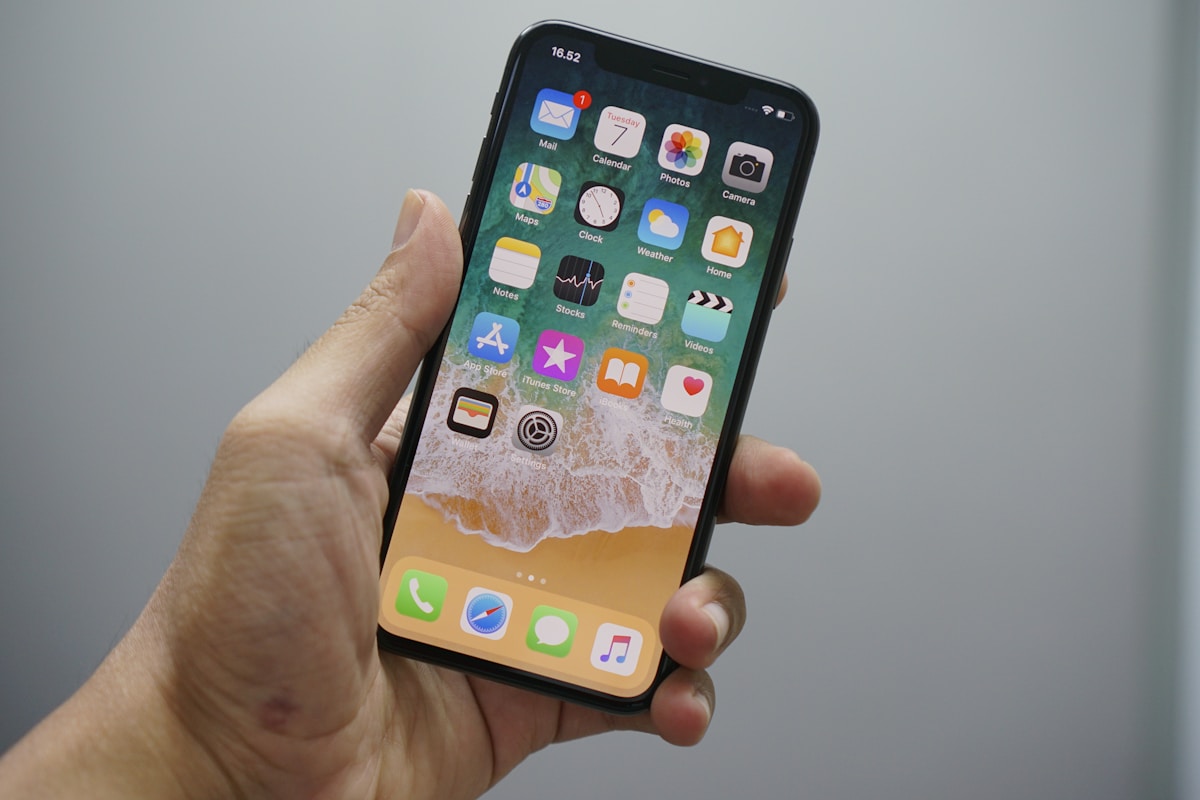

Losing a business mobile phone is one of those heart-sinking moments that can quickly escalate from inconvenience to serious security incident. Whether you’ve lost my phone somewhere in the office, left it in a taxi, or had it stolen, the clock starts ticking immediately. Every minute counts when it comes to protecting sensitive business data, customer information, and company accounts.
As a UK business, you’re likely holding valuable information on that device – emails, client contacts, access to business applications, financial data, and possibly multi-factor authentication for critical systems. According to recent industry reports, over 70 million smartphones are lost globally each year, and only 7% are recovered. The average cost to a business when a device is lost or stolen isn’t just the replacement hardware (typically £300-£1,200) but the potential data breach, which can run into tens of thousands of pounds.
This comprehensive guide will walk you through exactly what to do if your phone is lost, how to use mobile phone tracking tools, and most importantly, how to protect your business from this increasingly common threat.
Immediate Actions: The First 15 Minutes Matter
When you realise your phone is missing, your immediate response will determine how well you can protect your data and recover the device. Here’s your step-by-step emergency protocol:
1. Don’t Panic – Act Systematically
Take a breath and think back to where you last used the device. Check obvious places first – jacket pockets, desk drawers, car seats, meeting rooms. If you’re certain it’s not nearby, move quickly to the next steps.
2. Use Another Device to Track Your Phone Immediately
Mobile phone tracking should be your first digital action. Both iOS and Android have built-in tools that can help you locate your device within minutes:
For iPhone users: Access Find My iPhone through iCloud.com from any browser or another iOS device with the Find My app. Sign in with your Apple ID, and you’ll see your device’s location on a map if it’s powered on and connected to the internet.
For Android users: Google’s Find My Device (formerly Android Device Manager) is your primary tool. Visit android.com/find from any browser and sign in with the Google account linked to your phone lost device. The Android Phone Device Manager will show your device’s last known location.
3. Lock Your Device Remotely
If you can see your device on the tracking map, immediately activate Lost Mode (iOS) or Lock Device (Android). This prevents unauthorised access and displays a custom message with an alternative contact number on the screen.
4. Change Critical Passwords
From another device, immediately change passwords for:
- Email accounts (particularly important as these control password resets for other services)
- Banking and financial applications
- Microsoft 365 or Google Workspace accounts
- Company VPN credentials
- Any CRM or business-critical applications
5. Notify Your IT Department or Manager
If you’re part of a larger organisation, inform your IT security team immediately. They may have additional tracking capabilities through Mobile Device Management (MDM) systems and can take company-wide security measures.
Protect Your Business Mobile Fleet
Enterprise-grade security and device management for UK businesses of all sizes
Deep Dive: Using Find My iPhone and Android Device Manager
Understanding the full capabilities of these locate phone device tools can make the difference between recovery and permanent loss. Let’s explore both platforms in detail.
Find My iPhone: Complete Guide
Apple’s Find My iPhone is remarkably powerful when configured correctly. Here’s what you need to know:
Prerequisites: Find My must be enabled before the device is lost. Check this is activated on all company iPhones by going to Settings > [Your Name] > Find My > Find My iPhone (ensure both “Find My iPhone” and “Find My network” are enabled).
Capabilities:
- Play Sound: Makes the phone ring at full volume for two minutes, even if it’s on silent. Useful if it’s nearby but hidden.
- Lost Mode: Locks the device with a passcode, displays a custom message with contact details, and suspends Apple Pay cards. The device continues to track its location and sends updates when it moves.
- Erase iPhone: Remotely wipes all data from the device. This is irreversible and should be your last resort. After erasure, you cannot track the device, but it remains activation-locked, making it useless to thieves.
- Find My network: Even if the phone is offline, it can be detected by nearby Apple devices using Bluetooth, creating a crowdsourced location network.
Pro tip: If you’re certain the device is stolen and contains sensitive data, erase it immediately. The business information is worth far more than the slight chance of recovery.
Android Device Manager: Complete Guide
Google’s Find My Device offers similar functionality with some Android-specific features:
Prerequisites: The device must be:
- Signed into a Google Account
- Connected to mobile data or Wi-Fi
- Visible on Google Play
- Have Location turned on
- Have Find My Device turned on
Capabilities:
- Play Sound: Rings the device at maximum volume for 5 minutes, even if it’s set to silent or vibrate.
- Secure Device: Locks the phone with your PIN, pattern, or password. You can add a message or phone number to the lock screen to help return the device.
- Erase Device: Permanently deletes all data on the phone. After erasure, Find My Device won’t work on the device.
Important limitation: If your Android phone is switched off or has no battery, Find My Device can only show the last known location. It won’t update until the device comes online again.
What to Do If Phone Is Lost: The 24-Hour Action Plan
Beyond the immediate response, there are several actions to take within the first 24 hours to protect your business and maximise recovery chances.
Report to Your Network Provider
Contact your UK network provider (EE, O2, Three, Vodafone) as soon as possible. They can:
- Suspend your service to prevent unauthorised calls and data usage
- Block the device using its IMEI number, making it unusable on UK networks
- Note the loss for insurance purposes
- Arrange a replacement SIM card to maintain your phone number
If you’re a Connection Technologies customer with business mobile contracts, contact us directly – we can coordinate with your network provider and expedite the process, typically resolving suspensions within the hour.
File a Police Report
If the device was stolen (rather than simply lost), report it to the police using the 101 non-emergency number or through your local police website. You’ll need:
- The IMEI number (find this on the original box, purchase receipt, or by checking your network account online)
- The make and model
- Details of when and where it was stolen
- Any tracking information showing current location
The police will provide a crime reference number, which you’ll need for insurance claims. Whilst recovery rates for stolen phones are low, reporting contributes to crime statistics that help police target theft hotspots.
Check Your Insurance Coverage
Review what insurance coverage you have. This might be through:
- Network-provided insurance (often included with business contracts)
- Business equipment insurance
- Commercial insurance policies
- Personal gadget insurance
Claims typically require:
- Crime reference number (for theft)
- Proof of ownership (receipt or contract)
- IMEI number
- Evidence that Find My iPhone/Android was activated
- Confirmation that the device has been locked/wiped
Most insurers will settle claims within 48-72 hours for straightforward cases. Excess charges typically range from £50-£100 for business policies.
Secure Your Accounts and Data
Beyond password changes, take these additional security measures:
Two-Factor Authentication: If your phone was your 2FA device, you’ll need to reconfigure authentication for critical services. Contact your IT provider or use backup codes (which you should always store securely separate from the device).
Email Forwarding Rules: Check your email accounts for any suspicious forwarding rules that might have been set up if someone gained access. This is a common tactic for maintaining access even after password changes.
Session Management: Log out all active sessions for services like Microsoft 365, Google Workspace, and social media platforms. Most services allow you to remotely terminate all active sessions.
Payment Apps: If you use Apple Pay, Google Pay, or banking apps, contact your bank to suspend mobile payment services. You can typically do this through online banking or the bank’s fraud line.
Understanding Mobile Device Management (MDM) for Business Protection
If you’re reading this after losing a phone, you’ve learned a painful lesson. The good news is that enterprise Mobile Device Management (MDM) solutions can prevent these headaches and dramatically improve security for businesses with multiple devices.
MDM is a technology that allows IT administrators to remotely manage, monitor, and secure mobile devices used in a business environment. Think of it as a comprehensive control centre for your entire mobile fleet.
Key MDM Capabilities for Lost Device Scenarios
| Feature | Consumer Tools (Find My) | Enterprise MDM |
|---|---|---|
| Location Tracking | Basic – shows current or last known location | Advanced – location history, geofencing alerts, automated tracking intervals |
| Remote Wipe | Full device wipe only | Selective wipe (remove only company data, preserve personal data on BYOD devices) |
| Access Control | Device lock with passcode | Immediate revocation of corporate app access, email, VPN, and resources |
| Compliance | None | Automated compliance reporting, audit trails, GDPR-compliant data handling |
| Device Management | Individual device basis | Centralised management of entire fleet, group policies, automated responses |
| Cost | Free | £3-£8 per device per month typically |
Real-World MDM Benefits
Let me share a real scenario from a Connection Technologies client – a 45-person recruitment firm in Manchester. Before implementing MDM, they lost three devices in six months. Each incident required:
- 2-3 hours of IT time coordinating response
- Manual password resets across multiple systems
- Uncertainty about what data was accessed
- Disruption to affected staff members for 1-2 days
After implementing MDM through their business mobile package, they lost another device. The difference was remarkable:
- Device location tracked within 2 minutes of report
- Corporate apps and email access revoked automatically within 5 minutes
- Selective wipe removed all business data whilst preserving personal photos (it was a BYOD device)
- Replacement device configured and deployed within 4 hours
- Complete audit trail for compliance and insurance
Total IT time: 25 minutes. User downtime: under 4 hours. Peace of mind: priceless.
MDM Platforms: What’s Available for UK Businesses
Several MDM platforms serve the UK business market effectively:
Microsoft Intune: Ideal for businesses already using Microsoft 365. Deeply integrated with Windows, excellent for hybrid device management (phones, tablets, laptops). Pricing typically included with Microsoft 365 Business Premium (£16.90 per user per month).
VMware Workspace ONE: Enterprise-grade solution with sophisticated security features. Better suited to larger organisations (100+ devices) with complex requirements. More expensive but extremely powerful.
Jamf Pro: The gold standard for Apple device management. If you’re an Apple-centric business, this is worth the investment. Excellent user experience and minimal disruption.
Google Workspace Mobile Management: Built into Google Workspace, ideal for businesses using Google’s ecosystem. Basic management is included, advanced features require Enterprise licensing.
Connection Technologies can advise on the most appropriate solution for your business size, budget, and technical requirements. Request a consultation to discuss your specific needs.
Preventing Future Losses: Practical Strategies
Beyond technology, developing good habits and policies significantly reduces the risk of phone loss and its impact.
Personal Habits That Make a Difference
Designated Pockets and Locations: Always keep your phone in the same pocket or bag location. This creates muscle memory and makes it obvious when it’s missing.
The “Pat-Down” Routine: Before leaving any location – taxi, restaurant, meeting room, train – do a quick pocket pat-down check for phone, wallet, and keys. Make this automatic.
Visual Checks: Before standing up from any seat, visually scan the area. This takes two seconds and prevents countless losses.
Secure Storage: In the office, never leave your phone on a desk when you step away. Take it with you or lock it in a drawer. Hot-desking environments are particularly vulnerable.
Bright Cases: Consider using distinctively coloured or patterned cases on company phones. They’re easier to spot and less likely to be picked up by mistake.
Business-Level Policies
If you manage devices for a team or organisation, implement these policies:
Mandatory Passcodes: Require strong passcodes (6+ digits or biometric) on all business devices. This can be enforced through MDM.
Regular Backups: Ensure automatic daily backups to cloud storage (iCloud, Google Drive) are enabled on all devices. This separates data from hardware.
Find My Always Enabled: Make activation of Find My iPhone or Find My Device a mandatory setup step. Verify this regularly.
IMEI Registration: Maintain a database of all company device IMEI numbers, makes, models, and assigned users. This dramatically speeds up reporting and insurance claims.
Clear Reporting Procedures: Staff need to know exactly who to contact and what steps to take immediately when a device goes missing. A simple flowchart on your intranet can save valuable time.
Regular Security Training: Quarterly 15-minute sessions on mobile security, including what to do if phone is lost, significantly improve response times and reduce panic.
Insurance: Is It Worth It for Business Phones?
This depends on several factors:
When insurance makes sense:
- High-value devices (£800+)
- Staff who frequently travel or work in public spaces
- Industries with higher theft risk (retail, hospitality, construction)
- Businesses without MDM or other protective measures
- Companies where device loss causes significant operational disruption
When self-insurance might be better:
- Large fleets (50+ devices) where the law of averages works in your favour
- Organisations with robust MDM and security measures already in place
- Businesses using mid-range devices (£300-£500) where replacement cost is manageable
Many of our clients at Connection Technologies opt for a hybrid approach: insurance on premium devices for senior staff and field workers, self-insurance for office-based staff with standard devices. We can help you model the cost-benefit for your specific situation.
Ready to Protect Your Mobile Fleet?
Explore our enterprise mobile solutions with built-in security and management tools
Or call us on 0333 015 2615
Special Considerations for UK Businesses
GDPR and Data Protection Obligations
When a business device is lost or stolen, you’re not just dealing with an IT problem – you have legal obligations under the UK GDPR and Data Protection Act 2018.
Notification Requirements: If the lost device contained personal data and there’s a risk to individuals’ rights and freedoms, you may need to report this to the Information Commissioner’s Office (ICO) within 72 hours. Factors affecting this decision include:
- Whether the device was encrypted and passcode-protected
- The type and volume of personal data stored
- Whether remote wipe was successful
- The likelihood of someone accessing the data
Having robust security measures (strong encryption, remote wipe capability, quick response) can significantly reduce or eliminate your reporting obligation, as the risk to individuals is minimal.
Documentation: Even if you don’t need to report to the ICO, maintain internal records of the incident, including:
- When and how the device was lost
- What data was on the device
- What security measures were in place
- Actions taken to mitigate risk
- Why you determined ICO notification was/wasn’t necessary
This demonstrates accountability if ever questioned by the ICO or during an audit.
Industry-Specific Considerations
Healthcare: NHS and private healthcare organisations have particularly strict requirements around patient data. Lost devices containing patient information almost always require incident reporting. Consider healthcare-specific MDM solutions that enforce NHS Digital’s security standards.
Legal Services: Solicitors hold client data subject to legal privilege. Lost devices may require notification to the Solicitors Regulation Authority in addition to affected clients. Many law firms now implement dual-container solutions that strictly separate privileged data.
Financial Services: FCA-regulated businesses have additional reporting requirements and must demonstrate robust operational resilience. Lost device procedures should be part of your operational resilience framework.
Network Provider Procedures: UK-Specific Guidance
Each UK network handles lost phone situations slightly differently. Here’s what to expect:
EE Business
Contact EE Business customer service on 150 from another EE phone or 0800 079 0792. They can suspend your service immediately and will bar the device’s IMEI. If you have EE’s Premium Business Support, you’ll get priority handling. Replacement SIMs can be delivered next-day or collected from EE stores.
O2 Business
Call O2 Business on 0800 977 7337 or manage online through MyO2 Business. O2 can suspend service and bar the device. They offer “swap SIM” services where you can collect a replacement SIM from hundreds of O2 stores within hours, maintaining your number.
Vodafone Business
Contact 0808 004 4440 for Vodafone Business support. Vodafone’s Business Hub portal allows you to suspend services online 24/7, which can be faster than calling during busy periods. Vodafone also participates in the GSMA Device Registry, improving chances of device recovery.
Three Business
Call Three Business on 0800 048 8688. Three can suspend your account and bar your device. Replacement SIMs are usually available next-day via post or same-day collection from Three stores in major cities.
As a Connection Technologies customer, you don’t need to navigate these processes alone. We act as your single point of contact, coordinating with network providers on your behalf to resolve issues faster. Learn more about our network provider options and business support levels.
The Financial Impact: True Cost of a Lost Business Phone
Understanding the real cost helps justify investment in protective measures. Let’s break down the numbers for a typical scenario:
Direct Costs:
- Device replacement: £400-£1,200
- Insurance excess (if applicable): £50-£100
- Replacement SIM and administrative charges: £10-£30
Indirect Costs:
- IT staff time coordinating response (2-5 hours): £100-£250
- Affected employee productivity loss (1-2 days): £200-£400
- Manager time dealing with situation (1-2 hours): £50-£100
- Potential data breach notification and response: £500-£5,000+
- Reputational damage if customer data exposed: Unquantifiable but potentially severe
Total potential cost: £1,310-£7,080 per incident
Now consider that MDM solutions cost approximately £3-£8 per device per month (£36-£96 annually). Even preventing one loss every few years delivers substantial ROI, not to mention the operational benefits of centralised device management.
Advanced Recovery Techniques
If standard locate phone device methods aren’t yielding results, these advanced techniques might help:
Social Engineering for Recovery
If your tracking shows the phone in a residential location and you suspect someone found it:
- Use Lost Mode to display a message offering a reward (£50-£100 is typical)
- Provide an alternative contact number or email
- Keep the message friendly and non-accusatory – the person may have genuinely intended to return it
- Consider using a free SIM with a new number for the contact number to maintain privacy
Working with Venue Security
If you know where you lost the device (restaurant, taxi, train, event venue):
- Contact their lost property department immediately with specific details
- Provide the time you were there and exact location within the venue
- Send them a photo of the device or its distinctive case
- Check CCTV if the venue is willing to review footage
- Many venues hold items for 30-90 days, so check back periodically
Transport Lost Property Services
UK transport operators have established lost property processes:
Taxis: If you have the taxi company name or number, contact them directly. Many now use apps (Uber, Bolt) that make reporting lost items simple. Black cabs in London: contact the Public Carriage Office on 0343 222 1234.
Trains: Each train operating company has a lost property service, usually online and by phone. Items are typically sent to a central depot within 48 hours. National Rail Enquiries: 03457 48 49 50.
Buses: Contact the specific bus company. In London, TfL’s Lost Property Office at Baker Street handles all buses and tubes (online service available).
Airports: Each UK airport has a lost property office. Report the loss online or by phone as soon as possible. Security screening areas have separate processes – contact the airport security team directly.
When to Give Up and Remotely Wipe
This is the difficult decision every business faces. Here are clear criteria:
Wipe immediately if:
- The device contained highly sensitive business data, customer financial information, or personal data covered by GDPR
- Tracking shows the device in an unexpected location with no plausible explanation
- The device has been offline for 24+ hours after confirming it had battery when lost
- You’ve tried contacting the person at the location (via Lost Mode message) with no response after 24 hours
- Your business risk assessment prioritises data security over device recovery
Wait before wiping if:
- The device is still tracking and appears to be moving (might be with transport company or good Samaritan)
- You’ve received communication from someone who found it
- Lost Mode is activated and the device is locked – buy yourself time to attempt recovery
- The device contains minimal sensitive data and was well-secured (encrypted, strong passcode, remote lock activated)
Remember: once you remotely wipe a device, you can no longer track it. This should be your final action after exhausting recovery attempts or when security concerns override recovery hopes.
Building a Resilient Mobile Strategy
Ultimately, the best approach to lost phones is building a strategy that accepts they will occasionally happen and minimises their impact.
Cloud-First Data Strategy
Store as little data as possible on the device itself. Modern businesses should operate with:
- Email on the device but messages stored on server (IMAP, Exchange, not POP3)
- Documents stored in OneDrive, Google Drive, Dropbox – accessed but not downloaded
- Photos and videos automatically backing up to cloud storage
- CRM and business applications accessed via web or apps that cache minimal data
- Sensitive documents in password-protected cloud locations, not saved locally
This approach means a lost device loses only the hardware, not your data or business continuity.
Rapid Replacement Processes
Minimise downtime by having clear replacement procedures:
- Maintain 1-2 spare devices for emergency deployment
- Pre-configure standard app installations and settings
- Document setup procedures so any IT staff member can deploy a replacement
- Establish relationships with suppliers for next-day delivery when needed
Connection Technologies offers rapid replacement services for business customers, with pre-configured devices available for same-day or next-day deployment in most UK locations.
Regular Testing
Like fire drills, occasionally test your lost phone procedures:
- Verify Find My iPhone or Android Device Manager works for each device
- Test remote lock and locate functionality quarterly
- Ensure all staff know who to contact and what steps to take
- Review and update your IMEI database
- Test backup restore procedures to verify data is actually being backed up
Conclusion: Preparedness Is Protection
Losing a business phone doesn’t have to be a catastrophe. With the right preparation, tools, and procedures, you can minimise data risk, speed recovery, and maintain business continuity.
The key lessons are:
- Act immediately – the first 15 minutes are critical for tracking and securing your device
- Use built-in tools like Find My iPhone and Android Phone Device Manager as your first response
- Implement strong security measures before loss occurs – encryption, passcodes, remote wipe capability
- Consider MDM for business fleets – the ROI is clear when you factor in all costs of device loss
- Develop clear policies and procedures so everyone knows what to do
- Store data in the cloud, not on devices, to separate business continuity from hardware
If you’re managing multiple business devices, now is the time to review your mobile security strategy. The best time to prepare for device loss is before it happens.
Connection Technologies specialises in secure business mobile solutions for UK organisations of all sizes. We can help you implement MDM, develop security policies, and choose the right devices and contracts for your needs. Our team understands the balance between security, usability, and cost – we’ll recommend solutions that protect your business without creating frustration for users.
Whether you’re a five-person startup or a 500-person enterprise, we can tailor a mobile strategy that gives you peace of mind. Get in touch for a no-obligation consultation to discuss your requirements.
Frequently Asked Questions
What should I do immediately if a business mobile is lost or stolen?
Act in this order: (1) call your mobile network and bar the SIM (EE 150, O2 202, Three 333, Vodafone 191) — this stops the device making calls or using mobile data; (2) report to your IT or fleet manager so they can remote-wipe via MDM; (3) lock the device through Find My iPhone or Google Find My Device; (4) report to police on 101 and request a crime reference number for insurance; (5) request a replacement SIM with the same number. The first three steps should happen within minutes.
Can I remotely wipe a stolen business mobile?
Yes — provided you have MDM (mobile device management) deployed before the loss, you can remote-wipe any iPhone or Android handset within minutes. Apple Business (formerly Apple Business Manager), Microsoft Intune, Google Workspace and Samsung Knox all support full remote wipe. The wipe completes the next time the device connects to mobile data or Wi-Fi. Without MDM you rely on Find My iPhone / Find My Device, which requires the user’s personal Apple ID or Google account.
How quickly can I get a replacement business mobile?
A replacement SIM with the same number is usually available next working day from EE, O2, Three or Vodafone — couriered to your office or directly to the user. A replacement handset depends on whether you have insurance, a spare in stock, or need to buy fresh: insured devices typically replace in 1–2 working days, fresh purchases ship next-day. We keep “swap stock” iPhones and Galaxy phones for our managed customers to avoid downtime entirely.
Is business mobile insurance worth it?
For high-spend devices (£700+) the maths usually favours insurance — premiums are typically £8–£15/device/month and cover loss, theft, accidental damage and liquid damage with a £75–£150 excess. For lower-value devices it is usually cheaper to self-insure across the fleet. We recommend insurance for executives, field-based staff and any role where loss of device causes meaningful business disruption — typically the top 30% of a fleet.
What about data on a lost business mobile — am I GDPR-exposed?
Potentially yes. If a lost device contained personal data (customer details, employee records, business contacts) and you cannot prove encryption was active, you may have a notifiable data breach under UK GDPR — 72 hours to report to the ICO. The defence is straightforward: enforce device encryption (default on iPhone and modern Android), require strong PIN/biometric, deploy MDM with remote wipe, and document your policy. Devices wiped successfully are not normally a reportable breach.
Can I track a stolen business mobile?
Find My iPhone and Find My Device show the last-known location while the device is online. MDM platforms add real-time location tracking on managed devices. The police will not usually attend purely on the basis of a phone tracking signal but the location data is useful when filing a crime report and may help insurance claims. We recommend never trying to recover a stolen phone in person — record the location, report to police and let them act if appropriate.
How do I prevent business mobile theft in the first place?
Standard playbook: enforce device encryption and 6-digit (or biometric) lock screen via MDM; block screenshots of sensitive apps; remove the device from known unsafe Wi-Fi auto-connect lists; train field-based staff not to leave handsets visible in vehicles or on tables in public; use device-tracking and remote-wipe-ready MDM. For executives we also recommend a “travel-only” secondary handset to keep primary devices off high-risk trips.
Will my insurance cover the data breach if a phone is lost?
Standard mobile insurance covers the device value only, not data-breach costs (regulator fines, customer notification, credit monitoring). For data-breach liability you need cyber insurance, which most UK SMEs now hold for £200–£800/year for a small business. Combined cyber + device cover is sensible for any business handling regulated personal data — legal, health, finance, recruitment.
Related Reading
Explore these related articles to learn more about business mobile solutions:
- EE, O2, Three & Vodafone Business Mobiles Compared – Understanding which UK network offers the best support and security features for your business needs
- Best Business Mobile Deals 2026 – Finding cost-effective contracts that include device insurance and security features
Related Guides
Need to locate your IMEI to block your device? Use our interactive How to Find Your IMEI Number →
Related Reading
More from the Connection Technologies blog.