
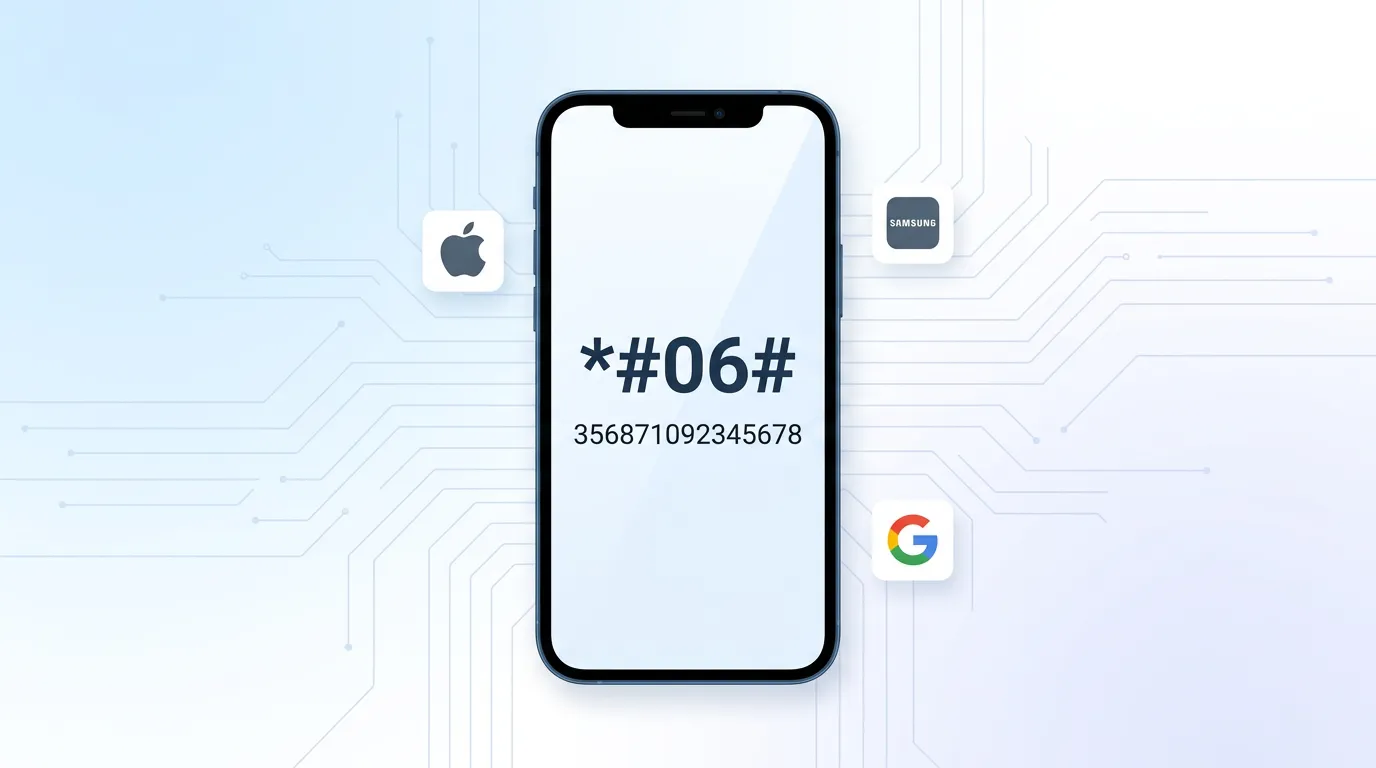

⚡ Quick Answer — Find Your IMEI Number Instantly
Open your Phone app, dial *#06# and tap call. Your IMEI number will appear on screen immediately. This works on every iPhone, Samsung, Google Pixel and Android device.
How many handsets does your team need?
Get a free no-obligation quote in 60 seconds
When does your current contract expire?
Tell us about your business
Your details
We'll never share your details. Unsubscribe anytime.
Thank you!
One of our mobile experts will be in touch shortly with your tailored quote.















Your IMEI (International Mobile Equipment Identity) is a unique 15-digit code that identifies your handset. You need it to block a lost or stolen phone, make insurance claims, check warranty status, or register devices on your company MDM platform.
Your IMEI number is one of the most important identifiers your mobile phone has — yet most people have no idea where to find it. Whether you need it to report a stolen business phone, verify a second-hand handset, make a warranty claim, or enrol a device into your company’s mobile device management platform, knowing how to find your IMEI quickly can save you time and hassle.
This guide covers every method for finding your IMEI number on iPhone, Samsung Galaxy, Google Pixel, and all other Android devices — plus what to do if your phone is lost and you cannot access it directly. Use the device finder below to get step-by-step instructions tailored to your exact handset.
📱 Managing a fleet of business mobiles? You can retrieve IMEI numbers for all enrolled devices from your MDM console. Learn about fleet device management →
Find your IMEI number — select your device
Search for your phone model below. We’ll show you every method to find the IMEI number on that specific device.
*#06#. Your IMEI displays instantly.*#06# from the Phone app.*#06# from the Phone app.*#06#.*#06#.*#06#.*#06#.*#06# does not work.*#06#. Both IMEI numbers display (dual SIM).*#06#.*#06#.*#06#.*#06#.*#06# (unfold the phone first).*#06# from the Phone app.*#06#.*#06#.*#06#.*#06#.*#06#.*#06#.*#06#.*#06# from the Phone app. Works on every phone with a cellular connection.No matching devices found. Try a different search, or use the universal method: dial *#06# on any phone.
Email these instructions
Select a device above, then send the steps to your inbox
What is an IMEI number?
IMEI stands for International Mobile Equipment Identity. It is a unique 15-digit number assigned to every mobile phone, tablet and cellular device in the world. Think of it as your phone’s fingerprint — no two devices share the same IMEI. The number is assigned during manufacturing and is permanently linked to the hardware, not to your SIM card or phone number.
The 15 digits break down into four parts: the Type Allocation Code (TAC) which identifies the manufacturer and model, the serial number which is unique to your handset, and a check digit used for validation. Dual-SIM phones have two IMEI numbers — one for each SIM slot.
Why do you need your IMEI number?
There are several situations where knowing your IMEI is essential:
- Reporting a lost or stolen phone — Your network operator uses the IMEI to blocklist your device on all UK networks, rendering it useless to thieves. See our emergency action plan for lost business phones.
- Insurance claims — Insurers require the IMEI to process claims for lost, stolen or damaged devices.
- Warranty and repairs — Manufacturers use the IMEI to verify warranty status and track repair history.
- Checking if a phone is stolen — Before buying a second-hand phone, you can check its IMEI against stolen device databases.
- MDM enrolment — IT teams use IMEI numbers to register devices on mobile device management platforms for company fleet management.
- Switching networks — Some carriers ask for the IMEI to check device compatibility before porting your number.
- Unlocking your phone — Network unlock requests require the IMEI to process.
Business tip: Keep a central record of every IMEI number across your company’s mobile fleet. If a device is lost or stolen, you can act immediately without needing physical access to the phone. Our MDM solutions store IMEI numbers automatically for every enrolled device.
How to check if a phone is stolen using IMEI
If you are buying a second-hand phone — or if your business is procuring refurbished devices — checking the IMEI against stolen device databases is an essential step. Here is how:
- Get the IMEI — Ask the seller for the IMEI before purchasing. Use any of the methods above to verify it matches the device.
- Check with your network — Contact EE, Vodafone, O2 or Three and ask them to check the IMEI against the UK blocklist (managed by the GSMA).
- Use an online IMEI checker — Services like CheckMEND, IMEI.info and Swappa let you check whether a device has been reported stolen or is finance-locked.
- Compare the IMEI — Make sure the IMEI shown by dialling
*#06#matches the IMEI on the box and in Settings. Mismatches are a red flag.
IMEI vs serial number — what is the difference?
These are often confused, but they serve different purposes:
| Feature | IMEI Number | Serial Number |
|---|---|---|
| Digits | 15 digits | Varies (Apple: 12 chars, Samsung: 11+) |
| Used by | Mobile networks & carriers | Manufacturer (Apple, Samsung etc.) |
| Purpose | Identify device on cellular networks | Warranty, repairs, support |
| Blocklisting | Yes — can block device on all UK networks | No network blocking capability |
| Find via *#06# | Yes | No |
For business purposes, the IMEI is almost always what you need. Serial numbers are mainly relevant when dealing with Apple Support or Samsung warranty claims.
Can someone hack your phone with your IMEI number?
No — your IMEI number alone cannot be used to hack your phone, access your data, or intercept your calls. The IMEI is an identifier, not a password or authentication key. It does not grant access to any information stored on the device.
That said, you should treat your IMEI with reasonable care:
- Do not post it publicly on social media or forums.
- A stolen IMEI could theoretically be cloned onto another device (IMEI spoofing), though this is illegal in the UK under the Mobile Telephones (Re-programming) Act 2002.
- Share it with your network provider, insurer, employer (for MDM), or police — but not with unknown third parties.
How to find your IMEI if your phone is lost
If your phone is missing and you need the IMEI urgently to report it stolen, you have several options:
- Apple (iPhone/iPad): Sign in to appleid.apple.com, go to Devices, select your iPhone, and the IMEI is listed.
- Google (Android/Pixel): Sign in to Find My Device, tap your phone, then tap the info icon.
- Samsung: Sign in to Find My Mobile and select your device.
- Original box: The IMEI is printed on the barcode label of the original packaging.
- Your network provider: Contact EE, Vodafone, O2 or Three — they have the IMEI on record for your account.
- Purchase receipt: Some retailers include the IMEI on the invoice.
- Your company IT team: If the device is enrolled in MDM, your IT department has the IMEI on file.
For a full step-by-step guide on what to do when a business phone goes missing, see our complete lost phone guide and 30-minute emergency action plan.
Need business mobiles with proper fleet management?
Connection Technologies helps over 5,000 UK businesses manage their mobile fleets. Get a free, no-obligation quote in under 60 seconds.
Compare Business Mobile Deals →
Or call us on 0333 015 2615
Frequently Asked Questions
An IMEI number is exactly 15 digits long. It consists of the Type Allocation Code (8 digits identifying the manufacturer and model), the serial number (6 digits unique to your device), and a check digit (1 digit for validation). If you see a 16-digit number, that is an IMEISV which includes a software version — the first 15 digits are your IMEI.
Yes. For iPhones, sign in to appleid.apple.com and check your Devices list. For Android, use Google Find My Device. Samsung users can use Find My Mobile. You can also find the IMEI on your original phone box, your purchase receipt, or by calling your network provider.
Your IMEI cannot be used to access your data or hack your phone. It is safe to share with your network provider, insurer, employer (for MDM), and the police. Avoid posting it publicly on social media or sharing it with unknown individuals, as IMEI cloning — while rare and illegal in the UK — is theoretically possible.
Dialling *#06# displays your phone’s IMEI number on screen. It does not make a call, send a text, or cost anything. On dual-SIM phones it shows two IMEI numbers. This code works on every mobile phone — iPhone, Android, Samsung, Pixel, and even basic feature phones.
The IMEI belongs to the device, not the SIM card. If you swap SIM cards, your IMEI stays the same. However, dual-SIM phones have two IMEI numbers — one for each SIM slot. SIM cards have their own identifier called an ICCID, which is different from the IMEI.
Dial *#06# and both IMEI numbers will display — IMEI 1 for the primary SIM slot and IMEI 2 for the secondary slot. In Settings, look for “IMEI information” which lists both. On Samsung: Settings → About phone → Status information → IMEI information. On Pixel: Settings → About phone shows both.
If your phone is enrolled in a company Mobile Device Management (MDM) platform, yes — your employer can see the IMEI along with other device information like model, OS version and compliance status. This is standard practice for business-owned devices and is used for asset tracking, security and fleet management.
Businesses use IMEI numbers for asset management (tracking which employee has which device), security (remotely wiping or blocking stolen devices), MDM enrolment (registering devices on management platforms), insurance (filing claims for lost or damaged phones), and compliance (ensuring only authorised devices access company data).
Related Guides
Phone gone missing? Follow our complete Lost or Stolen Business Phone Guide →
Need to act fast? See our 30-minute Lost Phone Emergency Action Plan →
Managing IMEI numbers across a fleet? Learn about our Mobile Device Management →
Related Reading
More from the Connection Technologies blog.