
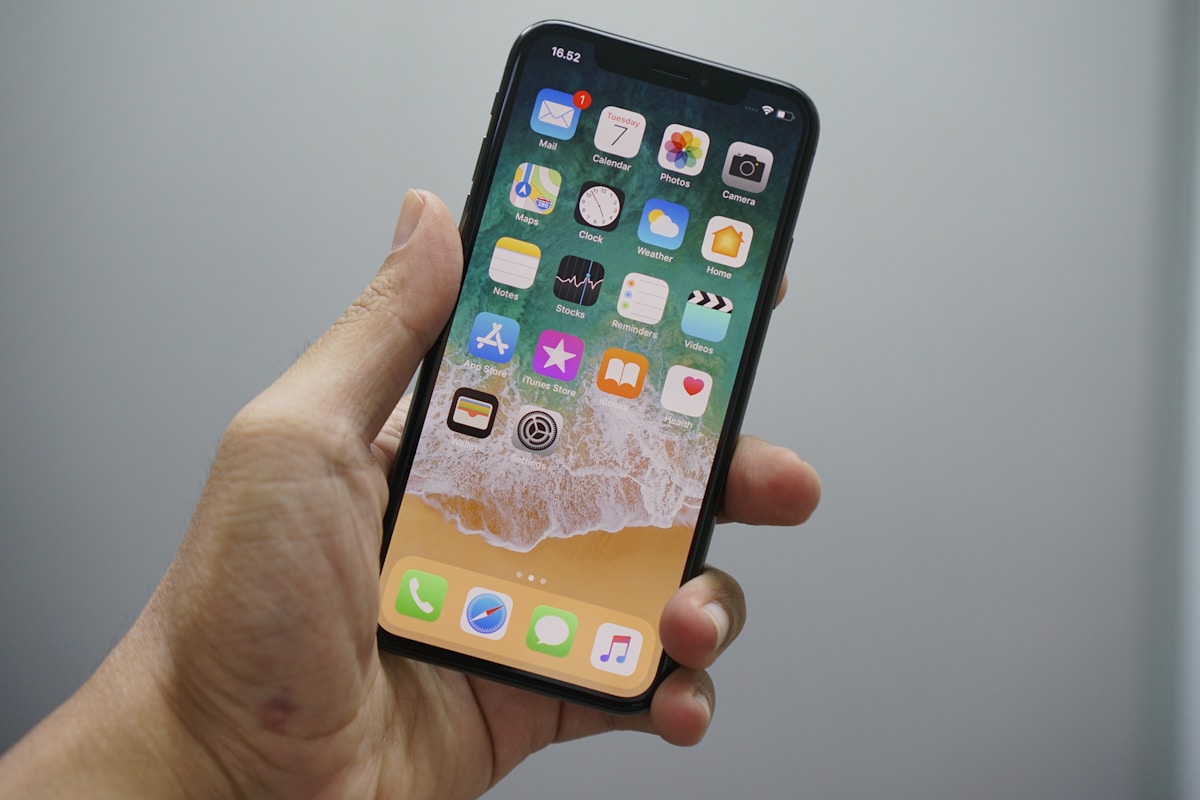

Bring your own device — or BYOD — is no longer a perk reserved for tech startups. In 2026, more than half of UK businesses allow employees to use personal smartphones, tablets and laptops for work. The appeal is obvious: lower hardware costs, happier staff and greater flexibility. But without a clear BYOD policy, you are opening the door to data breaches, compliance failures and a support nightmare.
This guide walks you through everything you need to build a robust bring your own device policy for your UK business — from security essentials and GDPR obligations to MDM integration and exit procedures.
What Is BYOD and Why Does It Matter?
BYOD stands for Bring Your Own Device. It refers to any arrangement where employees use their personal phones, tablets or laptops to access company systems, email, files or applications.
The shift accelerated during the pandemic, but it has stuck. Research from the Chartered Institute of Personnel and Development (CIPD) shows that hybrid and remote working remain the norm for knowledge workers across the UK. Employees expect to use the devices they already own and love — and many businesses are happy to let them, provided the risks are managed.
Without a formal BYOD policy, however, you have no control over how corporate data is stored, shared or protected on those personal devices. That is a problem — especially when the ICO can issue fines of up to £17.5 million for serious GDPR breaches.
Benefits of a BYOD Programme
Cost Savings
Providing every employee with a company phone or laptop is expensive. A mid-range business smartphone costs £300–£600, and that is before you factor in cases, screen protectors, insurance and replacements. BYOD shifts the hardware cost to the employee, freeing up budget for other priorities.
Employee Satisfaction and Productivity
People are more comfortable and efficient on devices they have chosen themselves. They know the interface, they have their preferred apps configured, and they do not need training on unfamiliar hardware. Studies consistently show that BYOD users are more productive and report higher job satisfaction.
Faster Onboarding
New starters can begin working on day one using their own device, rather than waiting for IT to provision and ship a company handset. This is particularly valuable for remote hires and contractors.
Flexibility for Hybrid Working
BYOD fits naturally with hybrid and remote working models. Employees carry one device instead of two, and they can switch seamlessly between personal and work tasks without juggling separate phones.
Need a BYOD Policy That Actually Works?
We help UK businesses build secure, GDPR-compliant BYOD programmes backed by enterprise-grade device management — from policy design to MDM rollout.
Risks of BYOD Without a Policy
The benefits are compelling, but BYOD introduces real risks that must be addressed in a formal policy.
Security Vulnerabilities
Personal devices may lack encryption, run outdated operating systems or have apps installed from untrusted sources. Each unmanaged device is a potential entry point for malware, phishing attacks and data theft. For a deeper look at the threats facing business mobiles, read our guide to the biggest security threat most businesses overlook.
Data Leakage
Without controls in place, corporate data can end up in personal cloud storage, messaging apps or photo libraries. An employee who screenshots a client spreadsheet or forwards a work email to a personal account may not even realise they are creating a compliance risk.
GDPR and Regulatory Compliance
If personal devices hold customer data, health records or financial information, your business is still the data controller under GDPR. You must be able to demonstrate that appropriate technical and organisational measures are in place — regardless of who owns the device.
Support Burden
Supporting dozens of different device models, operating system versions and personal configurations is far harder than managing a standardised fleet. Your IT team will spend more time troubleshooting compatibility issues and less time on strategic work.
Loss and Theft
Phones get lost. Laptops get stolen. If a personal device containing corporate data disappears, you need the ability to remotely wipe company information — without destroying the employee’s personal photos and messages.
Writing a BYOD Policy: Key Sections to Include
A strong BYOD policy does not need to be a 50-page legal document, but it must cover the essentials clearly. Here is a BYOD policy template outline you can adapt for your organisation.
1. Purpose and Scope
State why the policy exists and who it applies to. Be specific: does it cover all employees, or only certain roles? Does it include contractors and temporary staff? Which device types are covered — smartphones only, or tablets and laptops too?
2. Eligible Devices and Minimum Requirements
Define which devices are permitted. Most businesses require:
- A device running a supported operating system (e.g. iOS 17+ or Android 14+)
- The latest security patches installed within 14 days of release
- Full-disk encryption enabled
- A screen lock with a minimum six-digit PIN, pattern or biometric authentication
- No jailbroken or rooted devices
3. Security Requirements
This is the heart of your BYOD security framework. At a minimum, require:
- Strong passwords or biometrics — Enforce a minimum password complexity or require fingerprint/face unlock.
- Encryption — All data at rest and in transit must be encrypted. Modern iOS and Android devices encrypt by default when a passcode is set.
- Remote wipe capability — The business must be able to remotely erase corporate data if the device is lost, stolen or the employee leaves. A good mobile device management (MDM) solution makes this straightforward.
- VPN for network access — Require a VPN when connecting to company systems over public or untrusted networks.
- Anti-malware — Recommend or require a reputable mobile security app, particularly on Android devices.
For a full breakdown of what to look for, see our guide to essential security features for business mobile users.
4. Acceptable Use Guidelines
Set clear expectations about how work resources may be used on personal devices:
- Corporate email and calendar must be accessed through the approved app or container only.
- Company files must not be downloaded to personal storage or shared via unapproved apps.
- Employees must not use work credentials on shared or public devices.
- Personal use of the device remains the employee’s responsibility — the policy governs only the work-related portion.
5. Data Separation — Personal vs Corporate
One of the trickiest aspects of BYOD is keeping personal and corporate data separate. (If this trade-off looks unattractive, compare the alternative in our guide to company mobile phones for employees.) The best approach is to use an MDM solution that creates a secure work container — an encrypted partition on the device where all corporate apps, email and files live. The employee’s personal apps, photos and messages remain completely separate.
This separation is critical for two reasons:
- Privacy — Employees need assurance that the company cannot see their personal data, browsing history or location outside of work hours.
- Selective wipe — If the employee leaves or the device is compromised, IT can wipe only the work container without touching personal content.
6. MDM Enrolment
Require all BYOD devices to be enrolled in the company’s mobile device management platform before accessing any corporate resources. MDM allows IT to:
- Enforce security policies automatically
- Push and manage corporate apps
- Monitor compliance (without invading personal privacy)
- Remotely lock or wipe the work container
- Distribute Wi-Fi and VPN configurations
If you are new to MDM, our beginner’s guide to mobile device management explains how it works and why it matters.
7. Privacy and Monitoring Disclosure
Be transparent about what the company can and cannot see on enrolled devices. Employees should understand that MDM typically provides visibility into:
- Device model, OS version and security patch level
- Whether the device is encrypted and has a passcode
- Installed corporate apps
- Compliance status
MDM does not typically allow the company to see:
- Personal photos, messages or browsing history
- Personal app usage
- Location (unless explicitly enabled and consented to)
8. Exit Procedures
Define exactly what happens when an employee leaves the organisation, changes role or has their device lost or stolen:
- The work container and all corporate data are remotely wiped within 24 hours of the employee’s last working day.
- Corporate email accounts and app access are revoked.
- The device is unenrolled from MDM.
- The employee retains full ownership and use of their personal device and data.
Having a clear exit procedure protects both the business and the employee, and it is essential for GDPR compliance.
9. Support and Responsibilities
Clarify what IT will and will not support:
- IT supports the corporate apps, email and MDM profile.
- IT does not support personal apps, hardware faults or screen repairs.
- The employee is responsible for keeping the device charged, updated and in good working order.
- If the device no longer meets minimum requirements, access to corporate resources may be suspended until it is brought into compliance.
10. Policy Violations
State the consequences of non-compliance. This might range from temporary suspension of access to disciplinary action, depending on the severity. Make sure employees sign an acknowledgement that they have read and understood the policy.
MDM for BYOD: How Mobile Device Management Makes It Work
A BYOD policy without MDM is like a fire safety policy without fire extinguishers — it tells people what to do but gives them no tools to do it. Mobile device management is the technology that enforces your policy automatically and at scale.
Here is how MDM supports each element of a BYOD programme:
| Policy Requirement | How MDM Enforces It |
|---|---|
| Strong passcode | MDM enforces minimum passcode complexity. Non-compliant devices are blocked from corporate resources. |
| Encryption | MDM verifies encryption is enabled and flags devices that are not encrypted. |
| OS updates | MDM checks OS version and patch level, and can prompt or require updates. |
| Remote wipe | IT can selectively wipe the work container without affecting personal data. |
| App management | MDM pushes approved corporate apps and can block unapproved apps in the work container. |
| Data separation | Work container keeps corporate data isolated from personal apps and storage. |
| VPN configuration | MDM auto-configures VPN profiles so employees connect securely without manual setup. |
| Compliance monitoring | Real-time dashboard shows which devices are compliant and which need attention. |
For a comparison of the leading platforms available in the UK, see our guide to MDM solutions compared. If BYOD is not the right fit for every role, we also offer competitive business mobile phone deals on company-owned devices.
GDPR Considerations for BYOD in the UK
The UK General Data Protection Regulation (UK GDPR) applies to any personal data processed by your organisation — including data stored on employee-owned devices. Here are the key considerations:
Lawful Basis for Processing
You need a lawful basis for any monitoring or data collection on BYOD devices. Legitimate interest is the most common basis, but you must conduct a Legitimate Interest Assessment (LIA) and document it.
Data Protection Impact Assessment (DPIA)
If your BYOD programme involves large-scale processing of personal data or monitoring of employees, the ICO recommends carrying out a DPIA before you start.
Transparency
Employees must be told clearly what data the company collects from their device, why it is collected, how long it is retained and who has access. Include this information in your BYOD policy and your employee privacy notice.
Data Minimisation
Collect only the data you need. MDM should be configured to gather the minimum information required to enforce security policies — not to track employee movements or monitor personal usage.
Right to Erasure
Employees have the right to request deletion of their personal data. Your exit procedure should ensure that no personal data is retained by the company after the work container is wiped and the device is unenrolled.
Breach Notification
If a BYOD device is lost or stolen and corporate data is compromised, you may need to notify the ICO within 72 hours. Having MDM with remote wipe capability significantly reduces the risk of a reportable breach.
BYOD vs COPE vs CYOD: Which Model Is Right for You?
BYOD is not the only option. Here is how the three main device ownership models compare:
| Factor | BYOD | COPE | CYOD |
|---|---|---|---|
| Full name | Bring Your Own Device | Corporate-Owned, Personally Enabled | Choose Your Own Device |
| Device ownership | Employee | Company | Company |
| Device choice | Employee chooses | Company chooses | Employee picks from approved list |
| Hardware cost | Employee | Company | Company |
| IT control | Limited to work container | Full device management | Full device management |
| Employee privacy | High (personal data untouched) | Lower (company owns device) | Lower (company owns device) |
| Security level | Good with MDM | Highest | High |
| Employee satisfaction | High (own device) | Moderate | High (some choice) |
| Best for | Cost-conscious businesses, hybrid teams | Regulated industries, high-security roles | Businesses wanting balance of control and choice |
Many organisations use a blended approach — COPE for roles that handle sensitive data (finance, HR, senior leadership) and BYOD for the rest of the workforce. The right mobile device management strategy supports all three models from a single platform.
BYOD Policy Checklist
Use this checklist to make sure your policy covers all the essentials:
- Purpose, scope and eligible roles defined
- Minimum device and OS requirements specified
- Security requirements documented (passcode, encryption, remote wipe)
- MDM enrolment mandatory before accessing corporate resources
- Data separation approach defined (work container)
- Acceptable use guidelines written
- Privacy and monitoring disclosure included
- GDPR obligations addressed (DPIA, transparency, data minimisation)
- Exit procedures documented (offboarding, selective wipe)
- Support responsibilities clarified
- Policy violation consequences stated
- Employee acknowledgement and signature required
Why Choose Connection Technologies for BYOD and MDM
At Connection Technologies, we help UK businesses implement secure, practical BYOD programmes backed by enterprise-grade mobile device management. Here is what sets us apart:
- Tailored BYOD and MDM solutions — We do not sell one-size-fits-all packages. We design a device management strategy that fits your workforce, your industry and your risk profile.
- UK-based support — Our team is based in the UK and available to help with enrolment, policy configuration and ongoing management.
- Multi-platform expertise — iOS, Android, Windows, macOS — we manage them all from a single pane of glass.
- GDPR-compliant configuration — We configure MDM with privacy by design, ensuring you collect only what you need and employees understand exactly what is monitored.
- Business mobile contracts — If BYOD is not the right fit for every role, we also supply business mobile contracts on all major UK networks with volume discounts.
Need help securing employee devices?Get a free business mobile quote or call us on 0333 015 2615.
Ready to Secure Your BYOD Programme?
Our UK-based team configures MDM, drafts your policy and manages ongoing device security — so your data stays protected on every employee device.
Frequently Asked Questions
What is a BYOD policy?
A BYOD policy is a formal document that sets out the rules and security requirements for employees who use their own personal devices — such as smartphones, tablets or laptops — to access company systems and data. It covers areas like acceptable use, security standards, data protection and what happens when an employee leaves.
Is BYOD legal in the UK?
Yes. There is no UK law that prohibits BYOD. However, businesses must comply with the UK GDPR and the Data Protection Act 2018 when personal data is processed on employee-owned devices. A clear BYOD policy and MDM solution help you meet these obligations.
Can my employer see my personal data on a BYOD device?
Not if MDM is configured correctly. Modern MDM platforms use a work container that separates corporate and personal data. The company can manage and monitor the work container but cannot access personal photos, messages, browsing history or apps outside it.
What is the difference between BYOD and COPE?
With BYOD, the employee owns the device and the company manages only the work portion. With COPE (Corporate-Owned, Personally Enabled), the company owns the device but allows limited personal use. COPE gives the business more control, while BYOD gives the employee more privacy and choice.
Do I need MDM for a BYOD programme?
Technically, no — but practically, yes. Without MDM, you have no way to enforce security policies, separate corporate data from personal data, or remotely wipe company information if a device is lost or stolen. MDM is the technology that makes BYOD secure and manageable.
How do I handle BYOD when an employee leaves?
Your BYOD policy should include a clear exit procedure. When an employee leaves, IT performs a selective wipe of the work container, revokes access to corporate email and apps, and unenrols the device from MDM. The employee keeps their personal device and all personal data.
See also our guide on SMS and MMS for Business UK: Costs, Bulk Messaging & Setup for more details.
See also our guide on EE Business Contracts & SIM Deals 2026: Plans, Pricing & How to Save for more details.
What devices should a BYOD policy cover?
At a minimum, cover smartphones and tablets. Many businesses also include laptops. Specify minimum OS versions and security requirements for each device type in your policy.
Can I use a BYOD policy template?
A template is a good starting point, but every business is different. Your policy should be tailored to your industry, the types of data you handle and your specific security requirements. Connection Technologies can help you build a policy that fits your organisation.
Related Guides
Need a provider to handle BYOD, contracts, and billing in one service? Read our Managed Mobile Services UK 2026 →
Related Reading
More from the Connection Technologies blog.