

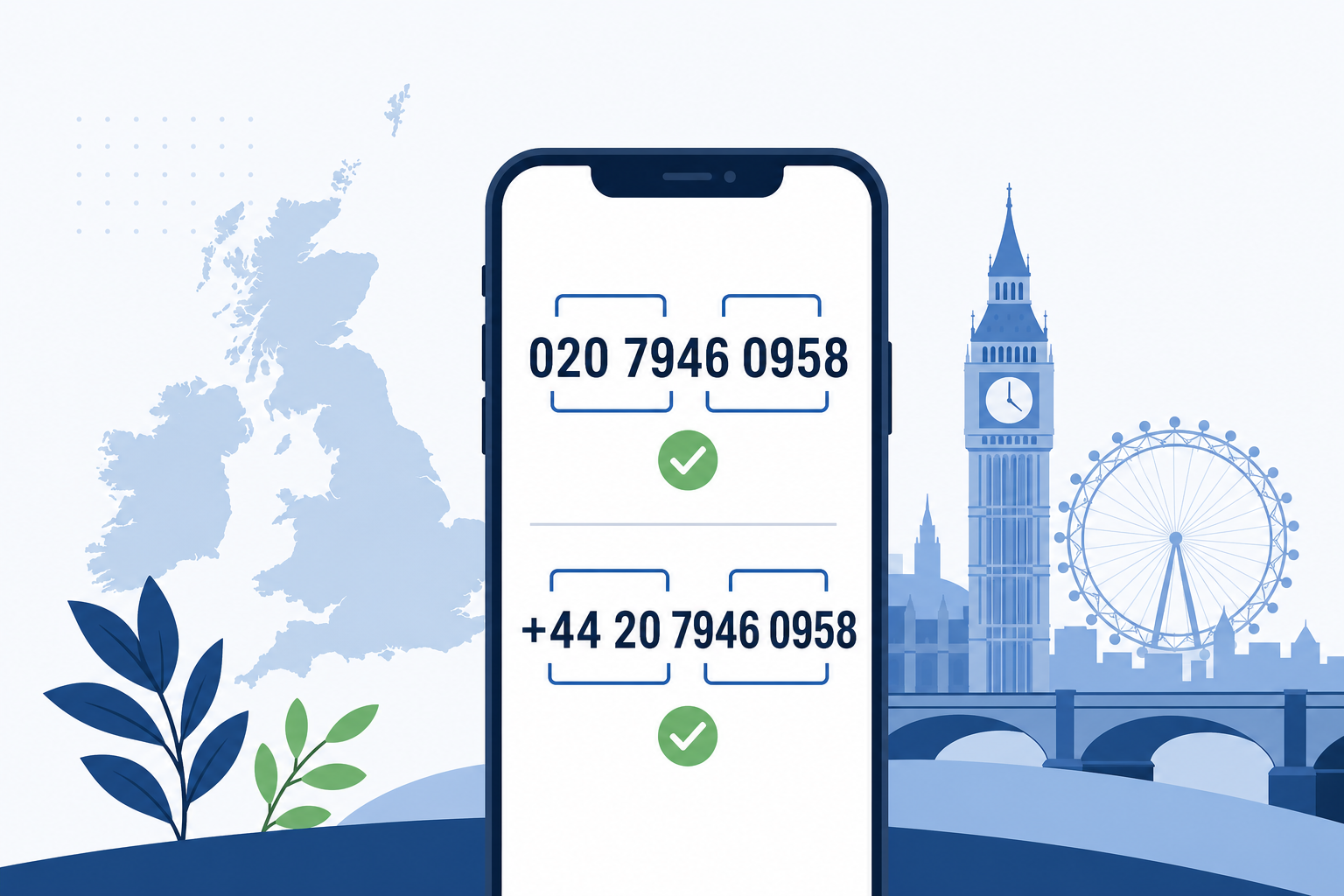
The UK phone number format changes according to where the call starts. This guide explains the national and international forms, with practical rules for people, businesses and online forms.
At a glance — 10 July 2026
- Inside the UK: use the national form, including the opening 0.
- Outside the UK: use +44 and leave out the opening 0.
- Alternative international form: 0044 may be used where 00 is the international prefix.
- Storage: use a normalised international form where possible, but display readable spacing.
Written by: Connection Technologies editorial team
Last reviewed: 10 July 2026
How the UK phone number format works
A UK number written for domestic use usually starts with 0. That first digit is the national trunk prefix. It helps the network route a call within the UK, but it is not part of the international number.
When a UK number is written internationally, use the United Kingdom country code, +44. Remove the first 0 from the national number and place +44 before the remaining digits.
- National mobile template: 07xxx xxxxxx
- International mobile template: +44 7xxx xxxxxx
- National London template: 020 xxxx xxxx
- International London template: +44 20 xxxx xxxx
The same conversion rule applies to geographic and non-geographic UK numbers. Ofcom’s National Telephone Numbering Plan describes the national structure after the 0 and sets out the ranges available for different services.
The plus sign is a portable way to show that an international access prefix is required. On many phones, the network translates + into the correct prefix. You may also see 0044, where 00 is used before country code 44. Do not write +44 (0), because a person should never dial both 44 and the trunk 0.
UK mobile number format
Most UK mobile numbers use an 11-digit national presentation beginning 07. A clear template is 07xxx xxxxxx. In international form, remove the opening 0 and write +44 7xxx xxxxxx.
- Inside the UK: 07700 900XXX
- Outside the UK: +44 7700 900XXX
- Digits-only storage: 447700900XXX
These masked examples show the format and are not complete contact numbers. The current Ofcom plan designates ranges beginning 071 to 075 and 077 to 079 as mobile services. It treats 076 separately as radiopaging, apart from 07624 under the Isle of Man arrangements.
A starting 07 does not therefore prove that a number is a standard UK mobile. Check the full range when routing, pricing or validating calls. Businesses managing fleets can also review our business mobile services.
UK landline number format
Geographic landlines begin 01 or 02 in national form. Their spacing varies because UK area codes are not all the same length. Keep the area code grouping that is customary for the location.
London and other 02 numbers
London numbers are commonly displayed as 020 xxxx xxxx. The area code is 020, not 0207 or 0208. A masked number such as 020 7946 0XXX becomes +44 20 7946 0XXX when written internationally.
Numbers with four- and five-digit area codes
Many larger cities use a four-digit area code, followed by a grouped local number. Leeds, for example, uses 0113. Some areas use longer codes, so a single spacing rule cannot cover every geographic number.
- Four-digit area-code template: 011x xxx xxxx
- International form: +44 11x xxx xxxx
- Longer area-code template: 01xxx xxxxxx
- International form: +44 1xxx xxxxxx
Ofcom lists geographic area codes and their associated areas in Appendix A of the Numbering Plan. Its telecoms numbering guidance links to the current plan and supporting numbering data.
Cloud calling platforms should preserve the correct destination while allowing a readable display. Our hosted VoIP service supports businesses that need consistent calling across offices and devices.
How to write 03 and 08 numbers
Numbers beginning 03 and 08 are non-geographic. They do not identify a town or city. Their national and international conversion still follows the trunk-zero rule.
03 numbers
Display an 03 number as 03xx xxx xxxx in national form. Internationally, write +44 3xx xxx xxxx. The Ofcom plan says 03 calls are charged at up to the same rate as UK geographic calls and are included in applicable inclusive minutes and discounts.
The plan also gives specific uses to some ranges. It reserves 030 for public sector and not-for-profit bodies. Ranges 034 and 037 support migration from matching 084 and 087 numbers.
08 numbers
Display a typical 08 number as 08xx xxx xxxx and convert it to +44 8xx xxx xxxx internationally. The exact charging treatment depends on the range.
- 080: designated free to caller in the Ofcom Numbering Plan.
- 084: an unbundled tariff range with access and service charge rules.
- 087: another unbundled tariff range with access and service charge rules.
Do not label every 08 number as freephone. The first digits matter, and call availability or charges from abroad can differ by provider. Refer to the current Ofcom plan before publishing pricing or routing rules.
Inside the UK versus outside the UK
Use the national form when the caller is in the UK and the service expects domestic dialling. That means retaining the opening 0. Use the international form for overseas callers, global address books and systems that exchange numbers between countries.
- UK mobile inside the UK: 07xxx xxxxxx
- The same mobile outside the UK: +44 7xxx xxxxxx
- UK landline inside the UK: 020 xxxx xxxx
- The same landline outside the UK: +44 20 xxxx xxxx
A common error is +44 07xxx xxxxxx. This keeps the trunk 0 after adding the country code, so it is not the correct international form. Another error is removing the 0 without adding +44, which leaves an incomplete national presentation.
ITU-T Recommendation E.164 defines the international public telecommunication numbering plan. It sets a maximum of 15 digits for an international E.164 number, excluding the international prefix. The + symbol is not one of those digits.
Spacing and storage rules
People read grouped numbers more accurately than an unbroken string. Use spaces for presentation, based on the number type and area-code pattern. Avoid mixing hyphens, brackets and spaces in the same display.
For system storage, keep a normalised value separately from the display value. A common approach stores the country code and national significant number without spaces. The application can then add local spacing when it displays the number.
- Display for a UK reader: 07700 900XXX
- International display: +44 7700 900XXX
- Normalised digits: 447700900XXX
Do not turn a phone number into an ordinary integer. An integer can drop a leading zero and cannot preserve a plus sign. A text field also handles extensions and formatting more safely.
Form validation for UK numbers
Good validation accepts realistic user input, then normalises it before checking the range. Remove harmless spaces, hyphens and brackets. Convert a valid 0044 prefix to +44, or convert a national leading 0 after the user selects the UK.
A single pattern such as “11 digits beginning 0” is too blunt. Geographic area-code lengths vary, and international input begins +44 rather than 0. Short service numbers also exist, so decide whether your form is collecting ordinary contact numbers only.
- Ask for the country, or provide a country selector.
- Accept +44, 0044 or a UK national leading 0.
- Remove presentation punctuation before validation.
- Reject the combination +44 0 at the start.
- Check a plausible UK service or geographic range.
- Store the normalised value and retain a readable display.
Give a useful error message instead of saying only “invalid”. For example: “Enter a UK number beginning 0, or use +44 without the first 0.” Server-side validation remains necessary even when the browser checks the field.
If the number will receive account or security messages, verify control with a one-time code. Format validation only checks structure. It does not prove that a number is allocated, active or owned by the person submitting it.
Check a UK phone number
Need help interpreting a number before you call? Use our UK phone number checker to review its format and number type. The tool is designed for number checking, while this guide focuses on correct national and international presentation.
Check the format before calling
Enter the number to see how it is structured and what its opening digits indicate.
Frequently Asked Questions
Inside the UK, write the number with its opening 0 and suitable spacing. For international use, replace that 0 with +44.
No. The 0 is the UK national trunk prefix, so leave it out after +44. Write +44 7xxx xxxxxx, not +44 07xxx xxxxxx.
Both forms can introduce UK country code 44 when 00 is the international prefix. The +44 form is more portable because a device or network can apply the appropriate international access prefix.
A standard UK mobile presentation usually has 11 digits including the first 0. Its international form uses +44 followed by the remaining 10 digits.
Store a normalised international value for processing, then format a separate display value for readers. Use a text field so leading zeros and the plus sign are not lost.
Related Reading
More from the Connection Technologies blog.