

Quick answer: Cyber Essentials requirements UK 2026: the five technical controls, NCSC v3.3 spec (Danzell question set), scope rules, password policy, MDM and cloud requirements explained for SMEs.
Last updated: September 2026 | Reviewed by: Connection Technologies team
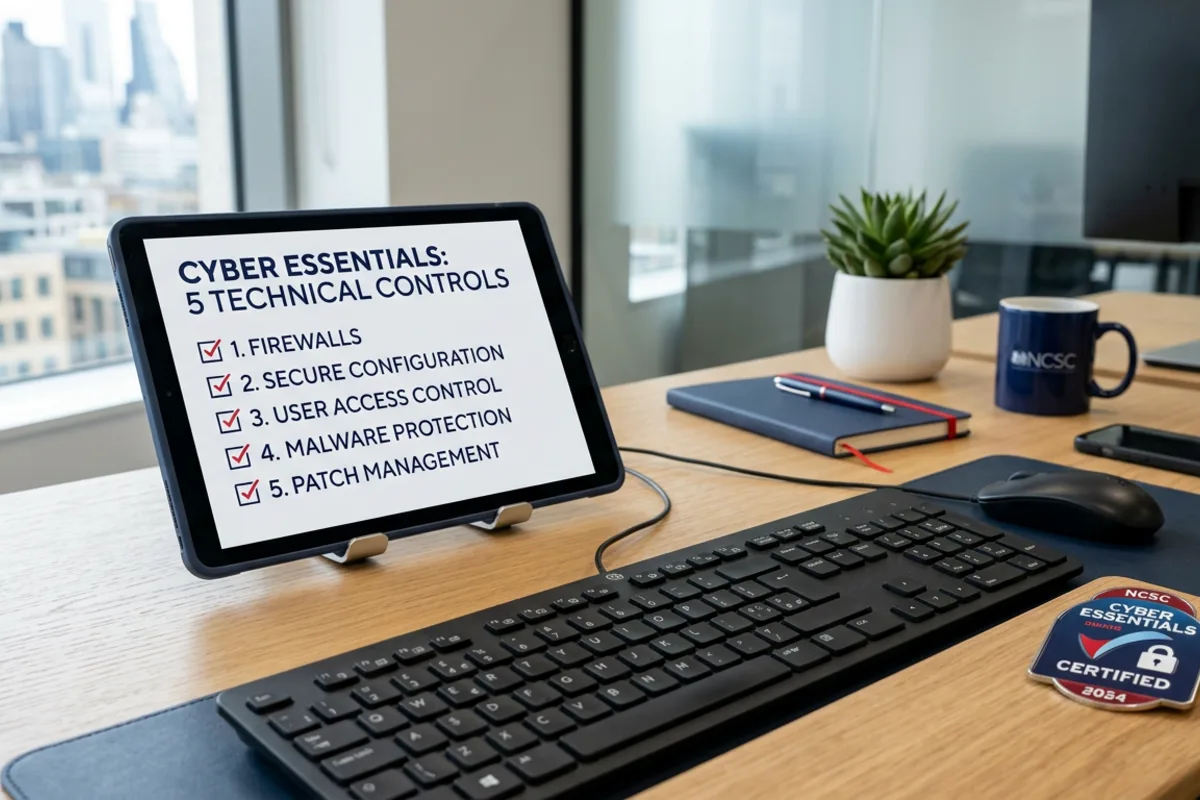
The Cyber Essentials requirements for UK businesses in 2026 are governed by the NCSC’s “Requirements for IT Infrastructure v3.3” (April 2026), the technical specification covering five families of controls: firewalls, secure configuration, user access control, malware protection and security update management. To pass the self-assessment your in-scope IT must meet every applicable requirement, evidenced via IASME’s self-assessment questionnaire (the Danzell question set from 27 April 2026) and (for Cyber Essentials Plus) verified via a hands-on assessor audit.
How many employees does your business have?
Get a free no-obligation IT support quote in 60 seconds
When does your current contract expire?
Tell us about your business
Your details
We'll never share your details. Unsubscribe anytime.
Thank you!
One of our IT specialists will be in touch shortly with a tailored support quote for your business.















This guide breaks the requirements down in plain English: what each control actually demands, where most businesses fail, what the 2026 changes mean (passwordless auth, BYOD scope clarifications, MDM rules) and how our managed Cyber Essentials service automates 80% of the evidence collection. If you’d rather see the official spec, IASME publishes the full PDF on the NCSC website.
Cyber Essentials requirements at a glance — the five control families
Every Cyber Essentials assessment is graded against the same five technical control families. Get all five right and you certify; miss one and you’ll be asked to remediate. Here’s what each one demands:
| Control family | Core requirement | Where most fail |
|---|---|---|
| 1. Firewalls | Boundary firewall on every internet-facing device, host firewall on every laptop. Default password changed. Inbound rules documented. | Home routers used by remote workers (need host firewall). Open admin interfaces. |
| 2. Secure configuration | Default credentials removed. Unused services disabled. Auto-run blocked. Unique device names. | Old printers, NAS devices and CCTV systems with admin/admin. |
| 3. User access control | Separate admin and user accounts. MFA on all cloud services and admin accounts. Joiners/movers/leavers process documented. | Shared logins on M365 admin accounts. No MFA on email. |
| 4. Malware protection | Anti-malware on every device OR application allowlisting OR sandboxing. Signatures updating daily. | Server-only AV missing on laptops. Defender turned off because of a removed third-party product. |
| 5. Security update management | All software updates within 14 days of vendor release. EOL software removed from in-scope devices. | Java, Adobe Reader, Chrome and third-party apps left to drift. Old Windows 7/8 / unsupported macOS still in use. |
Each family has multiple sub-requirements — for example, “user access control” alone covers admin separation, MFA, password policy, account expiry and authentication mechanisms. Our five technical controls explainer breaks each one down individually if you need a deeper read.
Cyber Essentials requirements for IT infrastructure v3.3 — what’s new for 2026
The NCSC’s Requirements for IT Infrastructure v3.3 applies, together with IASME’s matching Danzell question set (published 13 February 2026), to every assessment registered from 27 April 2026. Assessments bought before that date are marked against v3.2 (Willow, April 2025). The five controls are unchanged; the 2026 changes tighten scope and definitions:
- “Cloud service” is now defined — on-demand, scalable, shared infrastructure accessed over the internet through an account that holds your data — and the document states plainly that cloud services cannot be excluded from scope. Microsoft 365, Google Workspace and every SaaS tool holding organisational data must be declared, with MFA enabled wherever the service offers it.
- Scope exclusions must be justified — you have to explain what is excluded and how it is segregated from in-scope systems, rather than simply declaring a sub-set.
- “Untrusted” and “user-initiated” removed as qualifiers for internet connections. Any device that connects to the internet is in scope, including devices whose only traffic is automated (background syncs, update checks).
- Passwordless authentication definition extended to FIDO2 — passkeys, FIDO2 hardware keys and platform biometrics all count. Our password policy and MFA guide covers the accepted approaches.
- “Web applications” becomes “Software development” and references the UK Government’s Software Security Code of Practice. Publicly available commercial web applications are in scope by default; bespoke components are out of scope.
- Backups moved to the front of the document to emphasise recovery, though backups remain guidance rather than a marked requirement.
Carried over from v3.2 (April 2025): passwordless authentication explicitly accepted as a valid form of MFA; any device that can access organisational data (email, M365, Teams) in scope, including BYOD — our BYOD and MDM requirements guide walks through what that means in practice; and the sharper application-allowlisting wording. The 14-day window for critical and high-risk security updates is unchanged.
What’s actually in scope for Cyber Essentials?
Scope is the single biggest source of failed assessments. The default position is “everything that connects to the internet and processes organisational data is in scope”. That includes:
- All laptops, desktops, tablets and smartphones used for work — including BYOD that accesses email or files
- All servers — physical, virtual, cloud (Azure VMs, AWS EC2, etc.)
- All firewalls and network equipment with admin interfaces
- All cloud services that hold organisational data (M365, Google Workspace, Salesforce, Xero, etc.)
- All web applications you operate (your website, customer portals)
- Any printer, scanner or IoT device with a network interface
You can certify a sub-set of the business if you can demonstrate the in-scope and out-of-scope environments are properly segregated — but the certificate will explicitly say “applies to X subset”, which is much less useful for tender / contract purposes.
Cyber Essentials password policy requirements
Passwords are the most-asked-about requirement. The current spec accepts any one of three approaches:
- Multi-factor authentication — minimum 8-character password + a second factor (app, hardware token, biometric). The default best-practice for cloud services.
- Throttling and limits — minimum 8-character password with automatic lockout after no more than 10 incorrect attempts in 5 minutes (or similar throttling that prevents brute force).
- Strong password length without MFA — minimum 12 characters, with a deny-list of common/breached passwords.
You don’t need forced 90-day rotations — that practice is explicitly discouraged in the latest IASME spec. You DO need MFA on every cloud service that stores organisational data and every administrative account. We cover this in detail in our password policy and MFA requirements guide.
Cyber Essentials MDM and mobile device requirements
Mobile devices (phones, tablets) that access organisational data must:
- Be enrolled in an MDM (Microsoft Intune, Jamf, Workspace ONE, Google Workspace endpoint management) or be a corporate-managed device with equivalent controls applied directly
- Have a screen lock with PIN/passcode/biometric
- Have OS updates applied within 14 days of release (auto-update typically meets this)
- Have device-level encryption enabled (default on iOS, optional on Android — must be enforced)
- Have remote wipe capability for lost or stolen devices
BYOD is the trickiest. You can either bring BYOD into scope and apply MDM controls to it, or define a strict “no organisational data on personal devices” policy and enforce it technically (no email apps, no M365 apps installed, web-only access with no offline cache). Most businesses choose to enrol BYOD in MDM.
Cyber Essentials infrastructure requirements for cloud services
Cloud services that hold organisational data are in scope by default. The requirements vary by service model:
- SaaS (M365, Google Workspace, Salesforce) — MFA enabled for all users, admin accounts segregated, no legacy authentication protocols (POP, IMAP, basic auth) enabled
- PaaS (App Service, Heroku) — secure configuration of the platform, plus secure configuration of any code/runtimes you deploy
- IaaS (Azure VMs, AWS EC2) — full responsibility for OS hardening, patching, AV, firewalls — these VMs are treated like physical servers
For Microsoft 365 specifically, the most common configuration gaps are: legacy auth still enabled, no Conditional Access blocking high-risk sign-ins, MFA not enforced on every account (especially admin), and Defender for Office 365 either not licensed or not configured. Our M365 and Azure configuration guide walks through the exact Conditional Access and Security Defaults settings IASME assessors look for.
How long does it take to meet the requirements?
It depends entirely on where you start:
- Mature IT, MFA already enforced, EDR deployed: 2-4 weeks of evidence collection and questionnaire completion
- Typical SME — patchy MFA, mixed AV, no formal asset register: 6-10 weeks (most of which is remediation, not paperwork)
- Older / legacy estate — Windows 10 still around, weak admin segregation: 3-4 months including a remediation project
The questionnaire itself takes 4-8 hours to complete properly if you have all the evidence to hand. The questionnaire answers guide walks through every section.
Cost of meeting the Cyber Essentials requirements
Beyond the IASME certification fee (£320–£600 + VAT depending on tier), the cost of meeting the requirements depends on how much remediation you need. A typical SME in 2026 spends:
- £0-£500 on tooling if MFA, EDR and an MDM are already in place
- £500-£2,000 on tooling and remediation if you need to add EDR, enable MFA properly, and roll out an MDM
- £2,000-£8,000 on consultancy if you need formal policy work, gap analysis and assisted submission
Our Cyber Essentials cost guide breaks the spend down by tier and remediation scenario. Or if you’d rather skip the project altogether, our managed bundle starts at £103/mo and includes the IASME fee, the agent that automates the controls, security awareness training and the renewal.
Get Cyber Essentials & Cyber Essentials Plus — fully managed
Connection Technologies runs Cyber Essentials and Cyber Essentials Plus for UK businesses end-to-end. Our compliance agent automates the five technical controls across every Windows, macOS, iOS and Android device — we submit, audit and renew so you stay certified without the paperwork. RRP from £103/month with free £25,000 cyber-liability insurance for eligible UK businesses.
Skip the Cyber Essentials paperwork
We handle the five controls, the questionnaire, the audit and the renewal — RRP from £103/month.
Frequently asked questions
Firewalls, secure configuration, user access control, malware protection and security update management. Each family has multiple sub-requirements set out in the NCSC’s “Requirements for IT Infrastructure v3.3” document. Our five controls guide covers each in detail.
The NCSC publishes the official “Requirements for IT Infrastructure v3.3” PDF (April 2026) at ncsc.gov.uk/cyberessentials/overview, and IASME publishes the matching Danzell question set for preparation. The same document is referenced in every assessor question.
Yes. Requirements for IT Infrastructure v3.3 and the Danzell question set apply to every assessment registered from 27 April 2026. v3.3 defines “cloud service” for the first time, states that cloud services cannot be excluded from scope, requires justification for any scope exclusion, drops the “untrusted” and “user-initiated” qualifiers on internet connections, adds FIDO2 to the passwordless definition and references the Software Security Code of Practice. The five controls and the 14-day patch window are unchanged. Assessments bought before 27 April 2026 were marked against v3.2 (Willow).
Every device, server, network device, cloud service and web application that processes organisational data and connects to the internet. BYOD that accesses email or M365 is in scope unless you can technically demonstrate it can’t hold organisational data. Sub-set scoping is permitted with proper segregation but limits the value of the certificate.
Yes, on every cloud service that holds organisational data and on every administrative account. End-user MFA on internal-only services that aren’t internet-facing is not strictly required, but it’s strongly recommended.
The control requirements are identical. Cyber Essentials is a self-assessment of those requirements; Cyber Essentials Plus adds an independent IASME-licensed assessor who remote-tests a sample of your devices to verify the controls are actually working in practice (vulnerability scan, MFA test, patch verification, malware test).
Ready to get certified?
Get a fixed-price Cyber Essentials or CE Plus quote
Pick your tier, tell us your team size, and we’ll email you a branded quote in under 60 seconds. No phone calls, no pressure.
Get my Cyber Essentials quote →
Assessed by a UK IASME-licensed certification body · £25k cyber-insurance included
Related Reading
More from the Connection Technologies blog.