


Quick Answer
Hosted VoIP is a cloud-based phone system where your provider hosts all the hardware. Costs start from £12/user/month with features like call routing, voicemail-to-email and CRM integration. No upfront hardware costs.
Last updated: March 2026 | Reviewed by: Connection Technologies business telecoms team
How many phone lines does your business need?
Get a free no-obligation quote in 60 seconds
When does your current contract expire?
Tell us about your business
Your details
We'll never share your details. Unsubscribe anytime.
Thank you!
One of our mobile experts will be in touch shortly with your tailored quote.















The UK landline network (PSTN) is being switched off by 2027. For thousands of businesses, that means one thing: it is time to move to a hosted VoIP phone system. But what exactly is VoIP, how does it work, and is it the right choice for your business?
This guide covers everything you need to know about hosted VoIP for business in 2026 — from the basics of voice over IP to choosing a provider, comparing costs and getting set up. If you are still weighing VoIP against other options, our wider comparison of business phone lines (VoIP, landline and virtual numbers) sets out the trade-offs side by side.

A Yealink IP desk phone — plug in, power up and start making VoIP calls in minutes
What Is VoIP?
VoIP stands for Voice over Internet Protocol. Voice over IP phone systems for business work by converting your voice into digital data and sending it over the internet, rather than along copper telephone wires.
The result is the same — you make and receive phone calls — but the technology underneath is completely different.
VoIP has been around since the 1990s, but modern hosted VoIP systems are a world apart from early internet calls. Today’s VoIP phone systems deliver crystal-clear call quality, enterprise features and rock-solid reliability — often at a fraction of the cost of traditional telephony.

What Is a Hosted VoIP Phone System?
Hypercloud Contact Centre
Handling high call volumes? The contact-centre edition of Hypercloud adds queues, wallboards, advanced reporting, AI analytics, CRM integration and a dialler. Explore Hypercloud Contact Centre →
A hosted VoIP phone system (also called a cloud phone system or cloud-based phone system) is a business telephone system where all the clever stuff — call routing, voicemail, auto attendant, call recording — runs in the cloud rather than on a box in your office.
With a hosted system, there is no on-site PBX hardware to maintain. Your VoIP provider manages the infrastructure, keeps it updated and handles the security.
You simply plug in your IP phones (any standard IP telephone handset will work), download a softphone app to your computer or mobile, and start making calls.
Hosted vs On-Premise Phone Systems
Traditional on-premise PBX (Private Branch Exchange) systems require a physical box in your office, upfront capital expenditure and ongoing maintenance.
Hosted VoIP replaces all of that with a monthly per-user subscription — no hardware to buy, no engineer visits, no end-of-life replacements.
| Feature | On-Premise PBX | Hosted VoIP |
|---|---|---|
| Upfront cost | £3,000–£20,000+ | £0–£100 (phones only) |
| Monthly cost per user | Line rental + calls | £5–£25 all-inclusive |
| Maintenance | You or a contractor | Included by provider |
| Scalability | Buy more hardware | Add users instantly |
| Remote working | Limited | Built-in softphone and mobile app |
| Features | Basic unless you pay more | 50+ features included |
| PSTN switch-off ready | No | Yes |
How Does VoIP Work?
When you make a call on a VoIP phone, your voice is captured by the phone’s microphone and converted into small digital packets.
These packets travel over your broadband connection to your VoIP provider’s servers, which route them to the person you are calling — whether they are on a VoIP system, a mobile or a traditional landline.
The technology behind VoIP is called SIP (Session Initiation Protocol). SIP handles setting up, managing and tearing down calls. When you hear about SIP trunking, that refers to the virtual connection between your phone system and the wider telephone network.
For the caller and the person being called, the experience is identical to a normal phone call — often better, because modern VoIP uses HD audio codecs that make voices sound clearer.
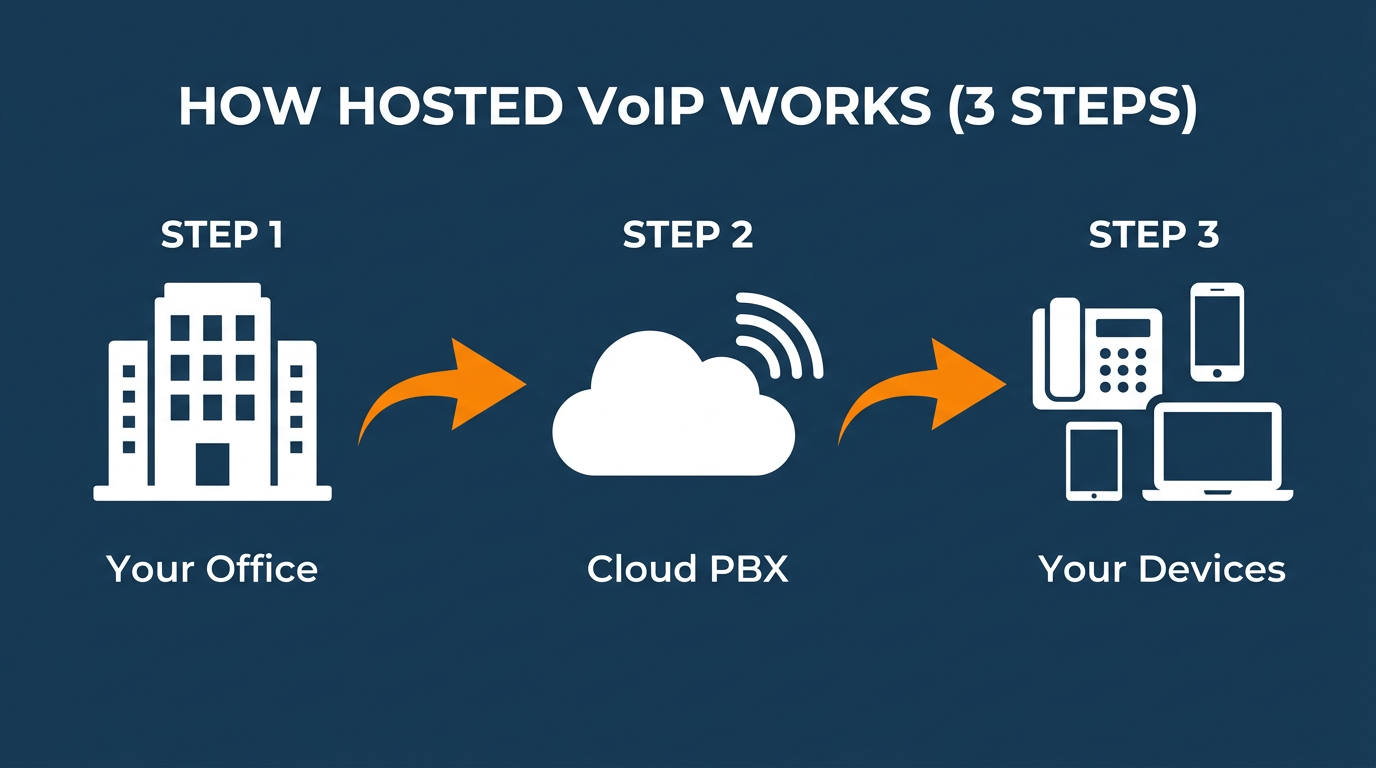
Hosted VoIP in 3 steps: your office connects to the cloud PBX, which routes calls to all your devices
Key Features of a Hosted VoIP System
One of the biggest advantages of a hosted business phone system is the features that come as standard. Here are the most valuable for UK businesses:
Auto Attendant (IVR)
An interactive voice response (IVR) system greets callers and routes them to the right department or person — “Press 1 for Sales, 2 for Support”. This is the feature that makes even a small business sound professional.
Call Recording and AI Transcription
Call recording is built into most hosted VoIP systems. Record all calls or selected calls for training, compliance or dispute resolution. Recordings are stored in the cloud and searchable.
Modern VoIP platforms go further with AI-powered call transcription. Every recorded call can be automatically transcribed in real time using speech-to-text AI, giving you a searchable, text-based record of every conversation.
This means you can search across thousands of calls for specific keywords, topics or phrases — invaluable for compliance teams, sales managers and customer service leads.
Softphone and Mobile App
A softphone is an application that turns your computer, tablet or smartphone into a full business phone. Make and receive calls on your business number from anywhere with an internet connection — perfect for remote and hybrid working.
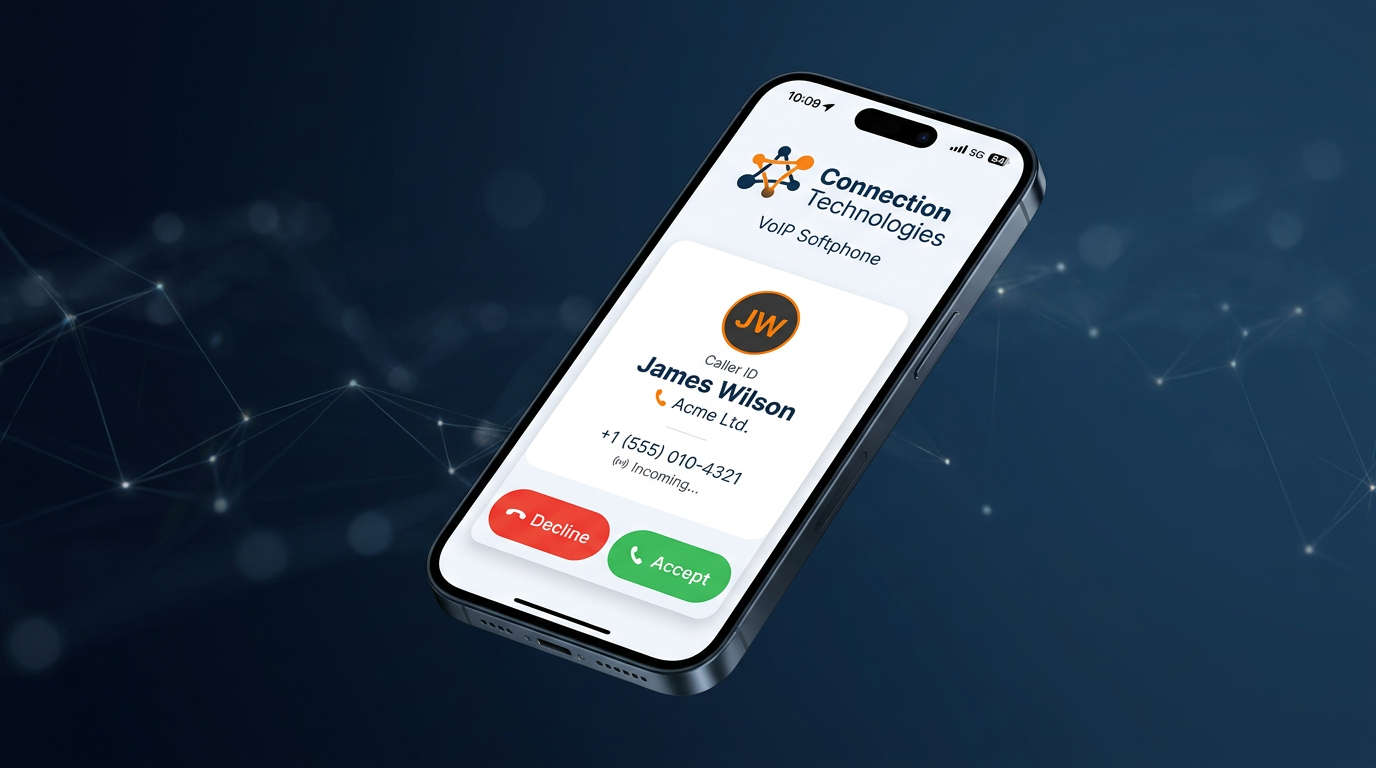
Your Business Number, Everywhere
HyperCloud’s mobile softphone app lets you make and receive calls on your business number from any smartphone. Seamless handover between desk phone and mobile — your clients never know the difference.
Call Forwarding and Routing
Route calls based on time of day, caller location, or team availability. Forward calls to mobiles, other offices or voicemail with flexible rules.
Video Conferencing
Many VoIP platforms include built-in video conferencing — eliminating the need for separate video tools. Host meetings, share screens and collaborate from the same system you use for calls.
With AI transcription enabled, every video meeting is automatically transcribed and summarised — participants receive a complete record with action items highlighted, so nothing falls through the cracks.
Unified Communications
Unified communications (UC) brings voice, video, messaging, presence and collaboration into a single platform. Instead of juggling five different tools, your team uses one.
Modern UC platforms enhanced with AI add real-time transcription to video calls, automatic meeting summaries and intelligent call routing based on conversation context.
Virtual Phone Numbers
Get local, national or virtual phone numbers for any UK area code — even if you are not physically there. Present a local presence to customers in London, Manchester, Birmingham or anywhere else.
Call Queues and Ring Groups
Distribute incoming calls across a team so no call goes unanswered. Set up hunt groups, round-robin routing or longest-idle distribution.
CRM Integration
Connect your phone system to your CRM so caller information pops up automatically. Log calls, access customer history and click-to-dial directly from your CRM.
A well-integrated VoIP and CRM setup transforms how your team handles customer relationships. When a call comes in, the caller’s full history — previous purchases, open support tickets, account notes — appears on screen before you even say hello.
Outbound calls are a single click from the contact record, and every call is logged automatically with duration, outcome and AI-generated transcription notes.
Popular CRM integrations include Salesforce, HubSpot, Microsoft Dynamics 365, Zoho CRM and Pipedrive. Many hosted VoIP providers also offer open APIs so bespoke integrations can be built for industry-specific platforms like estate agency, legal or healthcare CRMs.
| CRM Feature | What It Does | Business Benefit |
|---|---|---|
| Screen pop | Displays caller info before you answer | Personalised service from the first second |
| Click-to-dial | Call contacts directly from your CRM | Saves time, eliminates misdials |
| Auto call logging | Records call time, duration and outcome | Accurate reporting without manual entry |
| AI transcription sync | Attaches call transcripts to CRM records | Full conversation history for every contact |
| Sentiment analysis | AI scores call sentiment automatically | Flag unhappy customers for follow-up |
Frequently Asked Questions
Need help choosing the right deal for your business?
Our UK team compares every network to find you the best price. No obligation, no pressure.
AI-Powered Call Transcription and Intelligence
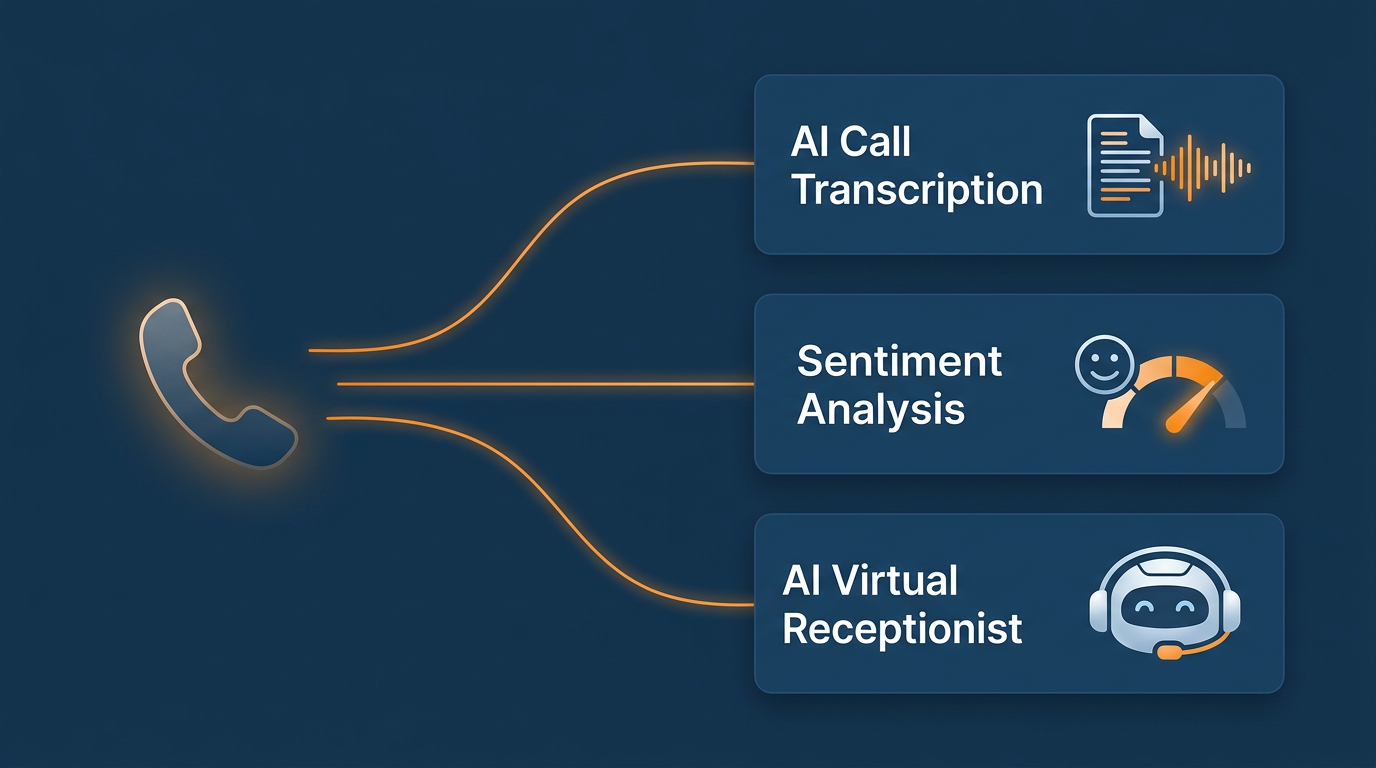
One of the most transformative features in modern hosted VoIP is AI-powered call transcription.
Powered by advanced speech recognition models like AssemblyAI, today’s VoIP systems can transcribe every call in real time with remarkable accuracy — even handling multiple speakers, accents, industry jargon and background noise.
But transcription is just the beginning. AI call intelligence goes far beyond converting speech to text:
Real-Time and Post-Call Transcription
Every call — inbound and outbound — is transcribed automatically. Transcripts are timestamped, speaker-labelled and stored alongside the call recording. Staff can review exactly what was said without replaying entire calls, saving hours per week for busy teams.
Speaker Diarisation
AI automatically identifies and labels different speakers in a conversation. In a conference call with four participants, the transcript clearly shows who said what — essential for meeting minutes, compliance records and dispute resolution.
Sentiment Analysis
AI sentiment analysis scores the emotional tone of each call automatically. Positive, negative or neutral — the system flags calls where customers sound frustrated or unhappy, alerting managers to step in before issues escalate.
Over time, sentiment trends reveal patterns in customer satisfaction across teams, products or time periods.
Auto Chapters and Summaries
Long calls are automatically broken into chapters with topic headings and concise summaries. A 45-minute client call becomes a scannable outline: “Budget discussion”, “Timeline review”, “Action items”. Sales teams use this to quickly recap calls without listening to full recordings.
Entity and Topic Detection
AI detects key entities mentioned in calls — company names, product references, monetary amounts, dates and locations. It also identifies the topics discussed, making it possible to search across thousands of calls for specific subjects like “contract renewal” or “pricing complaint”.
PII Redaction
For businesses handling sensitive data, AI can automatically redact personally identifiable information (PII) from transcripts — credit card numbers, national insurance numbers, addresses and more.
This is critical for financial services, healthcare and any business subject to GDPR compliance.
Custom Vocabulary
Industry-specific terms, product names and acronyms can be added to a custom vocabulary so the AI recognises them correctly. A legal firm can add case-specific terminology; a tech company can add product names. This pushes transcription accuracy even higher.
How AI Transcription Benefits Different Teams
| Team | Use Case | Benefit |
|---|---|---|
| Sales | Call summaries and action items synced to CRM | Reps spend time selling, not typing notes |
| Customer Service | Sentiment scoring on every support call | Managers spot unhappy customers instantly |
| Compliance | PII redaction and searchable call archives | Meet regulatory requirements automatically |
| Training | Transcripts of top-performing calls | New starters learn from real examples |
| Legal | Verbatim records with speaker labels | Accurate evidence for disputes |
| Management | Topic trends across all calls | Data-driven decisions on products and service |
How Much Does Hosted VoIP Cost?
Hosted VoIP pricing in the UK typically follows a per-user, per-month model. Here is what to expect in 2026:
| Tier | Price (per user/month excl. VAT) | What’s included |
|---|---|---|
| Basic | £5–£10 | Calls, voicemail, mobile app, basic reporting |
| Professional | £10–£20 | All calls included, call recording, AI transcription, auto attendant, CRM integration, advanced reporting |
| Enterprise | £20–£30 | Contact centre features, wallboards, API access, AI transcription with sentiment analysis, CRM sync, priority SLA |
Compare that to a traditional phone system where line rental alone is £15–£25 per line before you pay for calls, maintenance and hardware. Most businesses save 30–50% by switching to hosted VoIP.
VoIP Phones and Hardware
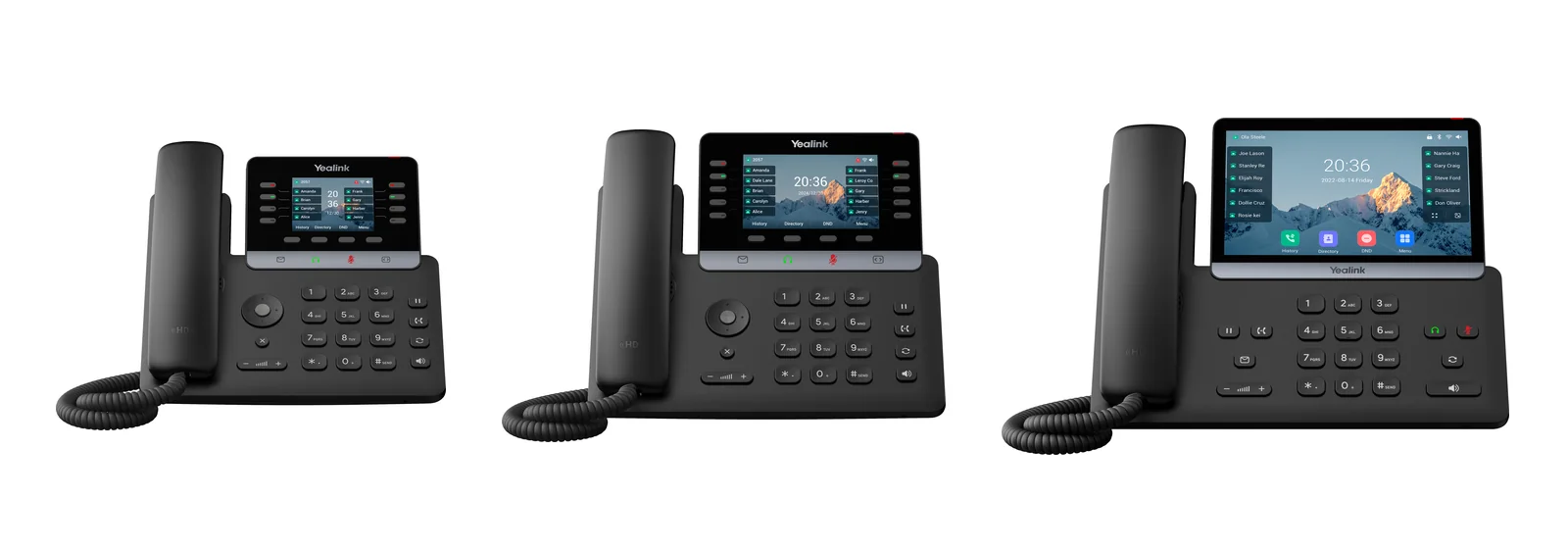
Yealink IP phones: Connection Technologies is an official Yealink partner supplying the full range of VoIP desk phones
You have several options for VoIP phones and hardware:
- IP Desk Phones — Dedicated VoIP phones from manufacturers like Yealink, Poly and Cisco. Models like the Yealink T74W offer HD audio, colour screens, built-in Wi-Fi 6 and Bluetooth for headsets, and PoE (Power over Ethernet); the older T46U is still sold and works the same way.
- Softphones — Software apps for Windows, Mac, iOS and Android. Zero hardware cost — use your existing computer or mobile.
- DECT Handsets — Cordless phones for warehouse, retail or any environment where staff move around.
- Conference Phones — Speakerphones designed for meeting rooms with 360° microphones.
- Headsets — USB or Bluetooth headsets for hands-free calling at the desk.
Most VoIP providers will supply or recommend compatible hardware. If you already have SIP-compatible phones, you can usually keep them.
For a full comparison of all UK business phone system providers — including VoIP, cloud and hybrid options — see our guide to the best business phone systems in the UK for 2026.
VoIP Providers UK: How to Choose
There are hundreds of VoIP providers in the UK. Here is what to look for when choosing one:
- Call quality and uptime — Ask about their infrastructure, data centre locations and uptime SLA. 99.9% uptime should be the minimum.
- UK-based support — When something goes wrong, you want to speak to someone who understands UK telecoms, not a script reader overseas.
- Included features — Some providers charge extra for call recording, auto attendant or mobile apps. Look for all-inclusive pricing.
- Number porting — Can they port your existing business numbers? How long does it take?
- Scalability — Can you add or remove users without penalty? What about multi-site support?
- Contract terms — Avoid long lock-ins. The best providers offer 30-day rolling or 12-month terms.
- Security — Ask about encryption, fraud prevention and compliance (especially if you record calls).
- Integration — Does it integrate with Microsoft Teams, your CRM or other business tools? Does it offer AI transcription and call analytics?
Ready to Switch to Hosted VoIP?
Join 5,000+ UK businesses running HyperCloud. Free setup, free number porting, 99.99% uptime. From £15/user/month.
The PSTN Switch-Off: Why 2026 Is the Year to Move
The UK’s legacy PSTN (Public Switched Telephone Network) and ISDN lines are being decommissioned by 2027. Openreach has already stopped selling new ISDN services and is migrating exchanges across the country.
If your business still uses traditional phone lines, the clock is ticking. Moving to hosted VoIP now means you:
- Avoid a last-minute rush when your exchange is migrated
- Get better features and lower costs immediately
- Future-proof your business phone system for the next decade
- Give your team the flexibility to work from anywhere
Running a smaller team? Our small business phone system guide covers the best VoIP options specifically tailored for UK SMEs with 1–50 users.
Getting Started with Hosted VoIP
Switching to a hosted VoIP phone system is simpler than most businesses expect. Here is the typical process:
- Assess your broadband — You need a stable internet connection. As a rule of thumb, allow 100 Kbps per concurrent call. Most business broadband handles this easily.
- Choose your provider — Compare features, pricing and support. Ask for a demo or trial.
- Port your numbers — Your provider will handle porting your existing business numbers. This typically takes 5–10 working days.
- Set up your phones — IP phones auto-configure in minutes. Softphone apps install in seconds.
- Go live — Most businesses are fully up and running within 1–2 weeks.

Why Choose Connection Technologies for Hosted VoIP?
Connection Technologies’ HyperCloud hosted VoIP is built for UK businesses that want enterprise features without enterprise complexity. Plans start from £15 per user per month (excl. VAT) and include:
- 50+ features as standard including auto attendant, call recording, AI call transcription and mobile app
- UK-based support team that answers calls within 45 seconds
- Keep your existing business numbers with free number porting
- Scale up or down instantly — no hardware to buy
- Microsoft Teams integration available
- 99.99% uptime SLA
- Call Centre Software UK 2026
- Office Phone Systems UK 2026
n
n
Ready to switch?Get a free hosted VoIP quote tailored to your business, or call us on 0333 015 2615 to speak with a VoIP specialist today.
Ready to save on your business mobiles?
Connection Technologies has helped over 5,000 UK businesses find better deals. Get a free, no-obligation quote in under 60 seconds.
Or call us on 0333 015 2615
Related Guides
- How to Set Up VoIP: Step-by-Step Guide
- Best Cloud Phone Systems UK 2026
- ›Business Phone Line UK Guide
- compare business broadband UK
- virtual mobile numbers for business
- how to divert calls from landline to mobile
- HyperCloud hosted VoIP guide
- Business Broadband and VoIP Package UK — Bundle & Save in 2026
- Hosted VoIP Solutions UK 2026: Enterprise & SME Options Compared
For more detail, see our guide to cloud phone system features.
For more detail, see our guide to VoIP migration guide.
For more detail, see our guide to Hypercloud VoIP.
Frequently Asked Questions
What is VoIP in simple terms?
VoIP (Voice over Internet Protocol) lets you make phone calls over the internet instead of traditional phone lines. It works on desk phones, computers and mobile apps.
How much does a hosted VoIP system cost?
Hosted VoIP typically costs £5–£25 per user per month depending on features. There is usually no upfront cost for the system itself — you just need phones or a softphone app.
Can I keep my existing phone number?
Yes. Your VoIP provider will port your existing numbers across. This usually takes 5–10 working days and your number stays the same.
Do I need special internet for VoIP?
Standard business broadband works fine for most VoIP deployments. You need roughly 100 Kbps per concurrent call. A 50 Mbps connection comfortably supports 20+ simultaneous calls.
What happens if the internet goes down?
Good VoIP systems have failover options: calls can automatically divert to mobile numbers, and the mobile app continues to work over 4G/5G.
Is VoIP secure?
Modern VoIP systems use TLS and SRTP encryption for calls. Reputable providers also offer fraud detection, geo-blocking and regular security updates.
What is AI call transcription?
AI call transcription uses speech recognition to automatically convert your phone calls into text. Every call is transcribed in real time with speaker labels, timestamps and topic summaries. Transcripts are searchable and can be synced to your CRM.
Can AI transcription handle different accents?
Yes. Modern AI speech models are trained on diverse datasets and handle regional UK accents, international accents and industry-specific vocabulary accurately. Custom vocabulary support further improves accuracy for specialist terms.
How does VoIP integrate with my CRM?
Most hosted VoIP systems integrate with popular CRMs like Salesforce, HubSpot and Microsoft Dynamics via pre-built connectors or open APIs. Features include screen pop (caller info displayed on answer), click-to-dial, automatic call logging and AI transcription sync.
Hosted VoIP for Business — UK Market Data 2026
The shift to hosted VoIP for business is accelerating in 2026. Ofcom confirms the PSTN switch-off deadline of January 2027 means every UK business must migrate from traditional phone lines within the next 12 months. 62% of UK businesses have already adopted hosted VoIP for business, with the remaining 38% facing mandatory migration.
Gartner’s 2025 UCaaS forecast projects the hosted VoIP for business market will grow 16.4% globally in 2026. In the UK specifically, Forrester estimates businesses switching to hosted VoIP for business save an average of £4,200 per year for a 10-user office compared to traditional phone line costs.
Key hosted VoIP for business metrics in 2026:
- Average hosted VoIP call quality: 4.2 MOS (vs 3.8 for traditional PSTN)
- Typical bandwidth per call: 100 kbps — a 40 Mbps connection handles 50+ simultaneous calls
- Average deployment time: 2–4 weeks including number porting
- Uptime SLA: 99.99% from leading hosted VoIP for business providers
- Average savings: 40–60% vs traditional phone systems
Related Reading
More from the Connection Technologies blog.