
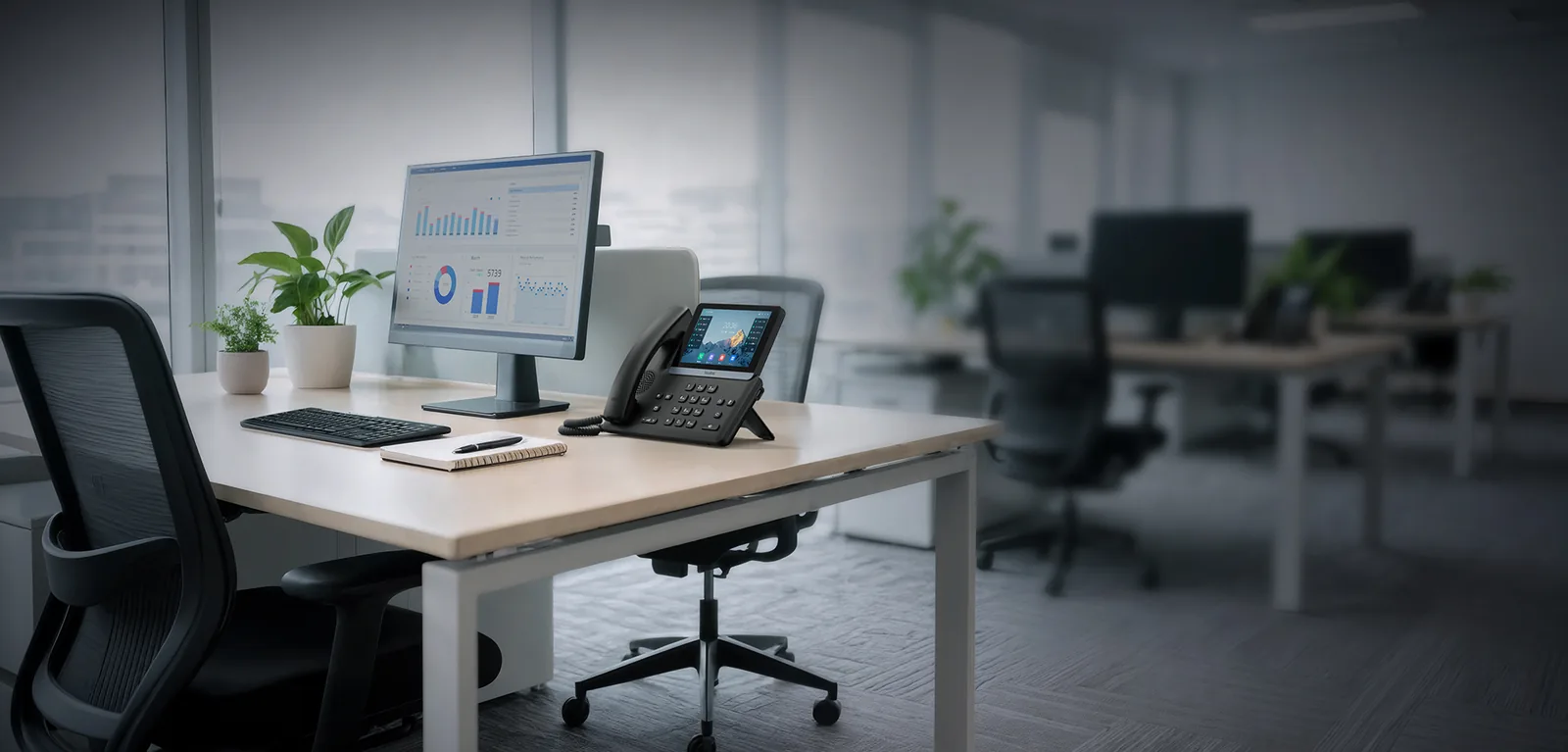

Do You Need Special Phones for VoIP?
Yes. A hosted VoIP platform speaks SIP over your network, so a phone has to be able to plug into Ethernet (or Wi-Fi) and register with the platform. The analogue handsets that plugged into your old PSTN or ISDN system cannot do that on their own. When you move to hosted VoIP there are three ways to give someone a phone:
- IP desk phones — purpose-built VoIP handsets that connect to your network via Ethernet. They look and feel like a normal office phone but register directly with the cloud platform. Yealink, Poly (formerly Polycom), Grandstream and Cisco are the brands you will see in most UK deployments.
- Softphone apps — free software on a PC, Mac, iPhone or Android device that turns it into a full business phone with your office number. No hardware to buy.
- An ATA (analogue telephone adapter) — a small box that lets an existing analogue phone, fax machine or door-entry panel work on the VoIP platform. Useful for legacy kit; not recommended as the main handset for staff.
Everything else — voicemail, auto attendant, call queues, call recording — lives in the platform rather than in a box in the comms cupboard, which is why hosted VoIP needs far less equipment than the system it replaces. If you are still on analogue lines, the PSTN switch-off on 31 January 2027 makes this decision for you; the hardware choices below are the same either way.
Desk Phone vs Softphone: Which Should Your Team Use?
Both run on the same platform and deliver the same features and call quality. The difference is the device, and that affects cost, flexibility and how people actually work.
| Factor | IP desk phone | Softphone app |
|---|---|---|
| Cost | £40–£300 per handset (or rented) | Free with the platform; a good headset is the only spend |
| Mobility | Fixed to a desk (DECT handsets excepted) | Anywhere with internet — home, client site, train |
| Audio | Excellent — dedicated HD handset and speakerphone | Good with a proper headset; poor on laptop mics |
| Ease of use | Physical hold, transfer and line keys; always on | Depends on the PC being on and the app running |
| Best for | Reception, sales desks, call-heavy roles, shared areas | Hybrid and remote staff, hot desks, occasional callers |
In practice most businesses take the hybrid approach: desk phones where people take a lot of calls or where a phone must always be ringing, softphones for everyone else, and the mobile app on every user’s phone as a backup. A single extension can ring on all three at once, so the choice is per person, not per company.
How to Choose a VoIP Desk Phone: The Features That Matter
Spec sheets for IP phones are long. These are the features that make a practical difference in a UK office:
- HD voice (wideband audio) — the single biggest jump in call quality over analogue. Every phone below supports it; check the handset and the speakerphone both do.
- Power over Ethernet (PoE) — the phone takes its power from the network cable, so there is no mains adaptor at the desk. See the PoE section below.
- Colour display — worth the small premium for anyone who uses the directory, call history or busy-lamp keys.
- Line keys and BLF — programmable keys that show whether a colleague is on a call and let you transfer with one press. Reception and team leads want plenty; most users need two or three.
- Headset port, Bluetooth and Wi-Fi — an RJ9 or USB headset port is standard; built-in Bluetooth lets you pair a wireless headset with no dongle, and Wi-Fi rescues desks with no network socket.
- Expansion modules — add-on key panels for receptionists and switchboard operators who need to see 40+ extensions at a glance.
- Auto-provisioning — the phone downloads its configuration from your provider the first time it boots. All the models below support it, which is why phones supplied by your provider arrive ready to plug in.
- Gigabit pass-through port — lets the phone sit between the wall socket and the PC so each desk needs only one network drop.
Yealink’s 2026 Range: T7 and T8 Replace the T4 and T5
Yealink launched the T7 series (T73U/T73W, T74U/T74W and T77U, running Linux) and the T8 series (T85W, T87W, T88W and the camera-equipped T88V, running Android) in November 2025 as the successors to the T4U and T5 phones most UK offices bought over the last five years. Every model gets Bluetooth 5.0, USB-C, Yealink’s AI noise cancellation and a hardware-encrypted security chip; the W variants and all T8 phones have Wi-Fi 6 built in, and the whole T7 range runs one firmware. The older T33G, T46U, T54W and T58W are still sold and supported, so an existing estate does not need replacing — but for new desks in 2026 buy the T7/T8 equivalent: T46U → T74U/T74W, T48U → T77U, T53W → T74W, and T54W/T57W/T58W → T85W/T87W/T88W.
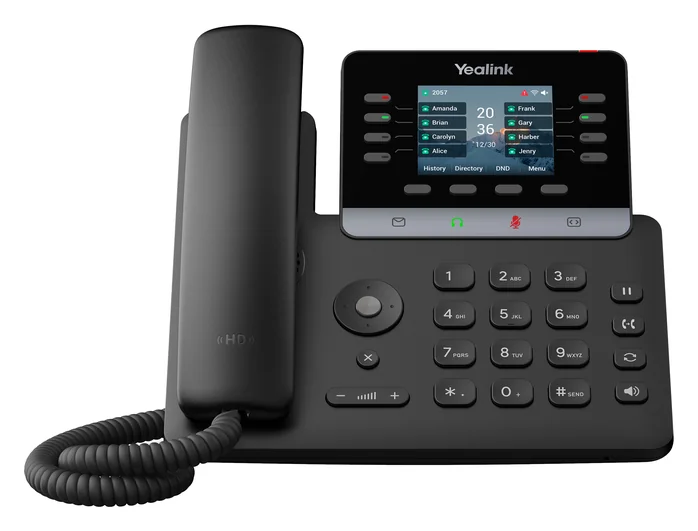
Entry and shared desks · 2.8″ colour · 12 accounts
about £60–£90 excl. VAT
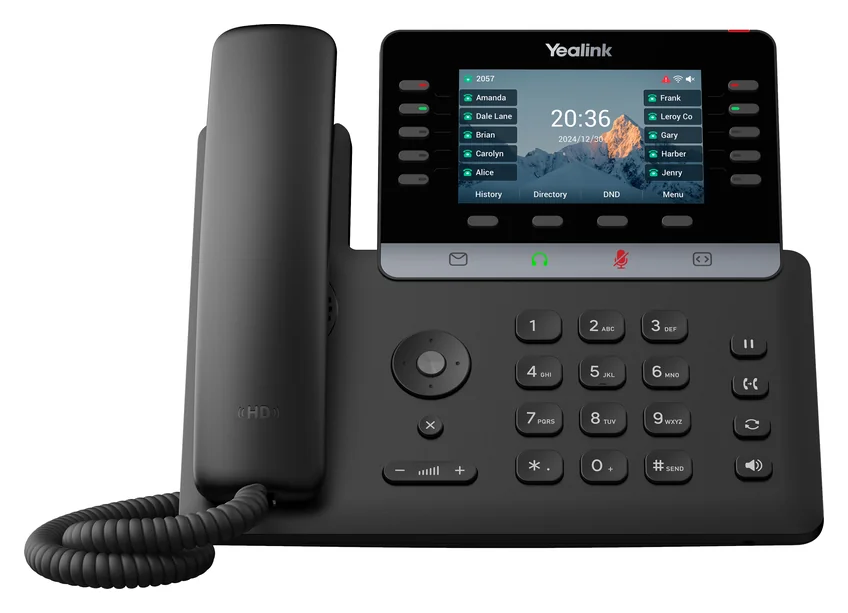
Most office staff · 4.3″ colour · 16 accounts · Wi-Fi 6 + Bluetooth on the W
about £90–£110 excl. VAT
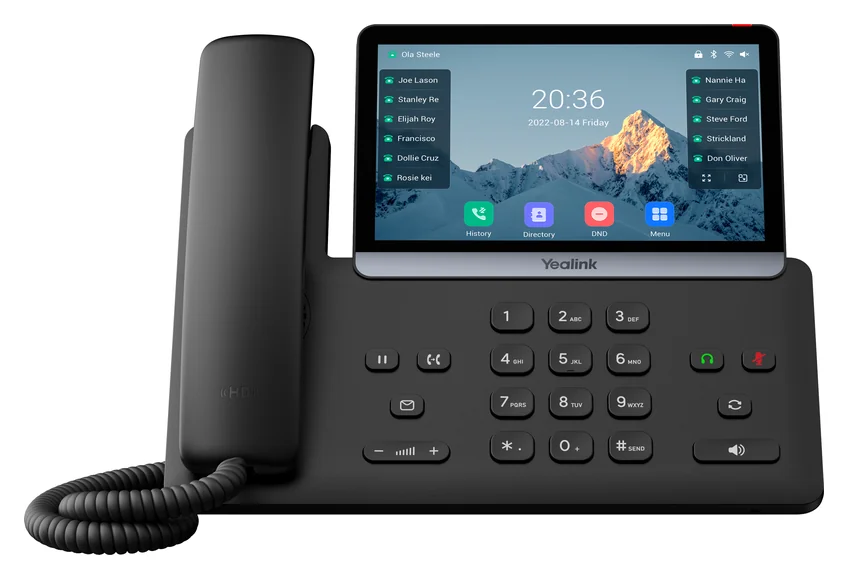
Executives and reception · 7″ touch screen · 16 accounts · up to 3 EXP55 modules
about £130–£165 excl. VAT
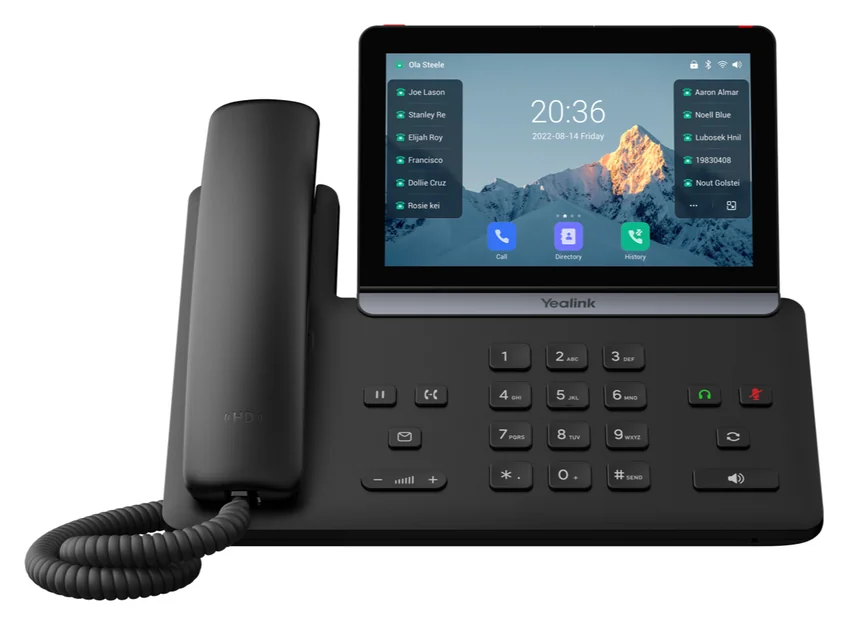
Android T8 series · 5.5″ or 7″ touch · Wi-Fi 6 + Bluetooth built in · T88V adds a camera
about £100–£250 excl. VAT
Product images: Yealink. Prices are typical UK reseller prices excluding VAT in September 2026 and move with stock; every model above is available bought outright or rented with Hypercloud.
Best VoIP Desk Phones by Role (UK, 2026)
You do not need the same phone on every desk. Matching the handset to the role keeps the budget sensible and the users happy. Prices are typical UK street prices excluding VAT as of September 2026; rental and bundled options are covered below.
| Role | Tier | Typical models | Guide price |
|---|---|---|---|
| Warehouse, kitchen, communal areas, occasional callers | Entry-level | Yealink T73U / T73W (or the older T31G / T33G), Poly Edge E100, Grandstream GRP2612 | £40–£90 |
| Most office staff, sales and support desks | Mid-range | Yealink T74U / T74W (successor to the T46U), Poly Edge E300, Grandstream GRP2614 | £90–£180 |
| Managers, directors, video-capable desks | Executive | Yealink T77U, or the Android T85W / T87W / T88W (T8 series, replacing the T54W / T58W), Grandstream GRP2616 | £130–£300 |
| Reception and switchboard | Mid-range + expansion module | Yealink T74W or T77U with EXP55 key module (EXP50 for older T4U / T5 phones) | £180–£350 combined |
| Meeting rooms | Conference phone | Yealink CP925 / CP920 (small rooms), CP965 (boardrooms) | £200–£350; more with expansion mics |
| Anyone who moves around the building | DECT cordless | Yealink W73P bundle (W70B base + W73H handset) | £80–£130; extra handsets separately |
Which brand? Yealink is the most widely deployed IP phone brand in the UK and has the broadest range, which is why it appears in every tier above. Poly’s strength is audio quality, particularly on conference units. Grandstream is the value pick and is very common in provider-supplied bundles. Cisco makes excellent phones but is priced for enterprise and rarely makes sense for an SME on a hosted platform. All four auto-provision against Hypercloud, so the decision comes down to budget and feel rather than compatibility.
Cordless: DECT Phones for Warehouses, Workshops and Shop Floors
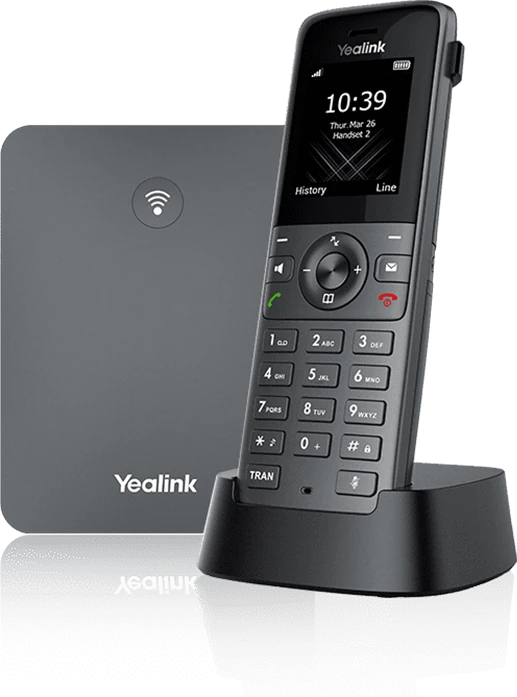
DECT (Digital Enhanced Cordless Telecommunications) is the wireless standard used by cordless phones for decades. It runs on its own frequency band (1.88–1.90 GHz in Europe), so it does not compete with your Wi-Fi, and modern DECT VoIP systems bring that cordless freedom to a hosted platform.
A DECT VoIP system has two parts: a base station that plugs into your network and registers with the platform over SIP, exactly like a desk phone, and cordless handsets that talk to the base over DECT radio. Each handset can have its own extension, so a cordless user works exactly like a desk user — same number, same features, same call quality — without the cable.
- The Yealink W73P bundle (W70B base plus one W73H handset) is the usual starting point: up to 20 handsets and 10 simultaneous calls per base, HD voice and a 1.8-inch colour screen on the handset.
- Indoor range is typically around 50 metres through walls and up to 300 metres outdoors with line of sight. Repeaters extend coverage across a larger building.
- Bigger sites — a distribution centre or a hospital wing — use multi-cell DECT, where several bases hand calls off to each other as staff walk between them.
Our help guide to DECT wireless phones for VoIP covers set-up, range planning and repeaters in detail.
Conference Phones for Meeting Rooms
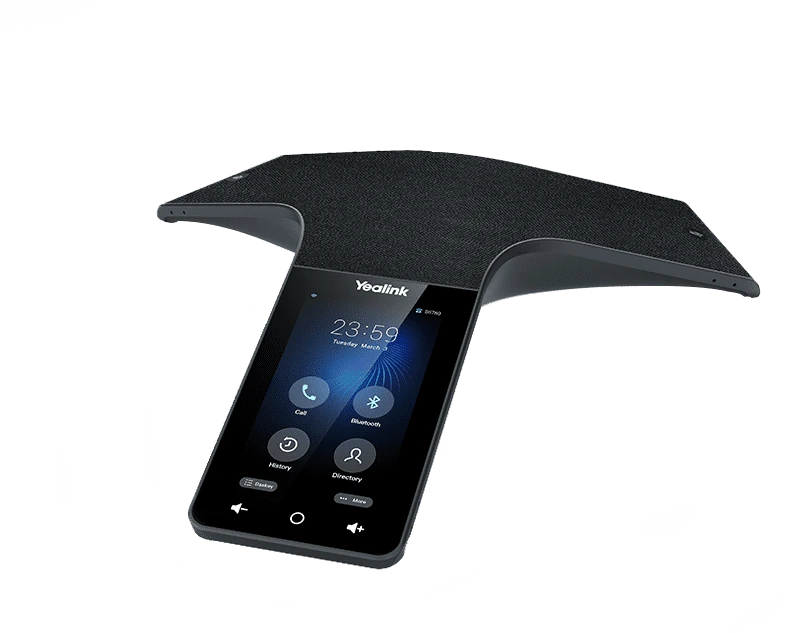
A desk phone’s speakerphone will do for two people huddled round it. For a meeting room you want a dedicated conference phone: 360-degree microphone arrays that pick up voices from every seat, a speaker that fills the room and echo cancellation that stops the feedback loop remote participants dread.
- Yealink CP920 — the mid-range workhorse for rooms of 6–8 people. Six-metre pickup range, full-duplex HD audio, built-in Wi-Fi and Bluetooth, a USB port for call recording, and two units can be daisy-chained for a longer table.
- Yealink CP965 — the premium unit with a colour touch-screen and support for CPW65 wireless expansion microphones, comfortable for boardrooms of 10–16 people.
Placement matters as much as the model: put the unit in the centre of the table, away from laptops and projector fans, and add expansion mics before you add volume. See conference phones for VoIP for room-by-room advice.
Headsets: The Upgrade Most Teams Underrate
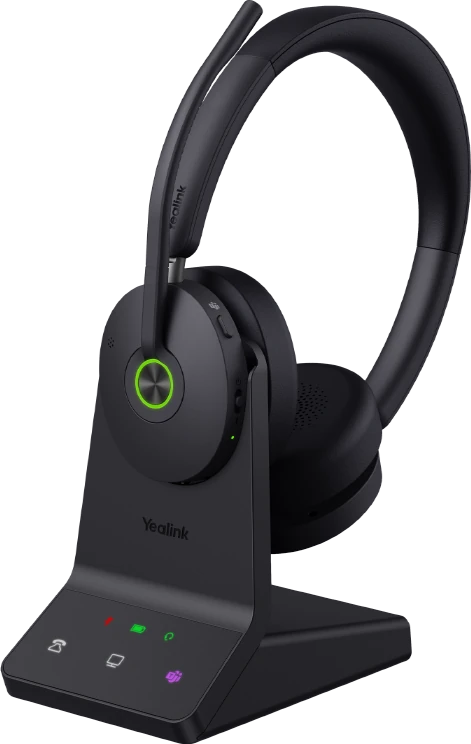
A VoIP system is only as good as the audio at each end. You can buy the best platform in the country and still sound terrible on a laptop microphone. For anyone using a softphone, the headset is the phone, and it is the cheapest place to make a big difference to how you sound to customers.
USB wired headsets
Plug into the computer, draw power from the port, nothing to charge. The simplest and most reliable option for office-based softphone users and contact-centre agents who stay at their desk. Typical choices: Jabra Evolve2 40, Poly Blackwire 5220, EPOS IMPACT SC 60.
Wireless DECT headsets
Pair with a desk phone (via an EHS cable or the phone’s built-in support) or a USB base on the PC, and give you a hundred metres or more of roaming range so you can take a call to the filing cabinet or the workshop. The best choice for receptionists and anyone who is up and down all day. Typical choices: Yealink WH62 / WH68, Jabra Engage 55, Poly Savi 7300.
Bluetooth headsets
Pair with a laptop and a mobile at the same time, so one headset covers Teams calls, the softphone and the mobile app. Ideal for hybrid workers; range is shorter than DECT and battery life needs managing.
Mono or stereo? Mono (one ear) keeps you aware of the room and suits reception and open-plan offices; stereo blocks the office out and suits focused desk work and noisy environments. Whichever you choose, prioritise a noise-cancelling microphone — it does more for how you sound than any other feature. Our headsets for VoIP buying guide has recommendations by use case and budget.
PoE, Switches and the Network Bits
Power over Ethernet delivers power and data down one Category 5e or 6 cable, so a desk phone needs a single network lead and no mains adaptor. In a 50-desk office that is 50 fewer power bricks, 50 fewer sockets and a great deal less cable at every desk.
- PoE is defined by the IEEE 802.3af (15.4 W) and 802.3at (30 W) standards. Standard desk phones need 802.3af; touch-screen executive models and some conference units want 802.3at.
- Buy a PoE switch with a power budget that covers every phone with headroom, and put voice on its own VLAN with QoS so a big file transfer never chops up a call.
- Home workers with a desk phone simply use the supplied power adaptor — PoE is an office convenience, not a requirement.
The PoE guide for VoIP phones covers switch sizing and troubleshooting.
Keeping Analogue Kit: ATAs, Fax and Door Entry
An ATA (analogue telephone adapter) sits between an analogue device and your network and translates in both directions, so the device behaves as though it were an IP phone. It is the right answer for the awkward leftovers of a PSTN system: a fax machine you cannot yet retire, a door-entry panel, a lift phone or a warehouse phone bolted to a wall. Grandstream’s HT series is the common choice, and your provider can pre-configure it just like a handset.
What an ATA is not is a way to avoid buying phones for staff. Analogue handsets through an adapter lose the directory, presence keys, HD audio and provisioning that make an IP phone worth having, so use them for devices, not people. Our guide to VoIP adaptors (ATAs) explains set-up and fax-over-IP considerations.
What You Do Not Need With Hosted VoIP
Most of the equipment in a traditional phone room has no equivalent in a hosted deployment. You do not need:
- A PBX or phone system cabinet — call handling runs in the cloud.
- Answering machines — voicemail is built in, with voicemail-to-email.
- A separate auto-attendant or IVR box — menus are configured in a web portal.
- ISDN cards, line adapters or analogue line cards — everything runs over your internet connection.
- A hardware maintenance contract — the provider manages the platform; handsets carry a manufacturer warranty.
The complete shopping list for a hosted system is: IP desk phones where needed, headsets for softphone users, a PoE switch, business-grade broadband and, optionally, DECT bases, a conference phone and an ATA or two for legacy devices.
Buy, Rent or Bundle? Where to Get VoIP Phones in the UK
You can buy IP phones from any IT reseller, but most UK businesses get them through their VoIP provider, and there are good reasons for that:
- They arrive pre-configured. Provider-supplied phones are auto-provisioned against your account, so they work the moment they are plugged in — no web-admin screens, no SIP credentials to type.
- One point of support and warranty. If a handset fails, the same team that runs your phone system replaces it.
- Rental spreads the cost. Handsets can be rented per month alongside the licence, which keeps the upfront spend near zero for a new site or a growing team.
- Guaranteed compatibility. Provider-tested firmware and models, with no surprises on features such as BLF or call park.
As a budget guide, a typical 10-user office buying outright might spend around £450–£600 for six entry or mid-range desk phones (T73W / T74W class), £180–£250 for a reception phone with expansion module, £250 for a conference phone, £300 on four headsets and £150–£250 on an 8- or 16-port PoE switch — roughly £1,350–£1,700 excl. VAT for kit that lasts five to seven years, or a modest monthly figure on rental. Connection Technologies supplies and configures all the major brands; ask for handset options on your hosted VoIP quote.
Looking for business mobile handsets rather than desk phones? That is a different catalogue — see our business mobile handsets page.
Set-Up: What Happens When the Phones Arrive
With provider-supplied phones, set-up is: plug the Ethernet cable into the port marked Internet or NET, wait for the phone to boot and pull its configuration, and make a test call. If you are configuring phones yourself you will need the SIP server address, extension, username and password from your provider; our step-by-step Yealink set-up guide and Grandstream set-up guide walk through the web interface, network settings, firmware and the common faults (no registration, one-way audio, phone not powering) for each brand.
Plan the roll-out site by site rather than all at once, keep the old lines live until the new phones have been tested, and give staff ten minutes on transfers and voicemail before go-live. Our guide to what to expect from a managed VoIP migration covers the wider cutover.
Beyond the Handset: Click-to-Dial and Remote Call Control
Once the phones are in, the feature people notice most is remote call control: driving a desk phone or softphone from the PC. Click a number in your CRM, email or browser and the call is placed through the phone; an incoming call pops the caller’s record on screen before you answer; transfer, hold and presence are a click away. It lifts call handling speed, cuts misdials and logs every call against the customer record automatically. It is included with Hypercloud and works with the leading CRMs — see Hypercloud hosted VoIP for integration details.
Need the phones as well as the phone system?
We supply and pre-configure Yealink, Poly and Grandstream handsets, DECT, conference phones and headsets with every Hypercloud deployment — bought outright or rented, delivered ready to plug in.
Get a free quote including handsets
Or call us on 0333 015 2615
Related Guides
Frequently Asked Questions
What are IP phones and which VoIP desk phones are best for business?
IP phones (VoIP phones) are desk phones built to make calls over an internet connection rather than a traditional phone line. They connect to your network by Ethernet or Wi-Fi and register directly with your hosted VoIP platform. Yealink is the most widely deployed brand in the UK — in 2026 that means the T7 series (T73U/T73W for entry desks, T74U/T74W for most staff, T77U for executives and reception) and the Android T8 series (T85W to T88W), which replace the T33G, T46U, T54W and T58W still widely in service — with Poly known for audio quality, Grandstream for value and Cisco for enterprise deployments. Look for HD voice, PoE, a colour display, Bluetooth for headsets and expansion-module support for reception.
Where can I buy VoIP phones in the UK and do I need special handsets?
You need IP handsets or softphone apps — ordinary analogue phones will not work on VoIP without an adapter. Most UK businesses buy or rent phones through their hosted VoIP provider, because they arrive pre-configured, carry a single warranty and are guaranteed compatible with the platform. Typical UK prices excl. VAT: entry-level IP phone £40–£90, mid-range £90–£180, premium £130–£300, conference phone £200–£350 and a DECT cordless bundle £80–£130. Connection Technologies supplies and configures all the major brands with Hypercloud.
What telephone answering equipment do I need for a VoIP phone system?
Far less than with a traditional system, because the answering functions live in the cloud. You need IP desk phones and/or softphone apps, headsets for softphone users, a PoE network switch and business-grade broadband. You do not need a PBX, answering machines, a separate auto-attendant device, ISDN cards or a hardware maintenance contract — voicemail-to-email, IVR menus and call queues are all configured in the platform’s web portal.
What is remote call control and how does it work with VoIP?
Remote call control lets you drive your VoIP phone from another application — usually your PC, CRM or unified communications client. Click a number in your CRM, email or browser and the call is placed through your desk phone or softphone; incoming calls pop the caller’s record on screen; transfer, hold, resume and presence are handled with a click. Benefits include faster call handling, fewer misdials, better caller identification and call logs written automatically to the CRM. It is included with Hypercloud hosted VoIP.
Can I keep my existing phones when I move to VoIP?
Analogue phones can be connected through an ATA (analogue telephone adapter), which converts the analogue signal to SIP so the phone works on the hosted platform. That is a sensible fix for a fax machine, door-entry panel or lift phone, but for staff handsets you lose HD audio, the directory, presence keys and auto-provisioning, so most businesses replace analogue desk phones with IP models or softphones. Existing IP phones from a previous SIP system can usually be re-provisioned onto the new platform.
Do VoIP desk phones need a separate power supply?
Not if your network switch supports Power over Ethernet (IEEE 802.3af or 802.3at). The phone draws power and data from the single Ethernet cable, so there is no mains adaptor at the desk. If the switch is not PoE-capable, or the phone is at a home office, use the manufacturer’s power adaptor instead. Touch-screen executive models and some conference phones need the higher-power 802.3at standard.
How many cordless DECT handsets can one base station support?
A Yealink W70B base (supplied in the W73P bundle) supports up to 20 handsets and 10 simultaneous calls. Indoor range is typically around 50 metres through walls and up to 300 metres outdoors; repeaters extend coverage, and large sites use multi-cell DECT so calls hand off between bases as staff move around.
Which headset is best for a softphone?
For desk-based softphone users a USB wired headset with a noise-cancelling microphone — such as the Jabra Evolve2 40, Poly Blackwire 5220 or EPOS IMPACT SC 60 — is the simplest and most reliable choice. Hybrid workers who also take calls on a mobile are better served by a Bluetooth headset that pairs with laptop and phone at once, and anyone who roams the office wants a wireless DECT headset for its range.
Phones and the phone system from one supplier
Hypercloud deployments come with pre-configured Yealink, Poly or Grandstream handsets, headsets and DECT, bought or rented, from £15/user. See Hypercloud hosted VoIP →
Related Reading
More from the Connection Technologies blog.