
Setting Up Conference Phones for VoIP Meetings
Why Use a Dedicated Conference Phone?
While you can use a standard desk phone's speakerphone for group calls, a dedicated conference phone delivers a dramatically better experience. Purpose-built VoIP conference phones feature 360-degree microphone arrays that pick up voices from every direction around a table, powerful speakers that fill a room, and advanced echo cancellation that prevents the annoying feedback loops common with desk phone speakers.
If your business regularly holds meetings with remote participants, investing in a proper conference phone is one of the most impactful upgrades you can make to your VoIP meeting setup.
Recommended Conference Phone Models
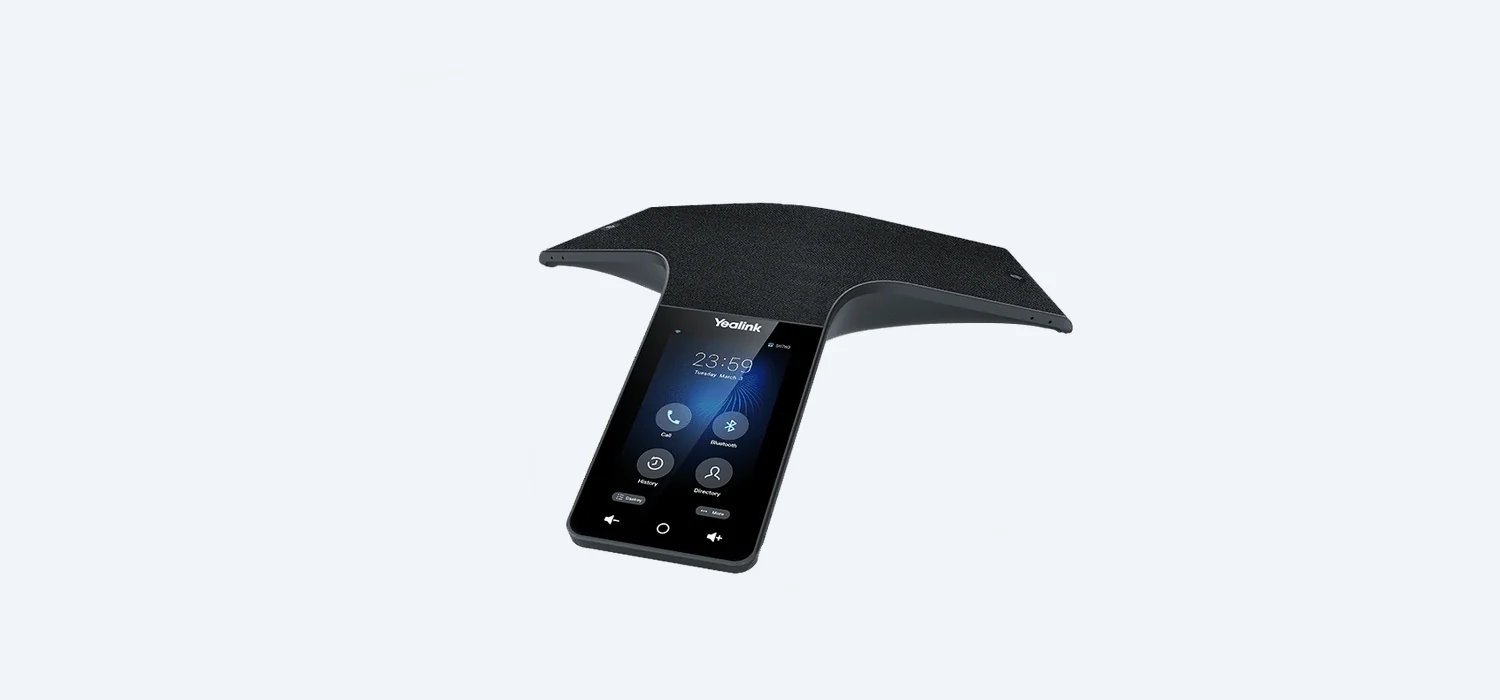
Yealink CP920
The Yealink CP920 is an excellent mid-range conference phone suitable for small to medium meeting rooms (up to 6–8 people). Key features include:
- 360-degree microphone pickup with a 6-metre range
- Full-duplex speakerphone with HD audio
- Built-in Wi-Fi and Bluetooth for wireless connectivity
- USB port for call recording
- Support for daisy-chaining two units for larger rooms
- Noise-proof technology to filter background noise
Yealink CP965
The CP965 is Yealink's premium conference phone with a colour touch-screen display, built-in Bluetooth and Wi-Fi, and support for wireless expansion microphones (CPW65). Ideal for medium to large boardrooms accommodating 10–16 people when paired with extension microphones.
Poly Trio 8300 and 8800
The Poly Trio range (formerly Polycom) is renowned for exceptional audio quality. The Trio 8300 suits small rooms while the Trio 8800 covers large boardrooms with its 6-metre microphone range. Both support Bluetooth, Wi-Fi and can be paired with external microphones and speakers for very large spaces.
Setting Up Your Conference Phone
Conference phones connect to your hosted VoIP system in the same way as a standard desk phone — via SIP registration. The setup process is straightforward:
- Connect to your network — Plug the conference phone into your network via Ethernet (recommended) or connect via Wi-Fi if supported. Most conference phones support PoE.
- Auto-provisioning — If your VoIP provider supports auto-provisioning, provide the phone's MAC address and the phone will configure itself automatically.
- Manual SIP registration — If configuring manually, access the phone's web interface or on-screen menu and enter your SIP server address, username and password, just as you would with a desk phone.
- Assign a dedicated extension — Give the conference room its own extension number (e.g., extension 500 for 'Boardroom') so colleagues can easily dial in or transfer calls to the room.
Room Placement Tips for Best Audio Quality
Where you place your conference phone has a significant impact on audio quality. Follow these guidelines:
- Centre of the table — Place the phone in the middle of the meeting table so it can pick up all participants equally.
- Away from walls — Position the table and phone away from hard walls to reduce echo and reflections.
- Avoid hard surfaces — Rooms with hard floors, glass walls and no soft furnishings create echo. Add carpet, curtains or acoustic panels where possible.
- Keep away from noise sources — Position the phone away from air conditioning vents, projector fans and windows facing busy roads.
- Don't stack papers on top — Keep the area around the phone clear so microphones are unobstructed.
Daisy-Chaining for Large Rooms
For large boardrooms or U-shaped table configurations, a single conference phone may not provide adequate microphone coverage. Many models support daisy-chaining — connecting two conference phones together via a cable so they function as one unit with extended coverage.
- The Yealink CP920 supports cascading two units via a cascade cable.
- The Poly Trio range supports expansion microphones that extend pickup range.
Wireless Extension Microphones
For even more flexibility, some conference phones support wireless extension microphones that can be placed at the far ends of a large table:
- Yealink CPW65 — Wireless microphones that pair with the CP965 via DECT, extending coverage for up to 16 participants.
- Poly Trio expansion microphones — Wired expansion mics that extend the Trio's pickup range.
Video Conferencing Integration
Many modern conference phones can integrate with video conferencing platforms. The Yealink CP965 and Poly Trio can serve as the audio component of a video conferencing setup, pairing with a separate camera and display. This gives you the superior audio quality of a dedicated conference phone combined with video capabilities.
For a complete meeting room solution, consider pairing your conference phone with:
- A large display or projector
- A USB or network camera
- A room booking system
Audio Quality Tips
- Mute when not speaking — In large meetings, encourage participants to mute when not speaking to reduce background noise.
- Use wired Ethernet — For the most reliable connection, always use a wired Ethernet connection rather than Wi-Fi.
- Test before important meetings — Always do a quick test call before critical meetings to ensure audio levels and connectivity are working properly.
- Keep firmware updated — Manufacturers regularly release firmware updates that improve audio processing and fix bugs.
Need help choosing and setting up conference phones for your meeting rooms? Get a quote for hosted VoIP and we'll recommend the perfect solution for your spaces.
Looking for a Business VoIP Solution?
Our team can set up a fully managed hosted VoIP system for your business. Get a free, no-obligation quote today.
Get a VoIP Quote →Related Reading
Looking for a better business phone system?
Get expert advice on hosted VoIP for your business. Free consultation, no obligation.
Or call us on 0333 015 2615
