
DECT Wireless Phones for VoIP: Setup and Range Guide
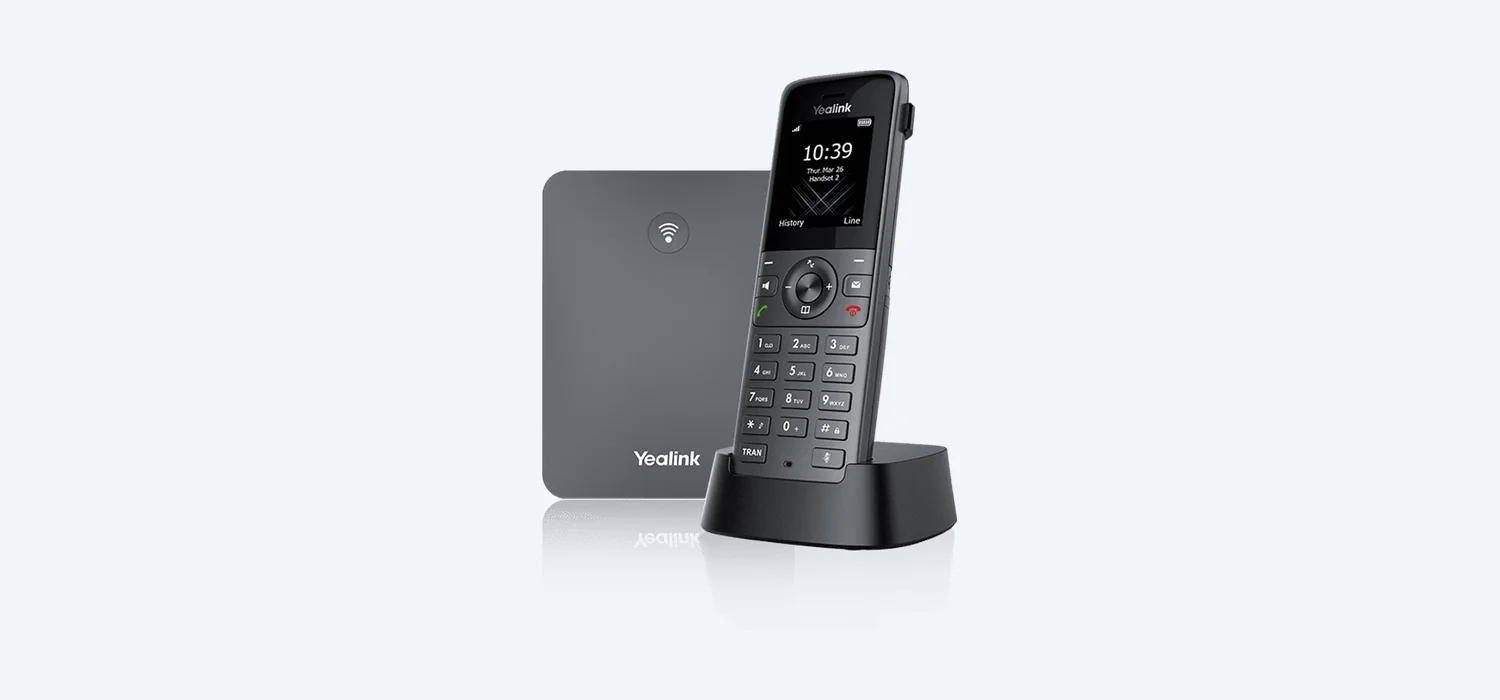
What Is DECT?
DECT stands for Digital Enhanced Cordless Telecommunications. It is a wireless standard specifically designed for voice communication, operating on a dedicated frequency band (1.88–1.90 GHz in Europe) that doesn't interfere with Wi-Fi networks. DECT technology has been used in cordless home phones for decades, and modern DECT wireless VoIP phones bring that same cordless freedom to your hosted business phone system.
How DECT Works with VoIP
A DECT VoIP system consists of two components:
- Base station — Connects to your network via Ethernet and registers with your hosted VoIP provider using SIP, just like a desk phone. The base station handles the VoIP connection and communicates wirelessly with the handsets.
- Cordless handsets — Lightweight wireless handsets that connect to the base station over DECT radio. Each handset can have its own extension number and SIP account.
This means your cordless business phone works exactly like a desk phone — same extension, same features, same call quality — but without the cable tying you to a desk.
Popular DECT VoIP Models
Yealink W73P
The Yealink W73P is a bundle that includes the W70B base station and a single W73H handset. It's an excellent entry point for businesses needing cordless phones:
- Supports up to 20 handsets per base station
- Up to 10 simultaneous calls
- 1.8-inch colour display on the handset
- HD voice quality
- Up to 7 hours talk time per charge
Yealink W76P
The W76P is the premium option, bundling the W70B base with the feature-rich W76H handset:
- 2.4-inch colour display
- Built-in Bluetooth for headset pairing
- Vibration alert
- Up to 8 hours talk time
- Ruggedised design suitable for warehouse environments
Yealink W60P
The W60P (W60B base with W56H handset) is a well-established option that supports up to 8 handsets and 8 simultaneous calls. It remains popular for small offices and retail environments.
Setting Up Your DECT VoIP System
Setting up a DECT phone system for hosted VoIP is straightforward:
Step 1: Connect the Base Station
- Plug the base station into your network switch using the included Ethernet cable.
- Connect the power adapter (most DECT base stations do not support PoE).
- The base station will obtain an IP address via DHCP and boot up — the LED indicators will show network connectivity.
Step 2: Register SIP Accounts
- Access the base station's web interface by entering its IP address in a browser.
- Navigate to the Account or SIP settings page.
- Enter the SIP credentials provided by your VoIP provider for each line — server address, username and password.
- If your provider supports auto-provisioning, simply provide the base station's MAC address and the accounts will be configured automatically.
Step 3: Pair Handsets
- On the base station web interface, go to DECT > Handset Registration and enable registration mode.
- On the handset, navigate to Settings > Registration and search for the base station.
- The handset will find the base station and pair automatically. You may need to enter a PIN (default is usually 0000).
- Assign a SIP line to each handset so it has its own extension number.
DECT Range: Indoor and Outdoor Coverage
Understanding DECT phone range is important for planning your deployment:
- Indoor range — Typically up to 50 metres from the base station, depending on building construction. Thick walls, metal structures and concrete floors will reduce range.
- Outdoor range — Up to 300 metres in open areas with line of sight to the base station.
- Practical range — In a typical office environment with plasterboard walls, expect reliable coverage of 30–40 metres from the base station.
Extending Range with Repeaters
If a single base station doesn't cover your entire premises, you can extend coverage using DECT repeaters:
- The Yealink RT30 repeater extends the range of W70B and W60B base stations.
- Each repeater effectively doubles the coverage area in the direction it's placed.
- Up to 6 repeaters can be used with a single base station.
- Repeaters connect wirelessly to the base station — no Ethernet cable needed, just a power socket.
Multi-Cell DECT for Large Sites
For large offices, warehouses, hotels or multi-floor buildings, a multi-cell DECT system provides seamless coverage across your entire site:
- Multiple base stations are connected to your network and managed centrally via a DECT manager.
- Handsets roam seamlessly between base stations as you move around the building — just like a mobile phone roaming between cell towers.
- Active calls are maintained during handover between base stations, so you can walk from one end of a warehouse to the other without dropping a call.
- The Yealink W70B base stations support multi-cell mode when managed by a Yealink DECT Manager (DM).
Best Practices for DECT Deployment
- Position base stations centrally — Place the base station in a central location for maximum coverage in all directions.
- Elevate the base station — Mounting the base station high on a wall or shelf improves range.
- Test coverage before committing — Walk around your premises with a paired handset to identify dead spots before finalising base station placement.
- Keep handsets charged — Place charging cradles in convenient locations so staff can top up during the day.
- Label handsets — In shared environments, label each handset with its extension number for easy identification.
Need help planning a DECT wireless phone deployment for your business? Get a quote for hosted VoIP and our team will design the right solution for your premises.
Looking for a Business VoIP Solution?
Our team can set up a fully managed hosted VoIP system for your business. Get a free, no-obligation quote today.
Get a VoIP Quote →Further Reading
Related Reading
Looking for a better business phone system?
Get expert advice on hosted VoIP for your business. Free consultation, no obligation.
Or call us on 0333 015 2615
