
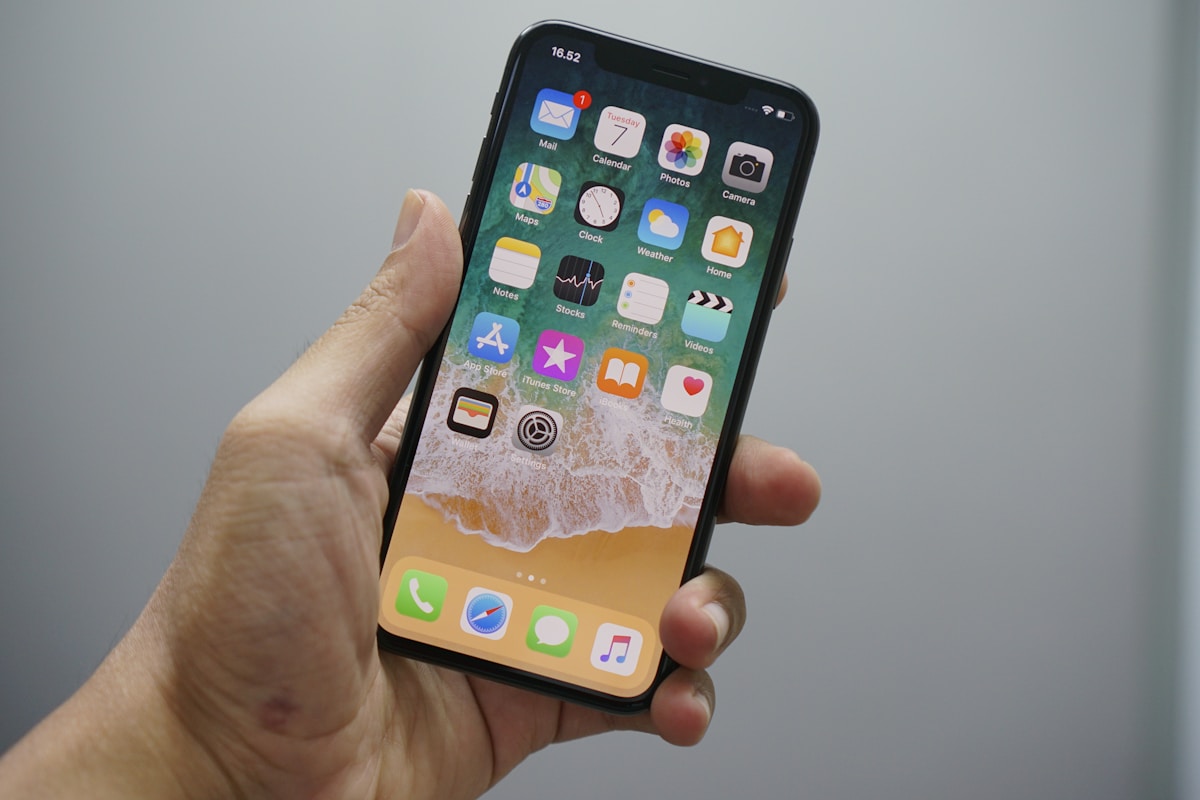

The Samsung Galaxy S25 Ultra was Samsung’s flagship business smartphone until the Galaxy S26 Ultra replaced it in March 2026, and it remains on sale through Three Business as the lower-cost prior-generation option. With a titanium frame, a built-in S Pen, the Snapdragon 8 Elite processor and a suite of on-device AI tools, it is designed for professionals who need a handset that works as hard as they do.
But raw specs only tell half the story. What makes the S25 Ultra a genuine Samsung business phone is the ecosystem around it — Knox security that satisfies IT departments, DeX desktop mode that replaces a laptop in a pinch, and Galaxy AI features that save hours of admin every week.
This guide covers everything you need to know about getting the Samsung Galaxy S25 Ultra on a business contract: the specs, the features that matter for work, how pricing stacks up, and how to secure the best deal for your company. If you are comparing options across brands, our business handsets hub has the full picture.
How many handsets does your team need?
Get a free no-obligation quote in 60 seconds
When does your current contract expire?
Tell us about your business
Your details
We'll never share your details. Unsubscribe anytime.
Thank you!
One of our mobile experts will be in touch shortly with your tailored quote.















Samsung Galaxy S25 Ultra: Key Specifications
Before diving into business features, here is what you are getting under the hood. The S25 Ultra sits at the top of Samsung’s 2025 lineup and carries specs that will keep it relevant well into 2027 and beyond.
| Specification | Samsung Galaxy S25 Ultra |
|---|---|
| Display | 6.9-inch Dynamic AMOLED 2X, QHD+ (3120 x 1440), 120 Hz adaptive, 2,600 nits peak brightness |
| Processor | Qualcomm Snapdragon 8 Elite (4 nm) |
| RAM | 12 GB |
| Storage | 256 GB / 512 GB / 1 TB |
| Rear Camera | 200 MP wide + 50 MP ultra-wide + 50 MP 5× telephoto + 10 MP 3× telephoto |
| Front Camera | 12 MP |
| Battery | 5,000 mAh, 45 W wired charging, 15 W wireless, Wireless PowerShare |
| S Pen | Built-in, Bluetooth LE, AI-assisted handwriting recognition |
| Connectivity | 5G (sub-6 GHz + mmWave), Wi-Fi 7, Bluetooth 5.4, UWB, NFC, Satellite SOS |
| Security | Samsung Knox Vault, ultrasonic fingerprint, face recognition |
| OS | Launched on Android 15 / One UI 7; now on Android 16 / One UI 8.5, with Android 17 / One UI 9 rolling out from late September 2026. Seven years of OS and security updates (to 2032) |
| Build | Titanium frame, Corning Gorilla Armor 2, IP68 dust and water resistance |
The standout numbers for business buyers are the seven years of guaranteed updates — meaning the phone stays secure and supported until at least 2032 — and the Snapdragon 8 Elite chip, which handles multitasking, video calls and on-device AI without breaking a sweat.
Why the Samsung Galaxy S25 Ultra Is Ideal for Business Users
Plenty of flagship phones have fast processors and good cameras. What sets the S25 Ultra apart as a Samsung business phone is the combination of hardware, software and enterprise features that directly address how professionals actually work.
Productivity That Goes Beyond the Basics
The 6.9-inch display is large enough to review spreadsheets, annotate PDFs and run split-screen apps comfortably. Pair that with 12 GB of RAM and you can keep Outlook, Teams, a CRM app and a browser open simultaneously without any of them reloading in the background.
For field workers, the 2,600-nit peak brightness means the screen remains readable in direct sunlight — useful for engineers on site, delivery drivers checking routes or sales reps pulling up presentations in a client’s car park.
Durability Built for Real Working Conditions
The titanium frame and Gorilla Armor 2 glass make the S25 Ultra one of the toughest flagship phones on the market. IP68 water and dust resistance means it survives rain, spills and dusty warehouses. For businesses that issue handsets to mobile workers, durability directly reduces replacement costs and downtime.
All-Day Battery Life
The 5,000 mAh battery comfortably lasts a full working day of calls, emails, navigation and app use. Samsung’s adaptive power management learns your usage patterns and prioritises the apps you rely on, so the phone is still going strong at 6 pm even after a heavy day. When you do need to top up, 45 W wired charging gets you from zero to 65% in around 30 minutes.
Get the Galaxy S25 Ultra on the Best Business Contract
We compare S25 Ultra deals across EE, O2, Three and Vodafone, secure multi-line discounts and deliver pre-configured devices to your door.
Samsung Knox: Enterprise-Grade Security
Security is the single biggest reason IT managers choose Samsung over the competition for business fleets. The Galaxy S25 Ultra ships with Samsung Knox, a defence-grade security platform that protects devices from the chip level up.
What Knox Actually Does
Knox is not a single app — it is a multi-layered security architecture built into the hardware and software of every Galaxy device. Here is what it includes:
- Knox Vault — a tamper-resistant secure processor that stores encryption keys, biometric data and sensitive credentials in an isolated environment. Even if the main operating system is compromised, Knox Vault remains sealed.
- Real-time kernel protection — monitors the operating system kernel for unauthorised modifications and blocks them instantly.
- Secure boot chain — verifies the integrity of every piece of software from the bootloader upwards each time the phone starts. If tampering is detected, the device locks down.
- Sensitive data protection — automatically encrypts personal and corporate data when the device is locked, even if the storage is physically removed.
Knox for IT Administrators
For businesses managing multiple devices, Knox extends into a full suite of enterprise management tools:
- Knox Suite — enrol, configure and manage hundreds or thousands of devices remotely. Push policies, restrict apps, enforce password rules and wipe lost devices from a single dashboard.
- Knox E-FOTA — control exactly when firmware and OS updates are applied across your fleet, so updates do not disrupt operations during critical periods.
- Knox Mobile Enrolment — automatically configures new devices the moment they connect to the internet, so IT teams do not need to touch each handset individually.
- Separation of work and personal data — Knox creates a secure container for corporate apps and data, completely isolated from personal apps. Employees keep their privacy; the business keeps its data safe.
Knox is certified by governments and defence organisations worldwide, including NCSC (UK), DISA (US) and CC (Common Criteria). For businesses in regulated industries — finance, healthcare, legal — this level of certification matters.
Samsung DeX: Turn Your Phone into a Desktop
Samsung DeX transforms the Galaxy S25 Ultra into a desktop computer. Connect the phone to a monitor, keyboard and mouse (wired or wirelessly) and you get a full desktop interface — resizable windows, a taskbar, drag-and-drop file management and multi-monitor support.
How Business Users Benefit from DeX
- Hot-desking and flexible working — employees who move between offices or work from client sites can carry their entire workspace in their pocket. Plug into any monitor and they are up and running in seconds.
- Reducing hardware costs — for roles that do not require heavy computing power (admin, sales, customer service), DeX can replace a laptop entirely. That is one less device to buy, insure and support.
- Presentations on the go — connect to a conference room display wirelessly via Miracast and present directly from the phone. No need to carry a laptop or worry about dongle compatibility.
- Secure access to corporate apps — because DeX runs on the phone, all data stays within the Knox-secured environment. There is no need to log into a shared computer or worry about data being left on a public machine.
DeX supports Microsoft 365 apps, Google Workspace, most CRM platforms and web-based tools. For the majority of knowledge-worker tasks — email, documents, spreadsheets, video calls — the experience is indistinguishable from using a traditional PC.
S Pen: The Business Tool Most People Overlook
The built-in S Pen is one of the S25 Ultra’s most underrated business features. It is not just for artists — it is a genuine productivity tool that saves time in ways a finger or keyboard cannot match.
Business Use Cases for the S Pen
- Signing documents — sign contracts, NDAs and approval forms directly on the screen. Combined with Samsung’s partnership with DocuSign and Adobe Acrobat, the workflow is seamless.
- Annotating PDFs and images — mark up blueprints, floor plans, design proofs or reports without printing a single sheet of paper.
- Handwritten notes that convert to text — jot notes in a meeting with Samsung Notes and Galaxy AI converts your handwriting to searchable, editable text automatically.
- Quick memos from the lock screen — pull out the S Pen with the screen off and start writing immediately. The note saves to Samsung Notes without unlocking the phone — perfect for capturing ideas or phone numbers on the fly.
- Remote control for presentations — use the S Pen’s Bluetooth button to advance slides during a presentation, so you can move around the room naturally.
The S Pen on the S25 Ultra has near-zero latency and pressure sensitivity, making it feel remarkably close to writing on paper. For professionals who attend multiple meetings a day, it genuinely replaces a notebook.
Galaxy AI: Artificial Intelligence Built for Business
The Galaxy S25 Ultra is Samsung’s most AI-capable phone to date. Galaxy AI runs on-device wherever possible, meaning your data stays on the phone rather than being sent to the cloud. Here are the features that matter most for business users.
Live Translate
Live Translate provides real-time, two-way voice translation during phone calls. You speak in English; the person on the other end hears your words in their language, and vice versa. It supports 20+ languages and works directly in the Samsung Phone app — no third-party apps needed.
For businesses with international clients, suppliers or remote teams, this removes a significant communication barrier. Sales calls, support conversations and supplier negotiations become possible without booking an interpreter.
Note Assist
Note Assist automatically summarises, formats and organises your meeting notes. After a meeting, tap the AI button in Samsung Notes and it generates a clean summary with action items, key decisions and follow-up tasks. It can also translate notes into other languages for international teams.
Chat Assist
Chat Assist works across messaging apps (including WhatsApp, Teams and email) to adjust the tone and style of your messages. Need to turn a quick informal reply into a professional client email? Chat Assist rewrites it in seconds. It also provides real-time grammar and spelling suggestions as you type.
Circle to Search
Circle any item on screen — a product in a photo, a landmark in a video call, a part number in a document — and the S25 Ultra instantly searches for it. For procurement teams, field engineers and anyone who needs to identify products or components quickly, this is a significant time-saver.
Transcript Assist
Record a meeting or phone call (with consent) and Transcript Assist produces a full, speaker-labelled transcript. It then generates a summary and highlights action items. For legal, compliance and project management teams, this creates an automatic audit trail of every conversation.
Samsung Galaxy S25 Ultra Business Contract Pricing Guide
Business contract pricing for the Galaxy S25 Ultra varies depending on the network, data allowance, upfront cost and contract length. Here is a general guide to what you can expect in 2026.
What Affects Your Monthly Cost
- Upfront payment — paying more upfront (£100–£300) significantly reduces the monthly cost. Some businesses prefer zero upfront to preserve cash flow; others pay more to keep monthly overheads low.
- Data allowance — most business users need at least 20 GB per month. Unlimited data plans typically add £5–£15 per month compared to capped plans.
- Contract length — 24-month contracts offer the lowest monthly rates. 12-month contracts give more flexibility but cost more per month. 36-month contracts are available on some networks but mean you are locked in longer.
- Network — EE tends to be the most expensive but offers the widest 5G coverage. Three is often the cheapest. O2 and Vodafone sit in the middle.
- Storage variant — the 256 GB model is the most affordable. Stepping up to 512 GB or 1 TB adds to the monthly cost.
Typical Monthly Price Ranges (Business Contract, 24 Months)
| Configuration | Upfront Cost | Estimated Monthly Cost (ex. VAT) |
|---|---|---|
| 256 GB, 20 GB data | £0 | £55–£70 |
| 256 GB, unlimited data | £0 | £65–£80 |
| 256 GB, unlimited data | £200 | £50–£65 |
| 512 GB, unlimited data | £0 | £75–£90 |
| 1 TB, unlimited data | £0 | £90–£110 |
These are indicative ranges — actual pricing depends on the network, any negotiated business discounts and the number of lines on your account. Multi-line business accounts almost always qualify for better rates than single-line orders. For a personalised quote, see our guide on best business mobile deals in 2026.
Leasing vs. Buying on Contract
Some providers offer device leasing as an alternative to a traditional contract. With leasing, you pay a lower monthly fee but return the handset at the end of the term. This can work well for businesses that refresh devices every two years anyway, but it means you never own the phone outright. Traditional contracts let you keep the device after the term ends, which is better if you plan to hand phones down to other staff or sell them to recoup some value.
For a deeper look at the financial side, our guide on buying a phone through your business in the UK covers the tax implications, ownership models and what HMRC expects.
Samsung Galaxy S25 Ultra vs iPhone 17 Pro Max for Business
The Galaxy S25 Ultra’s closest competitor in the business space is the iPhone 17 Pro Max. Both are excellent phones, but they take different approaches to business features. Here is how they compare.
| Feature | Samsung Galaxy S25 Ultra | iPhone 17 Pro Max |
|---|---|---|
| Operating System | Android 16 (One UI 8.5; One UI 9 rolling out) | iOS 27 |
| Enterprise Security | Samsung Knox (hardware + software) | Apple Business (formerly Apple Business Manager) + MDM |
| Desktop Mode | Samsung DeX (full desktop UI) | Not available |
| Stylus | Built-in S Pen | No stylus support |
| On-Device AI | Galaxy AI (translate, summarise, transcribe) | Apple Intelligence (summarise, rewrite, image tools) |
| Customisation | Highly customisable (launchers, default apps, sideloading) | Limited customisation |
| Device Management | Knox Suite (granular control, E-FOTA, bulk enrolment) | Apple Business (formerly Apple Business Manager) (profile-based management) |
| File Management | Full file system access, USB OTG, external storage | Sandboxed file system, limited external storage |
| Display Size | 6.9 inches | 6.9 inches |
| Update Support | 7 years OS + security updates | 6–7 years (historically) |
| Starting Price (Business Contract) | ~£55/month | ~£58/month |
Which Should Your Business Choose?
Choose the Galaxy S25 Ultra if your business values flexibility, customisation, desktop replacement (DeX), stylus input or granular device management through Knox. It is also the better choice for mixed-OS environments and businesses that rely on Android-specific line-of-business apps.
Choose the iPhone 17 Pro Max if your team is already embedded in the Apple ecosystem (MacBooks, iPads, AirDrop), you prioritise simplicity over customisation, or your industry-specific apps are iOS-first. Read our full iPhone 17 Pro Max business contract guide for the complete picture.
For a broader comparison across all the top options, see our roundup of the best business mobile phones in 2026. You can also explore the full Samsung range in our best Samsung Galaxy phones for business 2026 guide, or compare with the latest Apple hardware in our iPhone 18 series and Fold UK 2026 overview.
How to Get the Best Samsung Galaxy S25 Ultra Business Contract Deal
The price you see advertised online is rarely the best price available. Business mobile contracts are negotiable, and there are several ways to bring the cost down.
1. Order Multiple Lines Together
Networks and resellers offer volume discounts for businesses ordering two or more lines. The more lines you add, the deeper the discount. Even a small business ordering five handsets can typically save 10–20% compared to ordering individually.
2. Choose the Right Data Allowance
Do not overpay for unlimited data if your team mostly works on Wi-Fi. Check your current usage — many office-based workers use less than 10 GB of mobile data per month. Shared data pools, where a total allowance is split across all lines, can also reduce waste and cost.
3. Consider an Upfront Payment
Paying £100–£300 upfront per handset reduces the monthly cost significantly. Over a 24-month contract, this often works out cheaper overall. If cash flow allows, it is worth running the numbers.
4. Negotiate End-of-Contract Terms
Before signing, ask what happens when the contract ends. Some providers automatically drop you to a SIM-only rate; others keep charging the full amount. Make sure you are not paying for a handset you have already paid off.
5. Use an Independent Business Mobile Broker
Independent brokers like Connection Technologies have access to business-only pricing from multiple networks. We compare deals across EE, O2, Three and Vodafone and negotiate on your behalf — often securing rates that are not available directly from the networks.
Tax Benefits of Business Phone Contracts
Getting the Galaxy S25 Ultra through a Samsung galaxy business contract is not just convenient — it is tax-efficient. Here is how UK businesses benefit.
VAT Recovery
VAT-registered businesses can reclaim the VAT on business mobile contracts. On a £60/month contract, that is £12/month back — £288 over a two-year term. This applies to both the handset element and the airtime charges, provided the contract is in the business name.
Corporation Tax Deduction
The full cost of business mobile contracts — including the handset — is an allowable business expense. This reduces your taxable profit, which in turn reduces your corporation tax bill. For a company paying 25% corporation tax, a £60/month contract effectively costs £45/month after tax relief.
Capital Allowances
If you purchase handsets outright rather than on contract, you can claim capital allowances. Under the Annual Investment Allowance (AIA), the full cost of the handset can be deducted from your taxable profit in the year of purchase.
Benefit in Kind Considerations
If employees use business phones for personal calls, there is no benefit in kind (BIK) charge — provided the contract is between the employer and the network provider. This is one of the few employee perks that HMRC does not tax, making business mobiles one of the most tax-efficient benefits you can offer staff.
For the full breakdown, including sole trader vs. limited company differences, read our guide on buying a phone through your business in the UK.
Why Choose Connection Technologies for Your Samsung Business Contract
Connection Technologies is a UK-based independent business telecoms provider. We are not tied to a single network, which means we work for you — not for the carrier.
- Multi-network access — we compare business contract pricing across EE, O2, Three and Vodafone to find the best deal for your location and usage.
- Dedicated account management — every business customer gets a named account manager who handles orders, upgrades, queries and billing. No call centres, no ticket queues.
- Expert advice on device selection — not sure whether the S25 Ultra, a mid-range Galaxy or an iPhone is right for your team? We help you choose based on your actual needs, not upselling targets.
- Fleet management support — for businesses with 10+ devices, we help with Knox enrolment, MDM setup, policy configuration and ongoing device lifecycle management.
- Flexible contracts — 12, 24 or 36-month terms, with options to mix handset and SIM-only lines on the same account.
- Fast delivery — devices are pre-configured and shipped next working day, so your team is up and running without delay.
We have been helping UK businesses with mobile, connectivity and telephony since day one. Whether you need a single Galaxy S25 Ultra or a fleet of 500, we make the process simple and cost-effective.
Want the Galaxy S25 Ultra on a business contract?Get a free business mobile quote or call us on 0333 015 2615.
Ready to Order? We’ll Find Your Best S25 Ultra Deal
From single handsets to fleet rollouts, we handle contract negotiation, Knox setup and next-day delivery — all free of charge.
Frequently Asked Questions
Is the Samsung Galaxy S25 Ultra good for business use?
Yes. The Galaxy S25 Ultra is one of the best business phones available in 2026. Samsung Knox provides enterprise-grade security, DeX offers a desktop replacement, the S Pen handles document signing and annotation, and Galaxy AI automates tasks like transcription, translation and note summarisation. Seven years of guaranteed updates also means the device stays secure and supported for the long term.
How much does the Samsung Galaxy S25 Ultra cost on a business contract?
On a 24-month business contract with zero upfront cost, expect to pay between £55 and £80 per month (ex. VAT) depending on the network and data allowance. Paying an upfront fee of £100–£300 can bring the monthly cost down to £45–£65. Multi-line business accounts typically qualify for additional discounts.
Can I claim tax relief on a Samsung business phone contract?
Yes. VAT-registered businesses can reclaim the VAT on business mobile contracts. The full cost is also an allowable expense for corporation tax purposes. There is no benefit in kind charge for employees using a business-contracted phone for personal calls, making it one of the most tax-efficient employee perks available.
What is Samsung Knox and why does it matter for business?
Samsung Knox is a multi-layered security platform built into Samsung hardware and software. It includes Knox Vault (a tamper-resistant secure processor), real-time kernel protection, secure boot and remote device management tools. Knox is certified by the UK’s NCSC and other government security bodies, making it suitable for businesses in regulated industries.
Can the Galaxy S25 Ultra replace a laptop for business?
For many roles, yes. Samsung DeX turns the S25 Ultra into a desktop computer when connected to a monitor, keyboard and mouse. It supports Microsoft 365, Google Workspace, web browsers and most business apps in a full desktop interface. For tasks like email, documents, spreadsheets and video calls, DeX provides a laptop-equivalent experience.
How does the Samsung Galaxy S25 Ultra compare to the iPhone 17 Pro Max for business?
Both are excellent business phones. The S25 Ultra offers more flexibility with Samsung DeX (desktop mode), the built-in S Pen, deeper customisation and Knox’s granular device management. The iPhone 17 Pro Max is better if your business is already invested in the Apple ecosystem. See our full comparison above for a detailed breakdown.
See also our guide on Samsung Galaxy S25 Business Contract UK 2026: Plans, Pricing & Networks Compared for more details.
See also our guide on Samsung Galaxy Z Flip Business Contract UK 2026: Plans, Pricing & Networks Compared for more details.
What Galaxy AI features are useful for business?
The most useful Galaxy AI features for business include Live Translate (real-time call translation in 20+ languages), Note Assist (automatic meeting summaries and action items), Chat Assist (tone adjustment for professional emails), Transcript Assist (speaker-labelled meeting transcripts) and Circle to Search (instant visual search for products and components).
How long will the Samsung Galaxy S25 Ultra receive software updates?
Samsung guarantees seven years of Android OS updates and security patches for the Galaxy S25 Ultra, taking it through to at least 2032. This is the longest update commitment of any Android manufacturer and matches Apple’s typical support window, making it a sound long-term investment for business fleets.
Related Reading
Related Reading
More from the Connection Technologies blog.